About this app
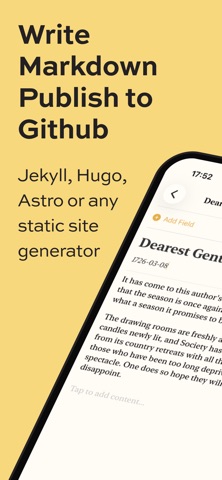
Git Blog turns your iPhone or iPad into a powerful blogging tool — draft, edit, and publish markdown posts directly to your GitHub repository, all from one beautifully simple app. Whether you use Jekyll, Hugo, Astro, or any static site generator, Git Blog connects to your repo and lets you create content on the go. No laptop required. DRAFT WITH EASE Write posts using a block-based markdown editor that makes formatting effortless. Add headings, lists, quotes, code blocks, and more with a tap. Drag and drop blocks to reorder your content exactly the way you want. ADD IMAGES NATURALLY Snap a photo or choose from your library. Git Blog processes and uploads your images alongside your post. Choose from layout options like full-width, half, side-by-side, and more to get the look you're after. FLEXIBLE FRONTMATTER Create reusable frontmatter templates for your site's content types. Define custom fields — text, dropdowns, even image pickers — so every post starts with the right structure. Or import frontmatter from an existing post in your repo. PUBLISH YOUR WAY Push directly to your main branch, create a new branch, or open a pull request — whatever fits your workflow. Git Blog handles the commit, including all your images, in one clean push. BROWSE YOUR SITE Explore your repository's file structure right from the app. Open any existing markdown file, make edits, and republish. Your entire site is at your fingertips. FEATURES: - Block-based markdown editor with drag-to-reorder - Camera and photo library integration - Image layout classes (full, half, side, main, third) - Reusable frontmatter templates with custom fields - Multiple publish modes (push, branch, pull request) - Repository browser for editing existing content - Light, dark, and system appearance modes - Secure token storage in your device's keychain - Works with any GitHub-hosted static site Git Blog is built for bloggers who love the control of GitHub but want the convenience of mobile. Write anywhere. Publish everywhere.
Latest release
What’s New
• Added a flexible chip-based subfolder URL builder for posts and images. • Subfolder paths can now combine custom text, post title, year, month, and day in any order. • Improved frontmatter template image handling so image fields respect the configured images folder.
Audience growth
Ratings growth
Baseline captured. Growth appears after the crawler observes a changed rating count.
Momentum comes from crawler snapshots for the tracked storefront. “Viral growth signal” means unusually fast recent rating gains; it is an indicator, not download data.
Price tracking
Price intelligence
First snapshot captured. The trend line starts after the next crawler price observation.
- First observed Aug 23, 2026 · 7:58 AM Free
Screenshots