About this app
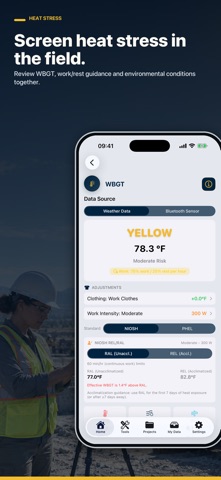
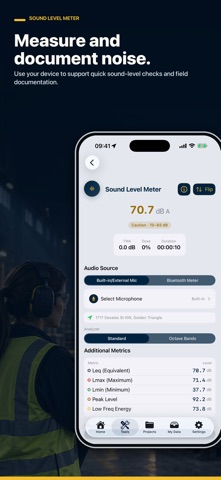
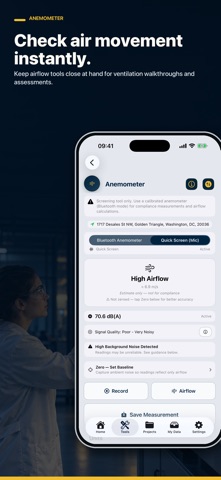
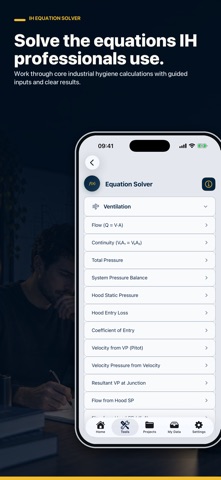
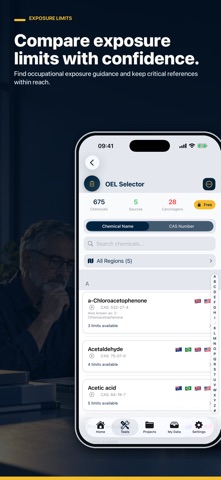
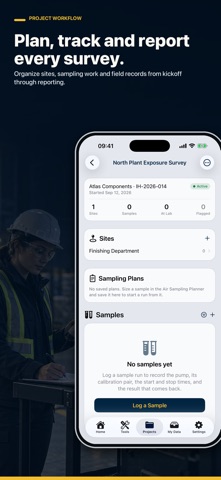
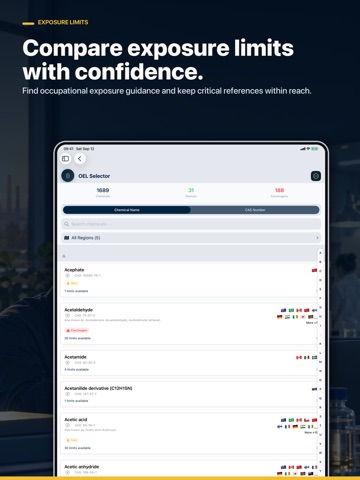
IH Toolbox brings industrial hygiene fieldwork, exposure assessment, professional calculators, reference data, and sample management together in one practical app. Built for industrial hygienists, occupational health professionals, EHS teams, safety practitioners, consultants, and students, IH Toolbox helps you move from an initial field assessment to an organized sampling record and finished report. PLAN, SAMPLE, AND REPORT Organize your work by project and site. Build sampling plans, run samples in the field, record calibration information, track laboratory status, assess exposure, and generate clear survey reports. - Manage air, noise, wipe, and bulk samples - Record pumps and instruments by make, model, and serial number - Capture pre- and post-sample calibration data - Track active runs, pauses, elapsed time, and sample volume - Import results from laboratory CSV files - Attach photos, lab reports, and supporting evidence - Compare results with selected occupational exposure limits - Apply Brief & Scala or OSHA extended-shift adjustments - Document unsampled time and calculation assumptions - Export complete exposure survey reports - Share and import portable project files SEARCH EXPOSURE LIMITS Quickly search occupational exposure limit information by chemical name or CAS number. Compare available limits from multiple countries and regulatory or professional sources without searching through separate publications. MEASURE IN THE FIELD Use your iPhone or iPad for convenient field-screening measurements and supporting observations, including tools for: - Sound levels and noise contours - Heat and cold stress - Light levels - Air movement and pressure differential - Vibration - UV conditions Device-based readings are clearly identified as field-screening data and are not represented as calibrated compliance measurements. CALCULATE WITH CONFIDENCE Access a growing collection of industrial hygiene and safety calculators, including: - Air sampling and sample-volume planning - Mixed-exposure calculations - Ventilation and air-change calculations - Confined-space calculations - Respiratory protection guidance - Fall-clearance and lifting calculations - PPM and mg/m³ conversions - Scientific and general unit conversions - Chemical storage and spill-volume tools REFERENCE AND STUDY Keep practical occupational health and safety references close at hand, including chemical information, respiratory protection guidance, checklists, and preparation tools for CIH and CSP examinations. Whether you are planning a survey, collecting samples, checking an exposure limit, completing a calculation, or studying for an exam, IH/OH Toolbox keeps the tools you need in one organized workspace. Some advanced recordkeeping, reporting, international reference, synchronization, and exam-preparation features require Pro. IHToolbox supports professional judgment but does not replace calibrated instruments, laboratory analysis, applicable regulations, or a qualified safety professional. Terms of Use (EULA) https://www.apple.com/legal/internet-services/itunes/dev/stdeula/ Privacy Policy https://www.fouledanchorsafety.com/privacy/
Latest release
What’s New
IH Toolbox now carries more of the industrial hygiene workflow—from the first field reading to the finished survey record. - Build projects and sites, then organize air, noise, wipe and bulk sampling work in one place. - Save sampling plans, run timed samples, document calibration checks and track items awaiting laboratory results. - Import laboratory CSV files and record instruments by make, model and serial number. - Calculate exposure against an applicable limit, including supported shift-adjustment methods and clearly stated assumptions. - Generate structured exposure survey reports with sample summaries and reproducible calculation details. - Prepare for the CIH and CSP exams with focused practice included in Pro. - See clearer screening labels wherever a reading relies on the phone's own sensors. - Access Pro through a simpler one-time purchase, with discounted eligibility for verified service members. This release also includes interface refinements and reliability improvements across the toolbox.
Audience growth
Ratings growth
Baseline captured. Growth appears after the crawler observes a changed rating count.
Momentum comes from crawler snapshots for the tracked storefront. “Viral growth signal” means unusually fast recent rating gains; it is an indicator, not download data.
Price tracking
Price intelligence
First snapshot captured. The trend line starts after the next crawler price observation.
- First observed Sep 30, 2026 · 4:17 AM Free
Screenshots