About this app
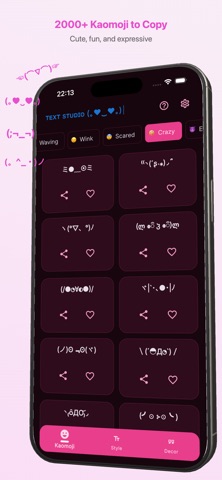
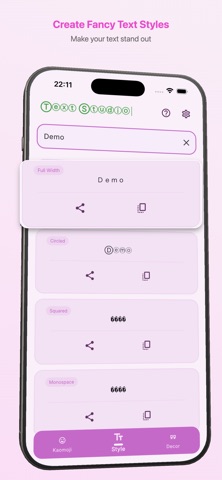
Text Studio: Kaomoji is a fast and simple way to create stylish text for chats, captions, bios, and posts Browse a large collection of kaomoji (Japanese emoticons) (。◕‿◕。), generate fancy text styles, and apply text decorations in seconds. Just type your text, copy the result, and paste it anywhere Whether you want a cute kaomoji, a bold text style, or a decorated message, everything is organized in one place for quick use. Key Features • Large kaomoji library with multiple categories (。◕‿◕。) • Fancy text generator for creative styles • Text decoration templates for framed text • One-tap copy for fast sharing • Favorites to save items you use most • Clean, modern, and easy-to-use interface • Works across all chat and social apps Perfect for • Chat messages • Social media captions • Profile bios • Usernames and nicknames • Status updates • Creative text posts Fast and easy to use Text Studio: Kaomoji is designed for speed • Open the app • Pick a kaomoji, style, or decoration • Copy and paste instantly No complicated setup. No extra steps. Just useful text tools in one app.
Latest release
What’s New
Bug fixes
Audience growth
Ratings growth
Baseline captured. Growth appears after the crawler observes a changed rating count.
Momentum comes from crawler snapshots for the tracked storefront. “Viral growth signal” means unusually fast recent rating gains; it is an indicator, not download data.
Price tracking
Price intelligence
First snapshot captured. The trend line starts after the next crawler price observation.
- First observed Sep 1, 2026 · 1:54 PM Free
Screenshots