About this app
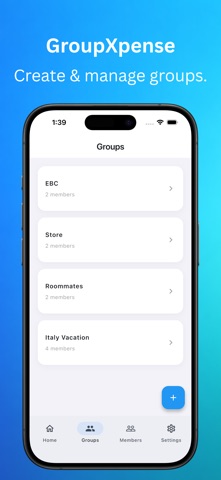
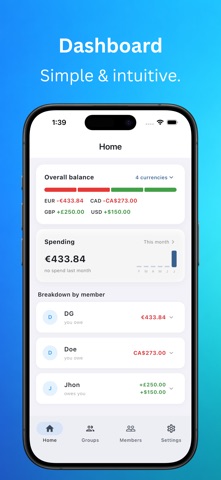
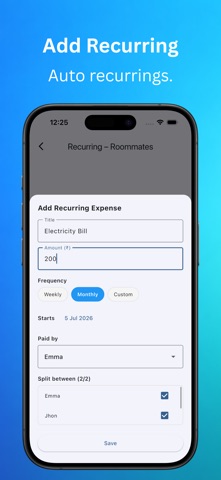
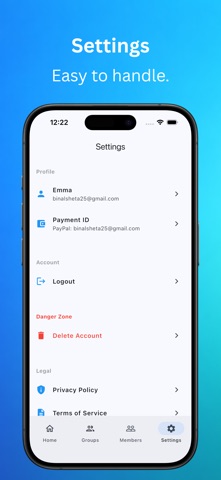
GroupXpense makes splitting shared expenses effortless. A trip with friends, monthly bills with roommates, a family event, a team lunch — add the expense once and GroupXpense tracks exactly who owes whom. Create a group, add members, log expenses as they happen. Balances update instantly and settlement suggestions use the fewest possible payments — no spreadsheets, no mental math. KEY FEATURES • Group Expense Tracking — Unlimited groups for trips, households, events, or teams. Every expense records who paid and who shares it. • Flexible Splitting — Split equally or set custom shares per person for uneven contributions. • Smart Settlements — See who owes whom, with balances simplified so the group settles in the fewest payments. • Guests Welcome — Add members who don't have the app. Track their share and settle on their behalf. • Recurring Expenses — Rent, subscriptions, utilities: set once, logged automatically. • Multi-Currency — Each group picks its own currency. Ideal for international trips. • PDF Export — Clean expense and settlement reports to share or archive. • Activity History — Full audit trail of every expense, edit, and settlement. • Reminders — Notifications so balances don't linger. • Real-Time Sync — Sign in with Google or Apple; groups stay backed up across devices. PERFECT FOR • Trips and vacations with friends • Roommates sharing rent and utilities • Couples managing shared spending • Events, parties, and group dinners • Teams and clubs Fair, transparent expense sharing that keeps friendships intact.
Latest release
What’s New
- Fixed crashes related to group membership changes - Fixed a rare crash when deleting your account - Fixed minor layout issues - Reduced ad frequency - Added Share & Rate app options
Audience growth
Ratings growth
Baseline captured. Growth appears after the crawler observes a changed rating count.
Momentum comes from crawler snapshots for the tracked storefront. “Viral growth signal” means unusually fast recent rating gains; it is an indicator, not download data.
Price tracking
Price intelligence
First snapshot captured. The trend line starts after the next crawler price observation.
- First observed Sep 4, 2026 · 5:00 AM Free
Screenshots