About this app
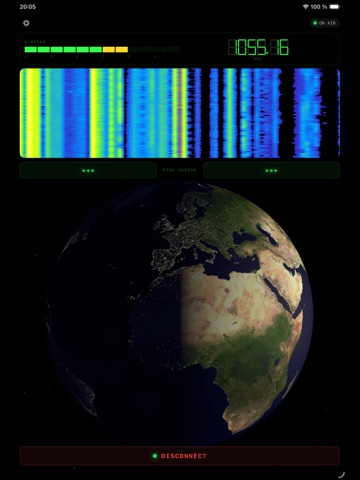
Launching and connecting to the radio broadcast. Move across the frequency range by swiping on the waterfall in the center of the app window. Fine-tune the frequency using the Fine Tuning buttons. Double-tap the field showing the current frequency to open a dialog box where you can enter the desired frequency manually. The waterfall or the audio stream itself may freeze if the server signal is lost. Reconnection will happen automatically, but you can also reconnect manually using the button at the bottom of the screen. Also, please check the Settings button in the top-left and try setting the app’s sleep timer or changing the app’s wallpaper/background.
Latest release
What’s New
Audio engine updates
Audience growth
Ratings growth
Baseline captured. Growth appears after the crawler observes a changed rating count.
Momentum comes from crawler snapshots for the tracked storefront. “Viral growth signal” means unusually fast recent rating gains; it is an indicator, not download data.
Price tracking
Price intelligence
First snapshot captured. The trend line starts after the next crawler price observation.
- First observed Aug 20, 2026 · 12:20 AM Free
Screenshots