About this app
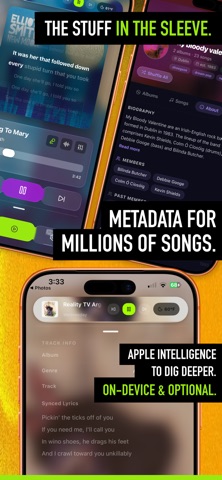
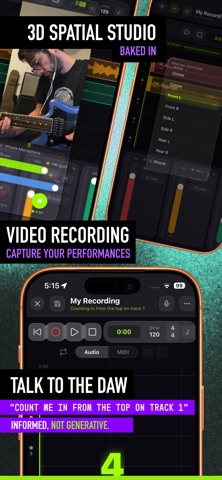
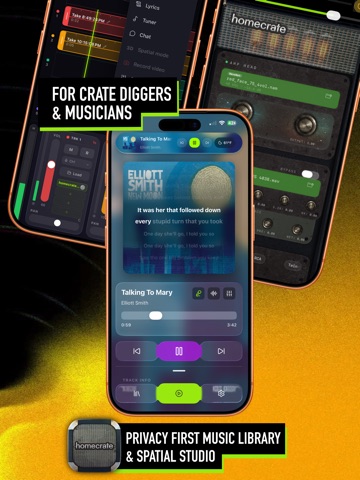
A music player with a production studio inside. Algorithm-tuned shuffle, spatial audio, synced lyrics, plus a 16-track DAW with on-device stem separation, real VST3 plugin hosting, a synth, drum machine, and guitar amp. One app. No subscription. YOUR MUSIC. YOUR RULES. homecrate is a player and a studio for people who have opinions about music. Not a streaming service. Not an algorithm watching you. LISTEN Algorithm Tuner: Set your own taste profile. Shuffle reflects what you told it, not what it watched. Liner Notes: Every track gets background facts, synced lyrics, and music theory analysis. The stuff that came in the sleeve. Weather Mood: Live weather matched to your library. On-device, not to advertisers. Spatial Audio (Pro): A spectral binaural engine. Per-track toggle. Put the band in the room. CREATE homecrate Studio (Pro): 16 audio + 8 MIDI tracks. Time-stretch and warp markers for timing correction. Clip slicing, crossfades, pinch-to-zoom timeline. Automation lanes with shape presets. Mixdown to your library, export with Ambisonics on iOS 26+, or share a whole project as one file. VST3 + AudioUnit Hosting (Pro): Run real third-party VST3 and AU plugins inside your project. A free companion app on your Mac hosts the plugin; homecrate streams audio, MIDI, and tempo both ways. Every plugin parameter becomes an automatable lane, just like a native one. Mac required. Stem Separation (Pro): Split any song into stems (vocals, drums, bass, guitar, and more) entirely on your device. No cloud, no account, no limits. Stems land on tracks, ready to play along: mute the guitar and take its place. Audio to MIDI (Pro): Convert audio to a MIDI clip with on-device pitch detection. Sing the melody, get the notes. Synthesizer (Pro): Dual-oscillator subtractive synth. MPE and microtonal tuning (EDO + world scales). 6-voice unison. Drum Machine (Pro): 16-pad sampler. Multi-bar step sequencer. MIDI clip export. Guitar Amp (Pro): Neural Amp Modeler (NAM A2) with IR cabinets. 5-band EQ. Load any .nam model or .wav IR. Vocal Chain (Pro): Pitch correction, compression, doubling, de-esser, delay, and reverb in one plugin. Dynamic EQ (Pro): Dynamic EQ and compressor with true sidechaining. Feed it from any track via the companion send plugin. Duck the bass under the kick. AUv3 Host (Pro): 4 insert slots per track. Load any third-party instrument, effect, or MIDI processor. Automate it from lanes or MIDI clips. MIDI I/O (Pro): Hardware routing. Clock sync (24 PPQN). Bluetooth MIDI. Controller learn. Video Capture (Pro): Film the take with your backing track in the mix. 62 real-time GPU effects that stack as layers, plus 23 factory looks. Effects react to what you play: hit the strings and the frame ignites. Preserve Me and Preserve Instrument shields keep you and your guitar untouched while everything else burns. Front and back camera at once. Crops for 9:16, 1:1, 4:5, 16:9. Gesture Control (Pro): Hand gestures seen by the front camera become MIDI. Twist your hand to ride a filter or trigger notes, without touching the screen. AI Voice + Chat (Pro): Voice commands for DAW control. Music Chat: mix analysis, theory-rule drum beats, MIDI clips. Informed. Not generative. TOOLS Guitar Tuner: Chromatic with custom tunings. Chord detection. Metronome: Tempo presets. MIDI clock in and out. Looper Pedal (Pro): Overdub layers, quantize, export straight to a track. FREE VS PRO Free: local player, algorithm tuner, weather mood, liner notes, tuner, metronome, widgets, 4 audio tracks, 1 MIDI track, homecrate instruments with some limits. Pro: 16 audio + 8 MIDI tracks, stem separation, audio to MIDI, spatial audio, synth, drum machine, guitar amp, vocal chain, dynamic EQ, AUv3 + VST3/AU hosting, gesture control, video FX, looper, project sharing, AI voice + chat, Plex sync. $9.99. One time. No subscription. No renewal.
Latest release
What’s New
New in 1.14! Lyrics & Notes - Time your lyrics line by line. Type a time on the new Timing tab, or put your cursor on a line and tap the mark button to stamp it at the playhead. A badge shows how many lines are timed. - A live preview strip at the top of the panel follows the song as it plays and highlights the current line, so you can dial in timings by ear without leaving the panel. - Lyrics travel with your exports. Mixdowns sent to your library now carry lyrics in the track metadata. Timed lines show up as synced lyrics in the player, and untimed lyrics come along as plain text. - New Lyrics video effect overlays your timed lyrics on camera takes in real time. - Fixed the lyrics panel getting stuck behind the transport bar after a drag. MIDI Clip Editor - New tool rail: Move, Erase, and Length. Move is the default and covers the whole loop: double tap an empty cell to add a note, double tap a note to delete it, and drag a note to move it in time and pitch. Erase clears notes with a single tap. Length lets you drag notes longer or shorter. - Note input is a double tap now, so stray touches while you scroll no longer drop notes on the grid. - New Randomize button re-rolls the whole part. Melodies follow your project key, and you can lean the results toward what your song is actually playing. - Edit actions now carry clear labels: Reverse, Invert, Quantize, and octave up and down shifts. - Every piano roll row is labeled, with the C notes standing out, so you can find your place without counting keys. - In the drum grid, the Length tool shows each hit's real gate length so you can see and stretch how long a pad rings out. Video Effects - Effect settings are reorganized into a sidebar of your added effects and a full height settings area. No more scrolling past every card to reach the one you want. - New randomize button in the FX drawer rolls a fresh look for you. - The effect library is now a scrollable list with order badges and aligned titles, matching the layers sidebar. - Preview an effect with the eye button before you commit to adding it. - New color splash effect for defining a single color to preserve while turning the rest background black and white (isolate your guitar in color!) - New Custom Shader effect: paste ISF or Shadertoy code and run it as a live video effect. The shader's own inputs show up automatically as sliders and controls, and compile errors appear right in the drawer so you can fix your code and retry. Media Overlay video effect - New Media Overlay effect lets you add unlimited photo or video layers. Videos loop muted. Each layer has its own file, alignment, offset, scale, and rotation. - New Media target confines any effect to the area covered by your media layers. - Media picks are saved with presets and your rig. New Effects - Eight new video effects: Halation, Tie-Dye, Film Burn, 16mm Reel, Liquid Light, Pixel Sort, JPEG Crush, and NTSC Composite. All of them are wired into the randomizer. Presets and Song Structure - Section markers can now trigger a video effect preset change. The look switches as playback crosses each marker, both in preview and in the recorded video. - Applying a preset makes it the active one, and a new save icon in the drawer header lets you save over it. Factory presets save a copy to your own list. - Fixed section marker lines blocking timeline touch. Only the label tab opens the editor now. - Long pressing on the save button will open a modal to "save as new" or "save as template" Song Take Capture - New third camera record mode: video keeps rolling while the recorder handles the audio. When you stop, the final mixdown, including any fresh take, is combined into the video. Playback & Monitoring - Fixed instrument tracks jumping to full volume when moving the playhead during playback. Performance - Fixed idle heat. The amp and grain plugins now settle down better when nothing is playing.
Audience growth
Ratings growth
Baseline captured. Growth appears after the crawler observes a changed rating count.
Momentum comes from crawler snapshots for the tracked storefront. “Viral growth signal” means unusually fast recent rating gains; it is an indicator, not download data.
Price tracking
Price intelligence
First snapshot captured. The trend line starts after the next crawler price observation.
- First observed Aug 23, 2026 · 1:06 PM Free
Screenshots