About this app
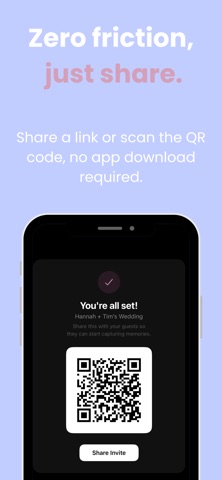
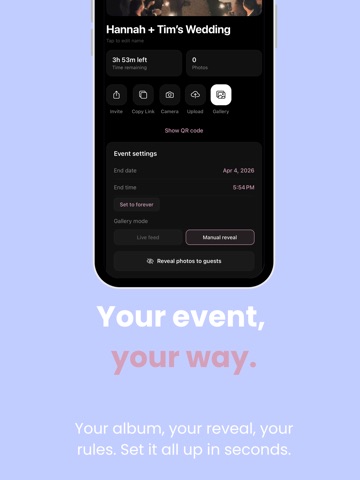
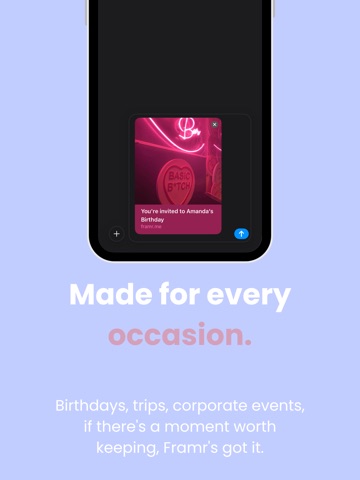
Framr turns every event into a shared photo experience. Create an event, share a QR code or link with your guests, and watch as everyone contributes to one beautiful gallery, no app download required for guests. PERFECT FOR • Weddings & receptions • Engagement parties & hen dos • Birthday celebrations • Baby showers • Family reunions • Corporate events HOW IT WORKS For Hosts: 1. Create an event in seconds, name it, set the dates, and choose your style 2. Pick a camera filter: Original, Vintage, or Black & White 3. Choose how photos are revealed: live feed or manual reveal for a big surprise 4. Share the QR code or invite link with your guests 5. Watch photos roll in and manage everything from your dashboard For Guests: Just scan the QR code or tap the invite link. Enter your name and start snapping — no account needed. KEY FEATURES • Shared Gallery — Every photo from every guest in one place, updated in real time • Camera Styles — Apply the same beautiful filter to every photo for a cohesive look • QR Code Sharing — Display at your venue for instant guest access • Web Access — Guests can join and upload from any browser, no app install needed • Photo Reveal — Keep photos hidden until the perfect moment, then reveal them all at once • Export All — Download the entire gallery to your camera roll with one tap • Activity Dashboard — See photo counts, hourly activity, and guest participation at a glance • Secure Cloud Storage — All photos stored safely and accessible anytime PLANS • Free Trial — Up to 5 guests, 10 shots each. Great for testing. • Intimate ($19.99) — Up to 25 guests, unlimited shots. Perfect for small gatherings. • Classic ($49.99) — Up to 100 guests, unlimited shots. Ideal for most weddings. • Grand ($99.99) — Unlimited guests, unlimited shots, video recording, priority support. All plans are one-time purchases — no subscriptions. Create your first event today and give your guests a camera they'll actually use.
Latest release
What’s New
Introducing the reveal moment. For reveal-style events, the wait now pays off — when you unveil your gallery, it "develops" like a roll of film, complete with a little celebration showing how many photos your guests captured and how many joined in. We've also polished performance and squashed a few bugs behind the scenes.
Audience growth
Ratings growth
Baseline captured. Growth appears after the crawler observes a changed rating count.
Momentum comes from crawler snapshots for the tracked storefront. “Viral growth signal” means unusually fast recent rating gains; it is an indicator, not download data.
Price tracking
Price intelligence
First snapshot captured. The trend line starts after the next crawler price observation.
- First observed Aug 16, 2026 · 9:30 AM Free
Screenshots