About this app
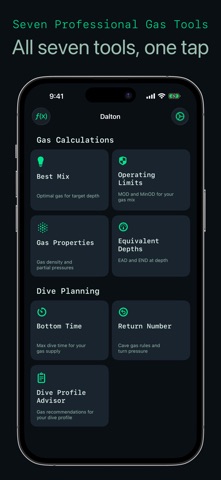
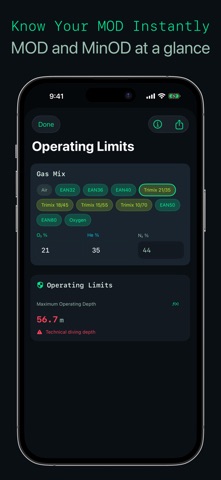
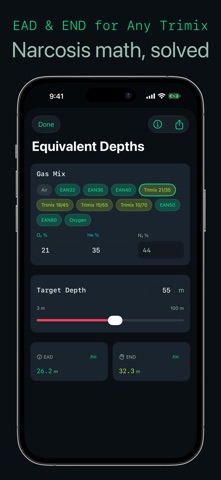
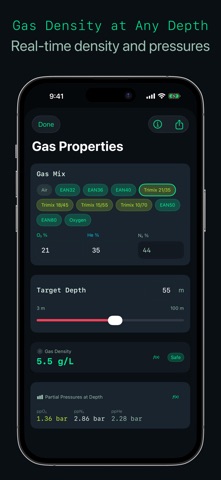
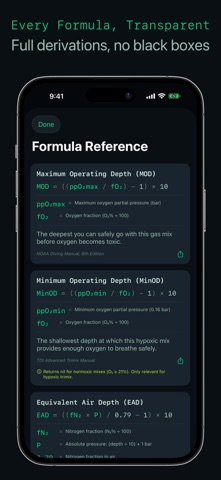
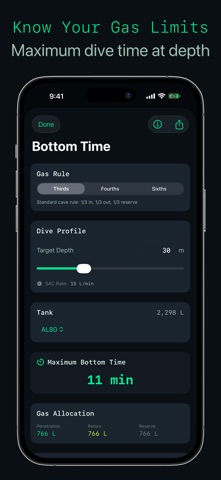
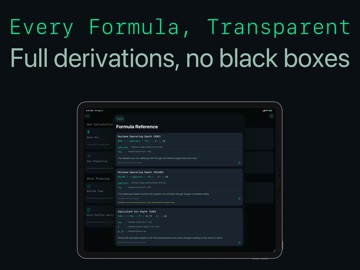
Know your gas. Trust your numbers. Dalton is the gas calculator that shows its work. Every result is verified against PADI Nitrox Tables, TDI Trimix Tables, and Shearwater manuals. Every formula is published with step-by-step derivations and source citations. No black boxes. GAS CALCULATIONS - MOD (Maximum Operating Depth): Find the safe depth limit for any gas mix based on your ppO2 tolerance - Equivalent Air Depth: Calculate nitrogen loading equivalents for nitrox decompression planning - Equivalent Narcotic Depth: Determine narcotic effects at depth for trimix planning - Best Mix: Find the optimal oxygen percentage for your target depth - Gas Properties: Calculate density, partial pressures, and breathing resistance at depth DIVE PLANNING - Return Number (Dalton Pro): Gas volume required for safe ascent — rule of thirds, fourths, or custom reserve fractions. The overhead environment gas management tool most divers do on paper or skip entirely - Dive Profile Advisor (Dalton Pro): Plan multi-level dives with gas switches and depth segments - Bottom Time Calculator (Dalton Pro): Determine available bottom time based on gas supply and consumption Dalton Pro tools require a one-time in-app purchase. All gas calculation tools are free. FORMULA REFERENCE Tap any result to see the full formula derivation with source citations. Dalton is the only mobile gas calculator that publishes every formula it uses. Teach the math. Show the math. SHARE YOUR CALCULATIONS Share any result as a URL with a QR code. Recipients with Dalton installed open the calculation directly in the app. Everyone else sees a web preview with the full results. Dalton Pro tool links show a result summary before the in-app purchase prompt -- useful for team briefings where not everyone has the app. Export formula cards as branded images. Send your gas plan to a buddy, post it in the group chat, or print it for the dive briefing whiteboard. One calculation, shared with the entire team in seconds. HOME SCREEN AND LOCK SCREEN WIDGETS - Quick Launch: A 2x2 grid that opens MOD, Best Mix, EAD/END, or Gas Properties with a single tap. No navigating through menus at the fill station - Quick MOD Reference: Pre-computed MOD for your selected gas mix, available on home screen and lock screen in circular, rectangular, and inline formats. Glance at your lock screen and see your MOD without opening the app - Both widgets are free - All values are pre-computed inside Dalton. No calculation logic runs in the widget extension SAFETY-FIRST DESIGN - Three-tier safety warnings tied to recognized physiological thresholds - Gas-density guidance from Anthony and Mitchell research: preferred below 5.2 g/L, caution from 5.2 to below 6.2 g/L, danger at 6.2 g/L and above - Configurable safety limits with ppO2 range from 1.2 to 1.6 bar - Standard gas mix presets: Air, EAN32, EAN36, and common trimix blends - Full gas range: air, nitrox, and trimix including hypoxic blends to 300m - All calculations work offline; anonymous crash and release-health diagnostics may be sent when online - No subscriptions, no ads, no account creation Every calculation is verified. Every result is reliable. A Tools for Divers, LLC product
Latest release
What’s New
Dalton 1.3.1 • Dive Profile Advisor: if your SAC unit was cu ft/min (the default unless your device’s Measurement System is set to Metric), re-check any plan made with its gas volumes in an earlier version, including shared result cards. Segment, transit, total and stress-factor volumes were shown in cubic feet but labeled “L”, so they read about 28 times too low. They now show liters. SAC rates in L/min were not affected. • Updated for iOS 27. • Corrected gas calculations and clarified when no mix can be recommended. • Shared calculations preserve their inputs. Automatic gas selection in dive profiles is consistent across platforms. Verify calculations independently before diving.
Audience growth
Ratings growth
Baseline captured. Growth appears after the crawler observes a changed rating count.
Momentum comes from crawler snapshots for the tracked storefront. “Viral growth signal” means unusually fast recent rating gains; it is an indicator, not download data.
Price tracking
Price intelligence
- First observed Aug 19, 2026 · 10:17 AM Free
Screenshots