About this app
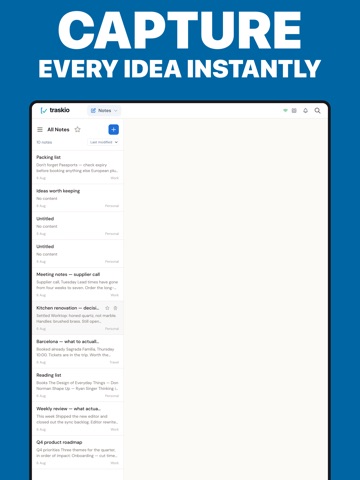
Traskio brings your tasks, notes, trips and projects together in one place, so you stop scattering your thinking across half a dozen apps. TASKS Capture what needs doing, set recurring tasks, see everything on a calendar, and add tasks with your voice. NOTES Write in rich text, organise into notebooks, and tag anything so you can find it again in seconds. PLANS Keep every trip in one place. Flights, hotels, trains, car hire, parking and restaurants, laid out as a day-by-day itinerary you can share with whoever is coming with you. CALENDAR A calendar of its own, with day, week and month views, so you can see what is coming without leaving Traskio. Your trip bookings turn up here on their own. If you like to block out your day, switch on Block out time in your calendar (Settings > Tasks). Tasks can then say how long they take, and day and week become an hour-by-hour grid where each one is drawn as a block as tall as it is long — so a morning with two meetings and a report to write looks like one. Drag a block to move it, or drag its bottom edge to make it longer. Free on every plan. BOARDS Plan projects on kanban boards with drag-and-drop cards, due dates, labels and file attachments. WORKS TOGETHER, SYNCS EVERYWHERE Everything stays in step across iPhone, iPad, Apple Watch and the web. Share a board or a note with someone and you will both see changes as they happen. AI, WITHOUT THE AI SUBSCRIPTION Writing help, voice capture and booking scanning, with no AI tier to subscribe to. Add your own key from OpenAI, Anthropic, Google Gemini or OpenRouter and it costs you nothing extra — your key is encrypted and you pay your provider directly. Or buy a one-off AI top-up in the app if you would rather not deal with keys at all. TRASKIO PRO Traskio is free to use, forever. Pro adds four things: - Email straight into Traskio. Forward anything to your own Traskio address and it arrives as a task, a note or a trip booking. - Capture with Siri. Say "Hey Siri, remind me to..." and it turns up in Traskio, along with anything else you put in Apple Reminders. - No adverts. - Priority support, answered by the people who build Traskio. Pro comes with a 30-day free trial. Traskio Pro is available as a monthly or annual subscription. Payment is charged to your Apple Account at confirmation of purchase. Your subscription renews automatically unless it is cancelled at least 24 hours before the end of the current period, and you can manage or cancel it at any time in your Apple Account settings. Terms of Use (EULA): https://www.apple.com/legal/internet-services/itunes/dev/stdeula/ Privacy Policy: https://traskio.com/privacy
Latest release
What’s New
A CALENDAR OF ITS OWN Calendar is now its own section, alongside Tasks, Notes, Plans and Boards, with day, week and month views. Your trip bookings turn up there on their own. BLOCK OUT YOUR DAY Tasks can now say how long they take. Switch on "Block out time in your calendar" in Settings > Tasks, and day and week become an hour-by-hour grid where every task is drawn as a block as tall as it is long — so a morning with two meetings and a report to write looks like one. Drag a block to move it. Drag its bottom edge to make it longer. Everything snaps to fifteen minutes. Set a finish time and the length works itself out, or set the length and the finish time follows. It is free on every plan, and it starts switched off, so nothing changes until you want it to. ALSO IN THIS VERSION Setting a due time and an end time now use the same time picker. We have fixed a few settings that were showing as locked when they should not have been. On Apple Watch, we have fixed an issue where deleted tasks could still appear in your Overdue list.
Audience growth
Ratings growth
Baseline captured. Growth appears after the crawler observes a changed rating count.
Momentum comes from crawler snapshots for the tracked storefront. “Viral growth signal” means unusually fast recent rating gains; it is an indicator, not download data.
Price tracking
Price intelligence
First snapshot captured. The trend line starts after the next crawler price observation.
- First observed Aug 24, 2026 · 8:53 AM Free
Screenshots