About this app
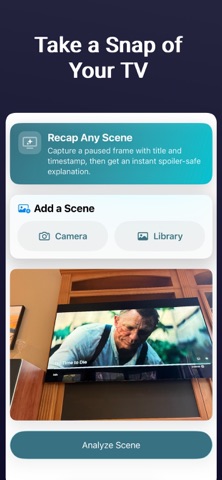
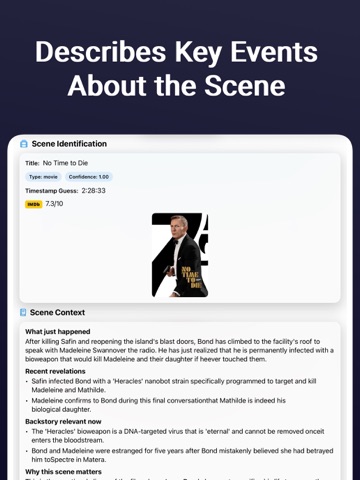
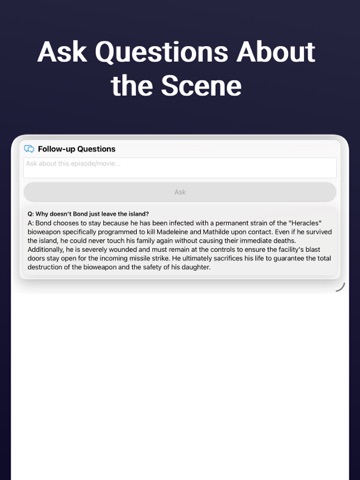
Lost track of the plot? Recap has you covered. Recap is your AI-powered second screen companion for movies and TV shows. Pause what you're watching, snap a photo of your screen, and get an instant, spoiler-safe explanation of exactly what just happened — all in seconds. Whether you stepped away, got distracted, or jumped into a show mid-season, Recap catches you up without ruining what comes next. HOW IT WORKS Pause the movie or TV show and snap a photo of the screen — include the title and on-screen timestamp for the most accurate results. Tap "Analyze Scene" and Recap instantly identifies what you're watching. Get a detailed, spoiler-safe recap of everything up to that exact moment — streamed to you in real time. KEY FEATURES Instant Scene Identification — Recap recognizes movies and TV shows from a single frame with remarkable accuracy. Spoiler-Safe by Design — You only see context up to the moment you paused. Nothing beyond. Rich Scene Details — Get what just happened, recent revelations, relevant backstory, why the scene matters, and source links — all in one tap. Follow-Up Questions — Still confused? Ask specific questions about the current moment and get quick, safe clarification without rewinding. Camera or Photo Library — Snap a photo directly or pick an image from your library. Whatever's easiest. Share Extension — Share an image from Photos, Safari, Messages, or any app directly to Recap. Scene analysis starts automatically — no need to open the app first. BUILT FOR PRIVACY Your images are never stored or shared. They are sent to a generative AI model solely for the purpose of analyzing the scene and are discarded immediately after. That's it. PERFECT FOR Catching up when you missed a scene Jumping into a show your friends are already watching Understanding complex plots in thrillers and dramas Getting context on characters, relationships, and backstory Watching foreign-language content with dense storylines Download Recap and never lose track of what just happened again. Privacy Policy: https://rawmean.github.io/Recap_website/#privacy Terms of Use: https://www.apple.com/legal/internet-services/itunes/dev/stdeula/
Audience growth
Ratings growth
Baseline captured. Growth appears after the crawler observes a changed rating count.
Momentum comes from crawler snapshots for the tracked storefront. “Viral growth signal” means unusually fast recent rating gains; it is an indicator, not download data.
Price tracking
Price intelligence
First snapshot captured. The trend line starts after the next crawler price observation.
- First observed Aug 19, 2026 · 8:02 AM Free
Screenshots