About this app
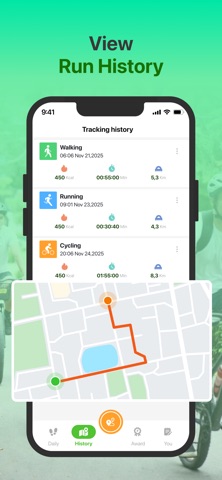
Step Diary: Daily Pedometer is designed to help you stay mindful of your everyday movement. The app automatically tracks your steps in the background and provides useful insights such as distance covered, calories estimated, and active time — all without manual input. With a clear and organized interface, you can quickly review your daily progress and understand your walking habits. Set personal step targets and follow your consistency through easy-to-read charts and summaries. Beyond basic step counting, the app allows you to record additional workouts, monitor walking paths on the map, and keep track of body weight changes. Everything works together to support your daily activity tracking with a simple setup. Main Features Smart Step Tracking • Automatically counts steps throughout the day • Calculates distance, calories, and active duration • Displays daily progress toward your goals Personal Step Goals • Customize daily step targets • Monitor completion rates over time • Build consistent walking routines Activity Records • Log walking sessions and other exercises • Track time, distance, and estimated calories • View walking routes when location data is available Weight Monitoring • Manually record weight entries • Follow changes through clean visual charts • Support long-term health tracking Detailed Reports • Daily, weekly, and monthly summaries • Compare performance across different periods • Spot trends in your activity habits Milestones & Badges • Unlock achievements for reaching goals • Stay motivated with progress rewards Smooth User Experience • Minimal and intuitive design • Background step detection • Optimized for everyday use Why Choose Step Diary: Daily Pedometer? Step Diary: Daily Pedometer makes it easy to follow your walking activity and understand your movement patterns over time. Simply carry your phone, and your daily steps are tracked automatically — helping you stay aware and consistent in your routine.
Latest release
What’s New
- fix bug
Audience growth
Ratings growth
Baseline captured. Growth appears after the crawler observes a changed rating count.
Momentum comes from crawler snapshots for the tracked storefront. “Viral growth signal” means unusually fast recent rating gains; it is an indicator, not download data.
Price tracking
Price intelligence
First snapshot captured. The trend line starts after the next crawler price observation.
- First observed Aug 14, 2026 · 12:26 AM Free
Screenshots