About this app
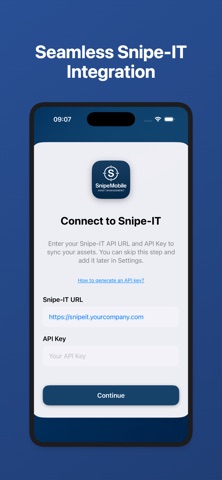
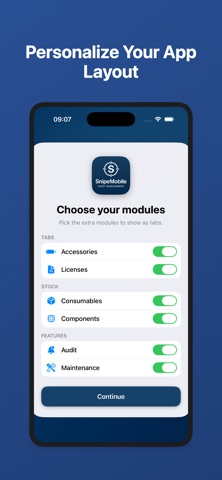
SnipeMobile is a native iOS client for Snipe-IT that lets you manage your IT assets wherever you are. Connect with your existing Snipe-IT server, then quickly look up hardware, accessories, licenses, consumables, components, users and locations from your iPhone or iPad. • Scan Snipe-IT QR codes and barcodes to instantly open assets • View and search hardware, accessories, licenses, consumables, components, users and locations • Manage licenses, including checking seats out and in • Track consumables and components • Log and complete asset maintenance • Check assets in and out • Create and edit assets, accessories, users and locations directly from your device • Print hardware asset labels • Add, change or remove asset photos • See recent activity and history for assets, users and locations • Keep API settings and preferences in sync across devices using iCloud • Protect sensitive data with optional Face ID / Touch ID when opening the app • Available in English, Dutch, French, and Spanish SnipeMobile requires access to an existing Snipe-IT instance.
Latest release
What’s New
SnipeMobile now supports both Admin and User modes. * User mode: view your profile, assigned assets, accessories and licenses, and browse or cancel asset requests. * SnipeMobile automatically detects your mode based on your API permissions. * Admins can switch modes in Settings to preview the end-user experience. Lists & browsing * Sort browse lists. * New “Show photos in lists” setting (off by default). When enabled, item photos replace icons when available. * The signed-in user now appears first in user lists, followed by everyone else alphabetically. QR scanning * Scan QR codes containing an asset tag or serial number. * Scan Snipe-IT hardware, location, user and maintenance URLs. * Hardware QR labels such as /hardware/{asset tag} now open the corresponding asset. Accessories & categories * Add and edit accessory notes, and view them on the detail screen. * New categories selected from pickers now keep the correct type and appear immediately. * Category names are localized in accessory, license, consumable and component pickers. Audits & maintenance * Attach a photo when completing a single or bulk audit. * Maintenance dates now work with both newer and older Snipe-IT servers. Settings * Choose a specific app language or use your device language. Security & compatibility * If API access is revoked, local data is cleared and SnipeMobile returns to setup. More improvements * Added a Ready to Deploy status filter, matching the Snipe-IT web interface. * Photos can be tapped again to open them fullscreen. * Fixed a false “refresh failed” message when leaving a user detail screen. * Admins can now better preview the User experience.
Audience growth
Ratings growth
Baseline captured. Growth appears after the crawler observes a changed rating count.
Momentum comes from crawler snapshots for the tracked storefront. “Viral growth signal” means unusually fast recent rating gains; it is an indicator, not download data.
Price tracking
Price intelligence
First snapshot captured. The trend line starts after the next crawler price observation.
- First observed Sep 4, 2026 · 12:41 AM Free
Screenshots