About this app
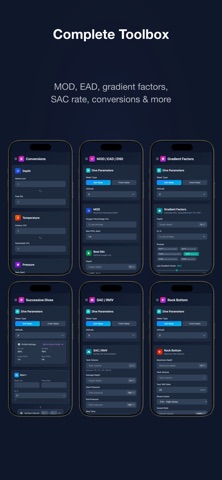
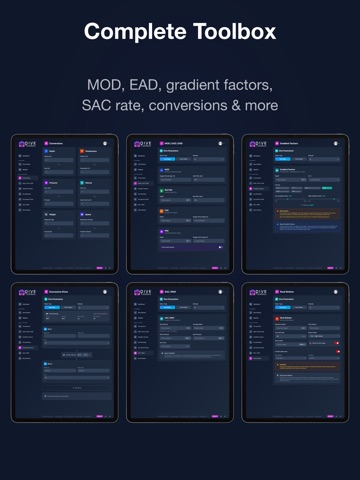
DiveToolbox — Professional dive planning and gas calculation tools for recreational and technical divers. DECOMPRESSION DIVE PLANNER Plan single-level and multi-level dives using the Bühlmann ZH-L16C algorithm with configurable gradient factors. Get detailed ascent profiles, gas switch schedules, and comprehensive safety analysis including CNS, OTU, gas density, and END monitoring. GAS BLENDING CALCULATOR Step-by-step fill instructions for Nitrox and Trimix blending. Supports partial pressure and continuous flow methods with real-time MOD calculations. MOD / EAD / END CALCULATOR Instantly calculate Maximum Operating Depth, Equivalent Air Depth, and Equivalent Narcotic Depth for any gas mix. GRADIENT FACTORS EXPLORER Visualize how GF Low and GF High affect no-decompression limits and decompression schedules. SAC RATE CALCULATOR Calculate your Surface Air Consumption rate from dive data to improve gas planning accuracy. ROCK BOTTOM CALCULATOR Determine minimum gas reserves for safe ascent, including emergency scenarios with configurable safety margins. SUCCESSIVE DIVE PLANNER Plan repetitive dives accounting for residual nitrogen and helium tissue loading from previous dives. UNIT CONVERSIONS Convert between metric and imperial units for depth, pressure, volume, and temperature. KEY FEATURES • Multi-gas support with automatic deco gas switching • Save and organize dive plans in folders • Save tank presets for quick planning • Share plans via link or QR code • Export plans as PDF • Customizable diver profile (GF, SAC, PPO2, speeds) • Dark and light themes • Available in 7 languages: English, French, German, Spanish, Italian, Polish, Russian Terms of Use: https://divetoolbox.com/en/terms Privacy Policy: https://divetoolbox.com/en/privacy
Latest release
What’s New
- New: Gas Blending — automatic bleed step for lean target mixes (e.g. NX32 → NX28) or when the starting pressure is above target. - Fix: on mobile, toasts no longer hide behind the camera notch or status bar. - Fix: on mobile, the dive sites list no longer shows up empty.
Audience growth
Ratings growth
Baseline captured. Growth appears after the crawler observes a changed rating count.
Momentum comes from crawler snapshots for the tracked storefront. “Viral growth signal” means unusually fast recent rating gains; it is an indicator, not download data.
Price tracking
Price intelligence
First snapshot captured. The trend line starts after the next crawler price observation.
- First observed Aug 31, 2026 · 7:10 AM Free
Screenshots