About this app
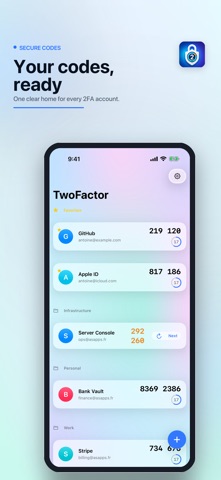
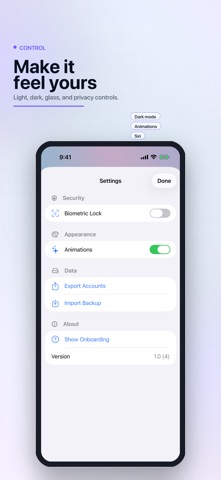
MyCode - 2FA keeps your two-factor authentication codes organized, private, and ready when you need them. Add TOTP and HOTP accounts, scan standard otpauth QR codes, copy verification codes quickly, and keep important accounts easy to find with favorites and groups. TwoFactor also supports AutoFill, Siri shortcuts, biometric lock, encrypted backup export, and backup import so you can keep your sign-in workflow fast without giving up control. Key features: - Time-based and counter-based 2FA codes - QR scanner and manual account entry - Favorites, groups, search, and account editing - Password AutoFill credential provider support - Siri and Shortcuts integration - Biometric lock with configurable auto-lock - Encrypted backup export and import - Optional animations setting - Optional Tip Jar support Your codes are generated on device from your saved secrets. Camera access is used only when scanning QR codes.
Latest release
What’s New
Security and reliability improvements, including safer import and export handling, stronger AutoFill lock behavior, QR import refinements, and privacy protections while the app is locked.
Audience growth
Ratings growth
Baseline captured. Growth appears after the crawler observes a changed rating count.
Momentum comes from crawler snapshots for the tracked storefront. “Viral growth signal” means unusually fast recent rating gains; it is an indicator, not download data.
Price tracking
Price intelligence
First snapshot captured. The trend line starts after the next crawler price observation.
- First observed Aug 7, 2026 · 10:40 PM Free
Screenshots