About this app
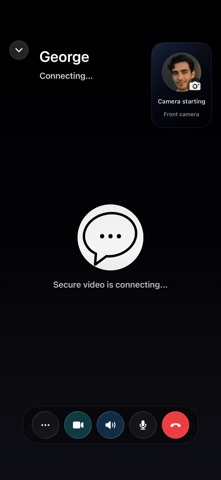
Minyma is a private messenger built on one principle: your conversations belong to you. Every message, photo, video, file, voice note, and call is end-to-end encrypted — only you and the people you're talking to can read or hear them. Minyma's servers relay encrypted data they cannot open. PRIVATE BY DESIGN • No phone number or email required — pick a Minyma ID and start messaging • End-to-end encrypted 1:1 and group chats, voice notes, photos, videos, and files • Encrypted voice and video calls, one-to-one and group — with call hold and call waiting • Notifications show "New message" by default — content stays private on your lock screen • Verify contacts with safety numbers and QR codes • Disappearing messages — set timers per chat, from 30 seconds to 4 weeks • App Lock with passcode and optional Face ID/Touch ID unlock MODERN CRYPTOGRAPHY • Hybrid post-quantum encryption protects today's messages against tomorrow's computers • Forward secrecy: keys change constantly, so past messages stay protected EVERYDAY FEATURES • Polls, pinned messages, link previews, message editing and deletion, reactions, replies, and message search • Translate messages on request — on your device, with the original kept alongside • Large file transfers, instant photo previews, HD video option • Encrypted backup and device transfer you control — we never hold your backup key • Minyma Voice (optional membership): a realtime voice assistant for hands-free use, weather, translation, and more in 20+ languages Minyma is free to use for messaging and calls. An optional membership unlocks Minyma Voice and larger transfers. No ads. No tracking. No data sold — there's nothing to sell. Terms of Use (EULA): https://www.apple.com/legal/internet-services/itunes/dev/stdeula/
Latest release
What’s New
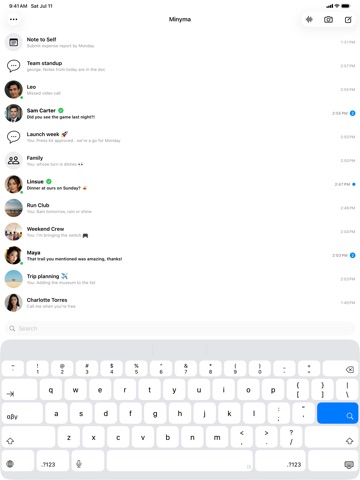
Minyma 1.0.3 makes your account truly multi-device, with calls that get along with the rest of your phone. Move to a New Device: a guided transfer between your old and new phone. Scan a QR code, confirm the short code, and your chats, contacts, and settings come across end-to-end encrypted. Your security identity moves with you, so your contacts see no change. Optionally include photos and files. Your old device retires itself only after the move is verified. Linked devices, done right: link an iPad or second phone and it securely fills in your recent conversations, groups, and saved contacts within seconds. You stay in control — a Confirm Device prompt appears on your existing device, and until you confirm, a new device can't delete your messages, and a brand-new device can never remove your other devices. Your media follows you: a photo or file that's past the server's short retention window can now be fetched privately from your own other device (when it has a copy). Calls and FaceTime: answering a FaceTime or phone call no longer ends your Minyma voice call — it goes on hold and resumes automatically when the other call ends. Your contact sees On hold with a live timer, or Video paused if another app takes your camera, instead of a frozen screen. Share from any app: items shared to Minyma now send in the background, even when Minyma is closed. iPad: a new two-column layout — your inbox on the left, the conversation on the right. Accessibility: a full VoiceOver, Dynamic Type, and Reduce Motion pass across the app. Reliability: message delivery now heals itself in more situations, large uploads resume after a relaunch, link previews work on more sites, both your devices ring correctly, and dozens of call and stability fixes.
Audience growth
Ratings growth
Baseline captured. Growth appears after the crawler observes a changed rating count.
Momentum comes from crawler snapshots for the tracked storefront. “Viral growth signal” means unusually fast recent rating gains; it is an indicator, not download data.
Price tracking
Price intelligence
First snapshot captured. The trend line starts after the next crawler price observation.
- First observed Sep 4, 2026 · 7:10 AM Free
Screenshots