About this app
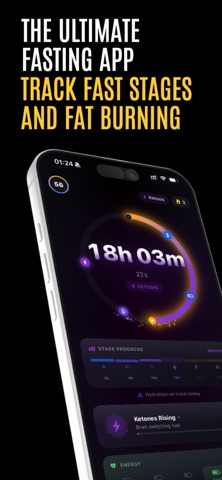
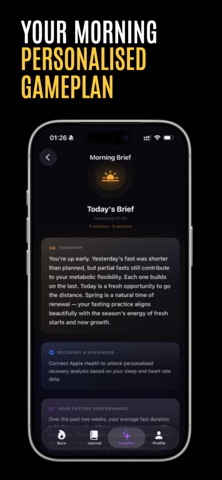
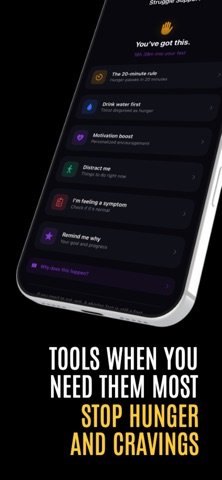
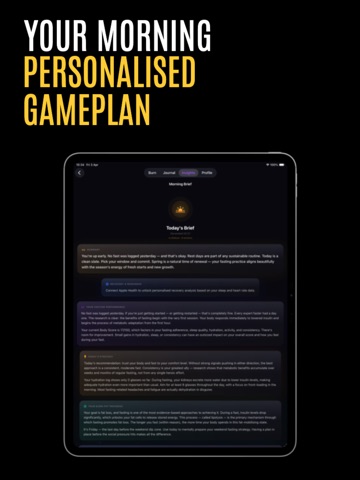
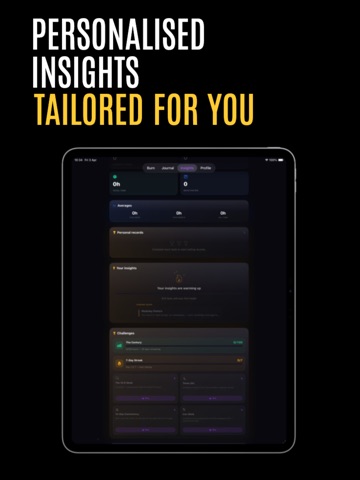
Burn is an intermittent fasting tracker, fasting timer, and weight tracker designed to help you stay consistent with 16:8, 18:6, 20:4, OMAD, and custom fasting schedules. Start a fast in seconds, follow your progress in real time, and see what stage your body is estimated to be in as your fast develops. Whether your goal is weight loss, better eating habits, improved consistency, or a simpler fasting routine, Burn gives you the tools to stay on track. INTERMITTENT FASTING TIMER Use the fasting timer to track: • 16:8 fasting • 18:6 fasting • 20:4 fasting • OMAD fasting • Custom fasting schedules • Flexible fasts • Extended fasts Start, stop, edit, and review your fasts with a clean fasting tracker built around speed, clarity, and consistency. FASTING STAGES See your fasting stage as your fast progresses. Burn helps you follow key fasting stages, including: • Fed • Catabolic • Fat Burning • Ketosis • Autophagy Fasting stages are educational estimates to help you understand your fast, stay motivated, and build a consistent routine. BODY SCORE Body Score combines fasting consistency and weight trends into one score. Instead of focusing only on the number on the scales, Body Score gives you a clearer view of long-term progress and whether your fasting routine is moving in the right direction. WEIGHT TRACKING AND PROGRESS Track your weight, fasting history, streaks, trends, and personal progress over time. Monitor weight changes, fasting consistency, streaks, personal records, progress charts, fasting history, daily insights, and long-term trends. Use Burn as a fasting app, weight tracker, fasting journal, and progress tracker. FASTING PLANS FOR BEGINNERS AND EXPERIENCED FASTERS Burn works whether you are starting your first intermittent fast or already follow a regular fasting routine. Popular fasting plans include: • 16:8 intermittent fasting • 18:6 intermittent fasting • 20:4 intermittent fasting • OMAD, One Meal A Day • Custom fasting windows Choose a plan, start your timer, and keep your fast visible throughout the day. APPLE WATCH, WIDGETS AND LIVE ACTIVITIES Burn includes: • Apple Watch app • Home Screen widgets • Lock Screen widgets • Live Activities • Dynamic Island support • Smart fasting notifications • HealthKit integration • iCloud backup • Dark Mode Check your fasting timer, progress, and fasting stage from your iPhone, Lock Screen, Dynamic Island, widgets, or Apple Watch. BURN PRO The core fasting timer is free to use. Upgrade to Burn Pro for more advanced fasting tools, including: • Body Score • Apple Watch support • Widgets • Advanced fasting insights • Detailed fasting analytics • History editing • Progress trends • Personal records WHY USE BURN? Burn is built for people who want a focused intermittent fasting app without clutter. Use Burn to: • Track intermittent fasting • Follow 16:8, 18:6, 20:4, OMAD, or custom plans • Monitor fasting stages such as fat burning, ketosis, and autophagy • Track weight and long-term progress • Build consistency with streaks and reminders • Keep your fast visible with widgets, Live Activities, Dynamic Island, and Apple Watch • Understand your routine with Body Score and analytics PRIVATE BY DESIGN Burn does not collect your personal data. Your fasting history stays on your device and can sync securely with iCloud if you choose. IMPORTANT INFORMATION Burn is a health and fitness tracker. It does not provide medical advice, diagnosis, or treatment. Fasting stages, insights, and health information are educational estimates only. Speak with a qualified healthcare professional before making medical decisions or starting a fasting routine, especially if you have a medical condition, are pregnant, underweight, have a history of eating disorders, or take medication. Privacy Policy: https://wraithbit.com/burn-privacy-policy/ Terms of Use (EULA): https://www.apple.com/legal/internet-services/itunes/dev/stdeula/ Download Burn and start your next fast.
Latest release
What’s New
Squashed some pesky bugs.
Audience growth
Ratings growth
Baseline captured. Growth appears after the crawler observes a changed rating count.
Momentum comes from crawler snapshots for the tracked storefront. “Viral growth signal” means unusually fast recent rating gains; it is an indicator, not download data.
Price tracking
Price intelligence
First snapshot captured. The trend line starts after the next crawler price observation.
- First observed Aug 20, 2026 · 1:46 AM Free
Screenshots