About this app
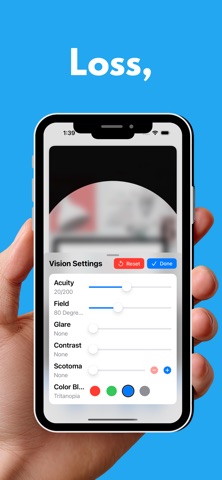
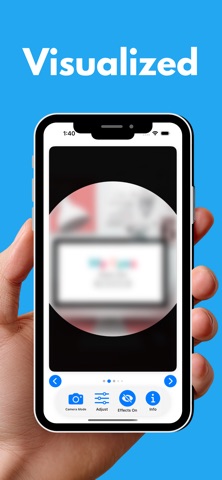
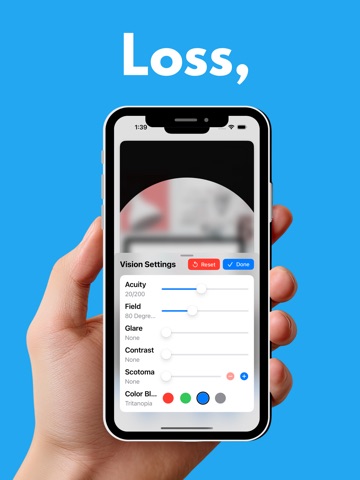
Vision Loss, Visualized. My Eyes Vision Simulator lets you experience what the world looks like through the eyes of someone living with a visual impairment. Designed as an advocacy tool for the visually impaired, educators (especially TCVIs & O&Ms), caregivers, rehabilitation professionals, family members and anyone who wants to better understand blindness and low vision. Apply real-time visual effects to sample photographs or your live camera feed and see firsthand how different eye conditions affect everyday activities like reading, navigating a street, riding the bus, or shopping for groceries. VISUAL EFFECTS YOU CAN SIMULATE: • Reduced Acuity — Blur the image from 20/20 all the way to light perception only, following the Snellen acuity scale • Tunnel Vision — Restrict the field of vision from a full 180 degrees down to just a few degrees, simulating peripheral vision loss • Glare — Wash out the image to simulate photophobia and light sensitivity • Darkness — Dim the image to simulate night blindness and reduced light conditions • Scotomas — Add up to 10 draggable blind spots and resize them to simulate macular degeneration, diabetic retinopathy, and other conditions • Color Blindness — Simulate red, green, blue, or total color blindness DESIGNED FOR ACCESSIBILITY: My Eyes was built from the ground up with VoiceOver support. Every slider, button, and control includes descriptive labels, hints, and real-time value announcements. All 24 sample images include detailed accessibility descriptions. The built-in guide provides VoiceOver instructions for every feature. KEY FEATURES: • Live camera mode — apply vision simulation to your real environment in real time • 24 sample photographs showing real-world scenes • Combine multiple effects to simulate complex vision conditions • Drag scotomas to demonstrate how blind spot location affects function • Arrange multiple scotomas to simulate hemianopias • Toggle effects on and off instantly to compare impaired and typical vision • Reset all settings with one tap • Built-in illustrated guide with VoiceOver tips for every feature • Works on iPhone and iPad Whether you are a teacher explaining vision loss at an IEP, a family member trying to understand a loved one's experience, or a professional training others in accessibility, My Eyes brings vision simulation to your fingertips.
Latest release
What’s New
• Live camera mode — apply vision simulation to your real environment in real time • New math worksheet practice image (24 images total) • Improved VoiceOver accessibility with detailed image descriptions • Fixed image display on iPad • Animated splash screen
Audience growth
Ratings growth
Baseline captured. Growth appears after the crawler observes a changed rating count.
Momentum comes from crawler snapshots for the tracked storefront. “Viral growth signal” means unusually fast recent rating gains; it is an indicator, not download data.
Price tracking
Price intelligence
First snapshot captured. The trend line starts after the next crawler price observation.
- First observed Aug 23, 2026 · 6:09 AM Free
Screenshots