About this app
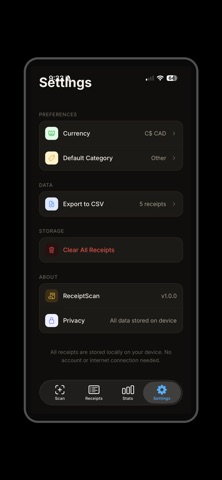
ReceiptScan makes expense tracking effortless. Simply photograph any receipt and the app automatically reads the vendor, amount, and date using on-device text recognition — no internet required. Auto reads may need to be reviewed for accuracy. Features: • Instant receipt scanning with your camera or photo library • Automatic OCR reads vendor, amount, and date • Organize receipts by category (Food, Travel, Shopping, and more) • Search and filter your receipt history • Spending stats and monthly summaries • Export to CSV for Excel, Numbers, or accounting software • Full dark mode support • 100% private — all data stays on your device
Latest release
What’s New
What's New • Camera now opens inside the app — no more switching to the iOS Camera and back. Includes flash control (Auto/On/Off), front/back flip, and a crop & rotate editor before saving. • "Clear All Receipts" in Settings now deletes everything in one instant action • Photos saved automatically — Receipt photos taken with the camera are now saved to your iPhone Photos app. • After capture, pinch to zoom in on the preview to check sharpness before saving Double-tap to reset zoom Also available on the full receipt detail screen • Share receipt images — Share or save a receipt image directly to Files, Mail, or any other app using the Share button on the receipt. • Cleaner form — Removed the unused Image Link field for a simpler, faster receipt entry experience.
Audience growth
Ratings growth
Baseline captured. Growth appears after the crawler observes a changed rating count.
Momentum comes from crawler snapshots for the tracked storefront. “Viral growth signal” means unusually fast recent rating gains; it is an indicator, not download data.
Price tracking
Price intelligence
First snapshot captured. The trend line starts after the next crawler price observation.
- First observed Sep 1, 2026 · 1:54 PM Free
Screenshots