About this app
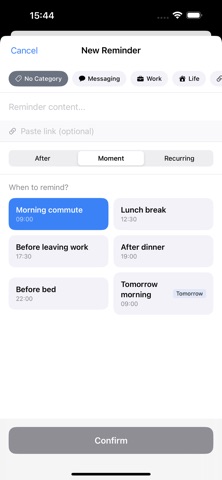
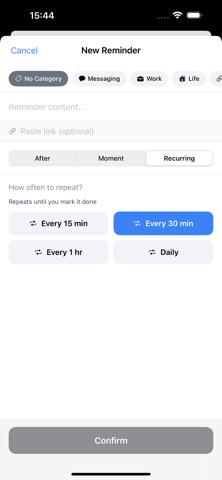
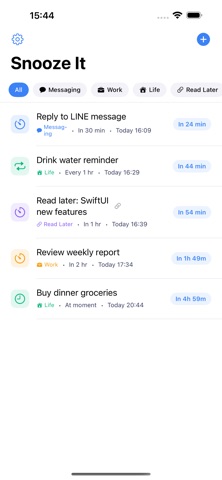
Snooze It is the simplest way to set reminders: see something to do, set a time, handle it later. Not a complex task manager — just a handy tool to help you remember things for later. Three flexible reminder modes: • Countdown — "Remind me in 30 minutes" or "2 hours from now" • Moment — "Tonight when I get home" or "Tomorrow morning" • Recurring — "Every 2 hours to drink water" Smart features: • Categories — Work, Life, Read Later — custom categories keep reminders organized • Safari Share — Share web pages directly to Snooze It for later reading • Home Screen Widgets — Quick add reminders or see what's next without opening the app • Notification Actions — Snooze for 30 more minutes or mark as done right from the notification Clean design, zero learning curve. Open the app, type your reminder, pick a time, done. Available in English, Traditional Chinese, Simplified Chinese, and Japanese.
Audience growth
Ratings growth
Baseline captured. Growth appears after the crawler observes a changed rating count.
Momentum comes from crawler snapshots for the tracked storefront. “Viral growth signal” means unusually fast recent rating gains; it is an indicator, not download data.
Price tracking
Price intelligence
First snapshot captured. The trend line starts after the next crawler price observation.
- First observed Aug 19, 2026 · 9:05 AM Free
Screenshots