About this app
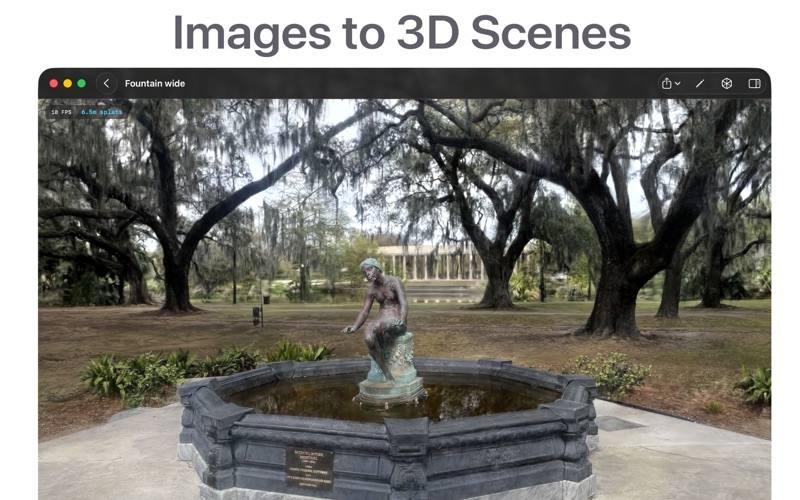
Turn your photos into stunning 3D Gaussian Splats — entirely on your Mac. 3D Splat App lets you train, view, and export Gaussian Splatting scenes from your own images. No cloud upload, no subscriptions — everything runs locally on your hardware using Metal. • Import your data your way - Drop in a folder of images (JPG, PNG) - Open an existing COLMAP project - Load a Nerfstudio-format dataset •Train with one click Choose a preset that fits your workflow — Fast (~2 min), Medium (~5 min), or HD (~20 min) — or dial in custom settings like iteration count, resolution schedule, and max splat count. Training runs on-device with real-time progress in the viewport. •See results in real time Watch your scene come to life as it trains. The built-in Metal renderer lets you orbit, inspect camera poses, toggle background modes, and view splat counts as training progresses. •Refine your scene - Generate portrait masks with built-in person segmentation to remove background clutter from your captures - Choose from multiple COLMAP quality and matching presets for reconstruction •Export and share Export your trained scene as a standard .ply file compatible with any 3D Gaussian Splatting viewer or pipeline, or compressed formats: SPZ, SOG, or compressed PLY. •Privacy first All processing happens on your device. Your images and 3D data never leave your Mac.
Latest release
What’s New
minor fixes; video editor improvements
Audience growth
Ratings growth
Baseline captured. Growth appears after the crawler observes a changed rating count.
Momentum comes from crawler snapshots for the tracked storefront. “Viral growth signal” means unusually fast recent rating gains; it is an indicator, not download data.
Price tracking
Price intelligence
First snapshot captured. The trend line starts after the next crawler price observation.
- First observed Aug 13, 2026 · 10:57 AM Free
Screenshots