About this app
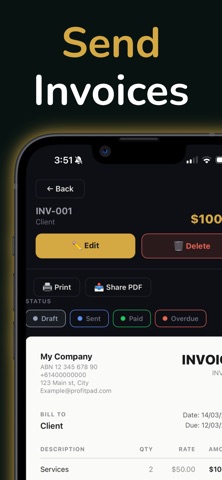
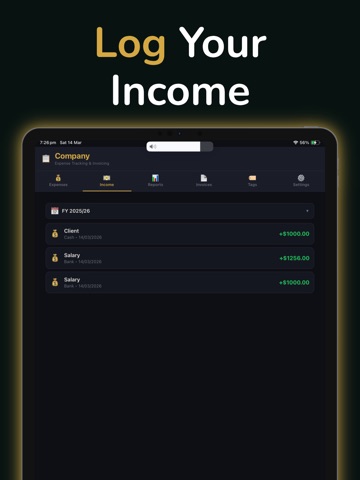
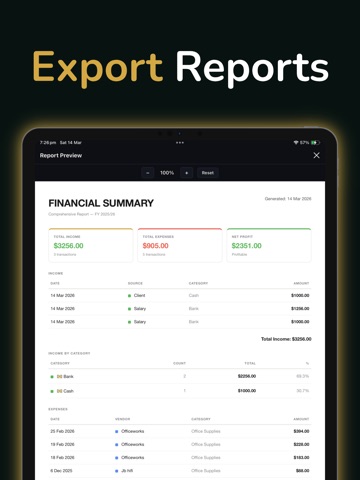
ProfitPad – Business Finance Tracker Take control of your business finances with ProfitPad — the simple, private finance tracker built for freelancers, sole traders, and small business owners. Track every dollar in and out, attach receipts, send professional invoices, and get clear financial reports — all stored securely on your device. EXPENSES & INCOME • Log expenses and income in seconds • Organise with custom categories • Attach receipt photos or PDF files to expenses • Split a single expense across multiple categories RECURRING BILLS & INCOME • Set up subscriptions, rent, retainers and recurring income • Choose weekly, fortnightly, monthly or yearly cycles • Entries are created automatically on schedule • "Apply Changes From This Day" updates rates mid-life — past entries stay intact, future entries reflect the new value INVOICES • Create and send professional invoices • Add your business logo and banking details • Apply GST, VAT or custom tax labels • Save clients to a built-in directory and reuse across invoices • Track paid, unpaid, and overdue status • Export as PDF and share instantly REPORTS • View income, expenses, and net profit at a glance • Filter by financial year • Breakdown by category with charts • Recurring Subscriptions and Recurring Income summaries • Export detailed or summary PDF reports (Pro) RECEIPTS • Photograph receipts with your camera • Attach PDF files from any app • Receipts stored safely on your device BACKUP & RESTORE • Export a full backup file containing all your data and receipts • Restore on a new device with one tap PRIVACY FIRST • All data stored locally — nothing sent to the cloud • Optional biometric or PIN lock • Your financial data stays yours PRO UPGRADE Unlock PDF export and report sharing with a one-time lifetime purchase. No subscription, no recurring fees.
Latest release
What’s New
This update makes entering your income, expenses, and invoices smoother: • Tap anywhere outside a field — or swipe down — to dismiss the keyboard • Text fields now have a "Done" key to close the keyboard • The keyboard no longer covers buttons or the field you're typing in • Move from one field to the next more easily when adding entries
Audience growth
Ratings growth
Baseline captured. Growth appears after the crawler observes a changed rating count.
Momentum comes from crawler snapshots for the tracked storefront. “Viral growth signal” means unusually fast recent rating gains; it is an indicator, not download data.
Price tracking
Price intelligence
First snapshot captured. The trend line starts after the next crawler price observation.
- First observed Aug 23, 2026 · 6:09 AM Free
Screenshots