About this app
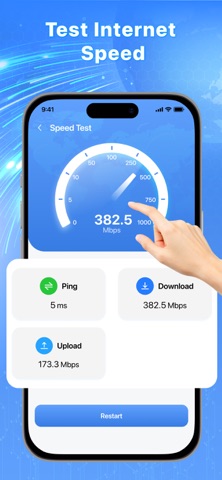
WiFi Password & Signal Tool is an all-in-one WiFi tool to manage and optimize your WiFi connection. Easily view WiFi passwords, run a speed test, check signal strength and explore WiFi map nearby. Everything you need to keep your wireless network fast, stable and secure Scan WiFi QR: Quickly scan WiFi QR codes to connect to WiFi networks without typing passwords Connected Devices: Use the built-in WiFi analyzer to detect all connected devices. Identify unknown devices to ensure a secure wireless network Speed Test: Run a WiFi speed tester to perform a speed test and measure download, upload and ping. Check your internet connection performance instantly Security Check: Analyze your WiFi network and detect potential risks to ensure a safer internet connection Signal Strength: Analyze signal strength in real time. Find the best spot with the strongest WiFi signal for stable browsing Show Password: View and copy saved WiFi passwords from connected WiFi networks Share QR WiFi: Share your WiFi QR code so others can connect to your WiFi network easily Saved WiFi: Store and manage saved WiFi networks and passwords easily Password Generator: Create strong WiFi passwords with our password generator. Keep your WiFi connection safe from unauthorized access and hackers Router Setting: Quickly open router settings to manage your network configuration WiFi Map: Discover WiFi networks shared by the community on a smart WiFi map. View details for each WiFi location easily Smart and User-Friendly Interface: Experience a clean, modern and user-friendly WiFi manager interface. All tools - from WiFi analyzer to speed tester - are organized clearly for quick access WiFi Password & Signal Tool combines a WiFi password viewer, WiFi analyzer, speed test and WiFi finder into one powerful WiFi utility Whether you want to view saved WiFi passwords, analyze WiFi networks or run a speed test, this app helps you manage your WiFi connection easily. --- IMPORTANT INFORMATION: WiFi Analyzer & Signal Tool is free to download. Some advanced features and content require an auto-renewable subscription. Subscription automatically renews unless canceled at least 24 hours before the end of the current period. Terms of Use: https://www.apple.com/legal/internet-services/itunes/dev/stdeula/ Privacy Policy: https://sites.google.com/view/moon-policy/home
Latest release
What’s New
Bug fixes and performance improvements
Audience growth
Ratings growth
Baseline captured. Growth appears after the crawler observes a changed rating count.
Momentum comes from crawler snapshots for the tracked storefront. “Viral growth signal” means unusually fast recent rating gains; it is an indicator, not download data.
Price tracking
Price intelligence
First snapshot captured. The trend line starts after the next crawler price observation.
- First observed Aug 20, 2026 · 4:02 PM Free
Screenshots