About this app
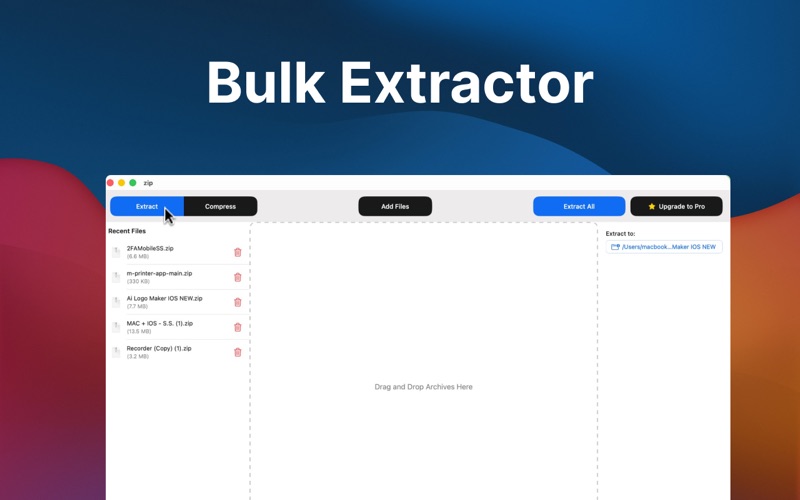
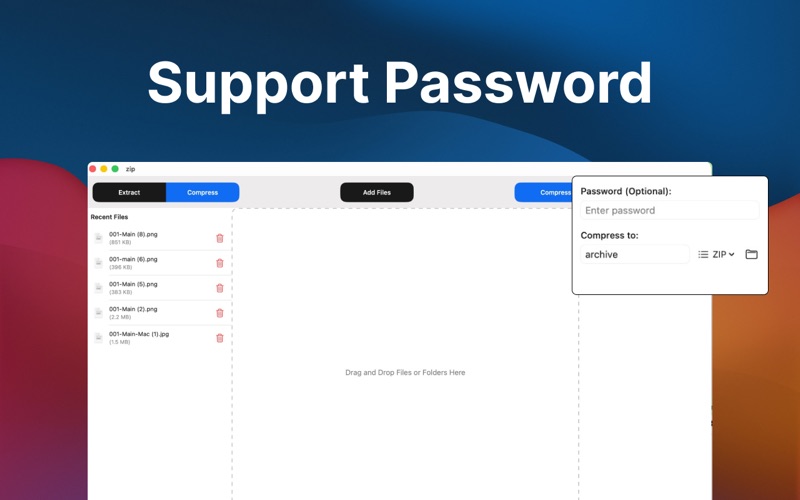
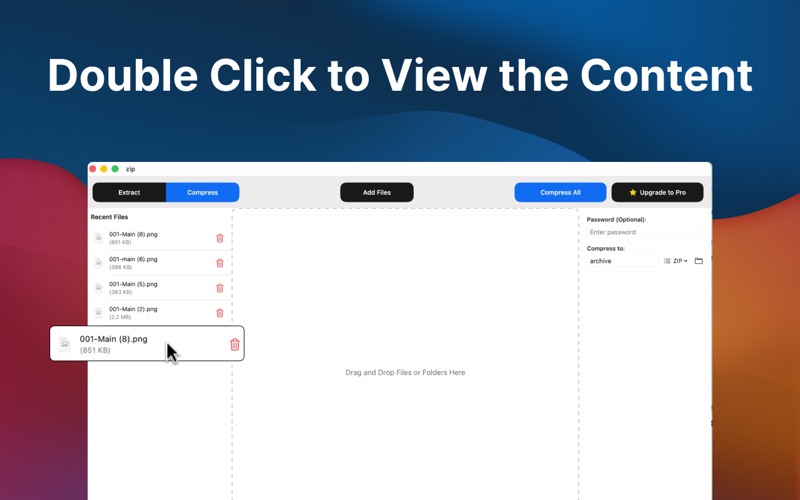
Easily manage compressed files on your Mac with a fast, reliable, and easy-to-use archive utility. This app is designed to help you open, extract, and create compressed files quickly while keeping the process simple and efficient. Whether you frequently download archived files, need to organize large folders, or want to share files in a smaller format, this app provides a convenient solution. With a clean interface and powerful features, working with compressed files becomes effortless. Just open an archive, preview its contents, and extract files in seconds. The app is optimized for macOS to deliver smooth performance and fast processing without slowing down your system. Powerful Extraction Tools The app supports many commonly used archive formats, allowing you to extract files from different types of compressed archives. Simply double-click or drag an archive file into the app and extract its contents instantly. You can also view files inside an archive before extracting them, which makes it easier to find exactly what you need. Easy File Compression In addition to extracting archives, the app also allows you to create your own compressed files. Compress files or entire folders to reduce their size and make sharing easier. This is especially useful when sending files through email, uploading to cloud storage, or saving disk space on your Mac. Secure and Reliable Protect your important files by creating password-protected archives. Encryption helps keep sensitive information safe when sharing files with others. The app focuses on reliability and stability so your files remain secure throughout the compression and extraction process. Designed for Efficiency The app is lightweight and optimized to work smoothly on macOS. Batch extraction allows you to process multiple archives at once, saving valuable time when working with large numbers of files. The simple and intuitive interface ensures that both beginners and experienced users can easily manage compressed files without any complicated setup. Supported Formats This archive manager supports a wide range of popular formats, including: ZIP • RAR • 7Z • TAR • GZ • TGZ • BZ2 • ISO • CAB • JAR • XAR • LZH and more. Why Choose This App? • Fast and reliable archive extraction • Create compressed files quickly • Password protection for secure archives • Preview archive contents before extracting • Batch processing for improved productivity • Clean and user-friendly interface • Optimized performance for macOS Whether you are organizing files, saving storage space, or sharing documents, this app provides a simple and powerful way to handle compressed files on your Mac. https://sites.google.com/view/latest-apps-privacy-policy/ https://sites.google.com/view/latest-apps-term-of-use/
Latest release
What’s New
Bug Fixed
Audience growth
Ratings growth
Baseline captured. Growth appears after the crawler observes a changed rating count.
Momentum comes from crawler snapshots for the tracked storefront. “Viral growth signal” means unusually fast recent rating gains; it is an indicator, not download data.
Price tracking
Price intelligence
First snapshot captured. The trend line starts after the next crawler price observation.
- First observed Aug 8, 2026 · 4:49 PM Free
Screenshots