About this app
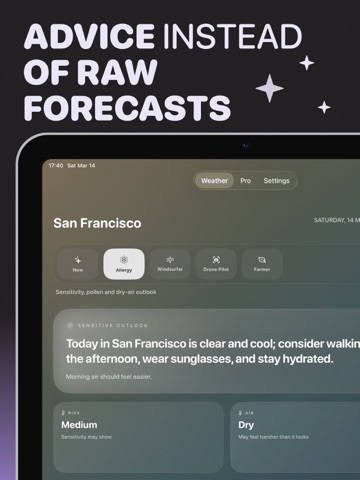
Weather Assistant turns a standard forecast into short, useful advice for everyday life. The app shows real weather and helps you quickly understand what it means for you: what to wear, whether to bring an umbrella, how strong the wind feels, how comfortable it will be outside, and whether it is worth changing your plans. What’s inside: - Short AI-powered advice for current weather - A forecast that feels clear, not overly technical - Specialist modes: allergy, windsurf, drone, and farm - Live weather updates based on your location - Interface language selection - Tone selection for advice: friendly, sarcastic, or professional Weather Assistant is built for people who do not just want to see temperature and rain probability, but want an immediate practical takeaway: what to do today, what to watch out for, and how to feel more comfortable during the day. Great for daily routines, walks, commuting, filming, sports, and outdoor work. Part of the experience is available for free, and Pro unlocks more AI updates and full access to all specialist modes. Subscription Weather Assistant offers an optional Pro subscription. Pro unlocks: • More AI weather insights per day • Full access to all specialist modes • Extended weather summaries and advice Subscription options: • Monthly: $4.99 per month • Yearly: $44.99 per year Subscriptions renew automatically unless canceled at least 24 hours before the end of the current billing period. You can manage or cancel your subscription anytime in your App Store account settings. Location Weather Assistant uses your device location to provide accurate and up-to-date weather information relevant to where you are. Location access helps deliver precise forecasts and personalized advice based on local conditions. AI Processing To generate weather advice, the app may send weather parameters and contextual information to an AI service. These data are anonymous and not linked to your identity. They are used solely to generate helpful weather recommendations. Legal Privacy Policy: https://artcoastdesign.com/privacy Terms of Use: https://artcoastdesign.com/terms
Latest release
What’s New
- Bug fixes and weather forecast improvements
Audience growth
Ratings growth
Baseline captured. Growth appears after the crawler observes a changed rating count.
Momentum comes from crawler snapshots for the tracked storefront. “Viral growth signal” means unusually fast recent rating gains; it is an indicator, not download data.
Price tracking
Price intelligence
First snapshot captured. The trend line starts after the next crawler price observation.
- First observed Sep 10, 2026 · 5:14 PM Free
Screenshots