About this app
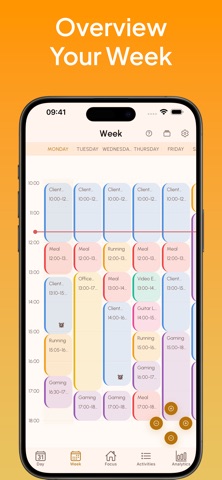
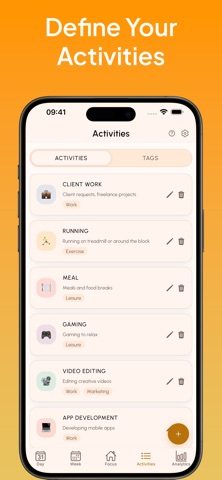
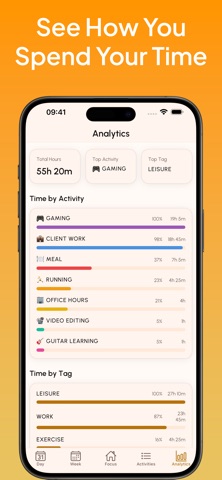
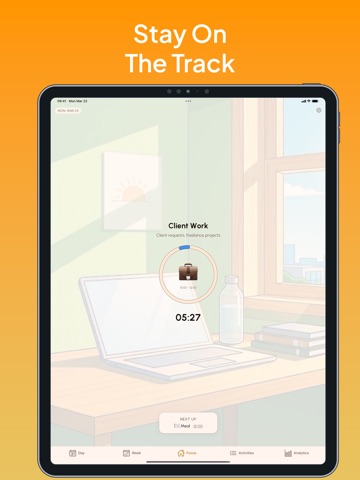
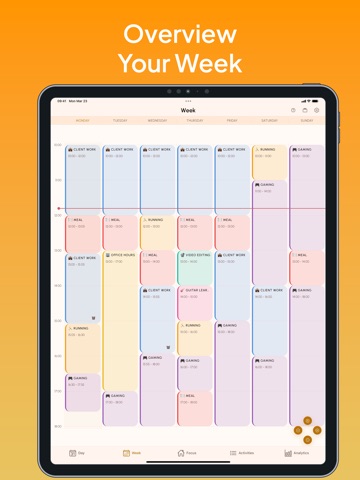
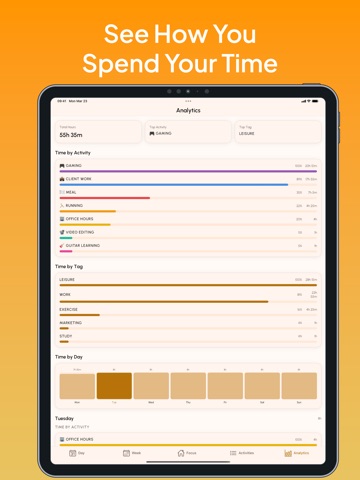
Do you find yourself wondering what you should be doing right now? Or rebuilding the same schedule from scratch every single week? Time Blocks: Weekly Planner helps you design your ideal week, or weeks, once — and live it on repeat. Used by freelancers, students, and self-improvement enthusiasts, the time blocking method is one of the most effective ways to take control of your time. Instead of reacting to your day, you design it in advance. Time Blocks makes this effortless. --- DESIGN YOUR WEEK Map out your entire week using visual time blocks. Assign each block to an activity — Client Work, Running, Guitar Learning, Deep Focus — whatever fits your life. Drag to resize, tap to adjust. Your week, your rules. ALWAYS KNOW WHAT TO DO NEXT The Focus screen shows you exactly what you should be doing right now, how much time is left, and what's coming up next. No more decision fatigue. No more wasted minutes wondering where to start. SWITCH MODES INSTANTLY WITH TEMPLATES Save your current schedule as a template and reload it anytime with one tap. Got a big client deadline this week? Load your "Deep Work Week." Heading into a recovery week? Switch to "Fitness Week." Your life changes — your schedule should too. YOUR DAY DOESN'T HAVE TO END AT MIDNIGHT Night owl? Early bird? You decide when your day starts and ends. Time Blocks supports custom day boundaries so your schedule fits your life, not the other way around. DEFINE YOUR OWN ACTIVITIES Create activities that actually match how you spend your time. Add an emoji, pick a color, and organize them with tags. Whether you're a developer, designer, content creator, or student — your activities should reflect your world. SEE WHERE YOUR TIME REALLY GOES The Analytics panel gives you a clear picture of how your planned week breaks down by activity and tag. Are you actually spending as much time on your side project as you think? --- PREMIUM FEATURES Unlock the full power of Time Blocks with a Premium subscription: • Day & Week Templates — Save unlimited schedules and switch between them instantly • Block Notifications — Set alarms for specific time blocks so you never miss a transition • Custom Day Hours — Adjust when your day starts and ends (beyond the default 10:00–18:00 window) • Unlimited Activities — Create as many activities as your life requires • Tags & Categories — Organize activities with custom tags and see breakdowns in Analytics • Analytics Dashboard — Full weekly breakdown by activity, tag, and day --- Questions or feedback? Reach us at kuantech.studio@gmail.com Terms of use: https://sites.google.com/view/weeklyplanner-termsofuse/home Privacy Policy: https://sites.google.com/view/kuantech-studio-privacy-policy/home
Audience growth
Ratings growth
Baseline captured. Growth appears after the crawler observes a changed rating count.
Momentum comes from crawler snapshots for the tracked storefront. “Viral growth signal” means unusually fast recent rating gains; it is an indicator, not download data.
Price tracking
Price intelligence
First snapshot captured. The trend line starts after the next crawler price observation.
- First observed Aug 23, 2026 · 2:11 AM Free
Screenshots