About this app
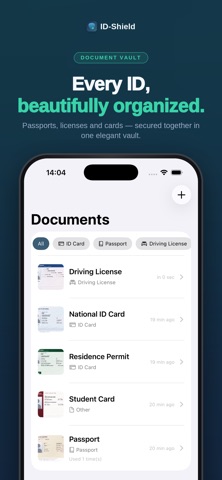
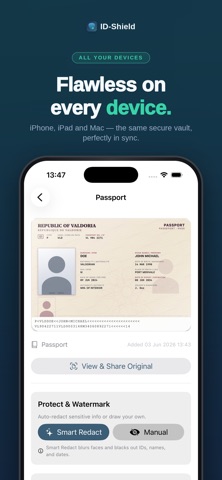
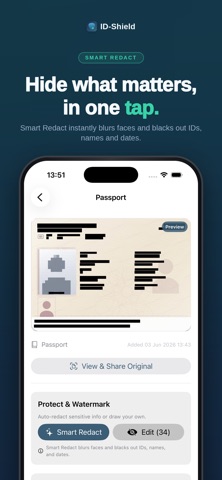
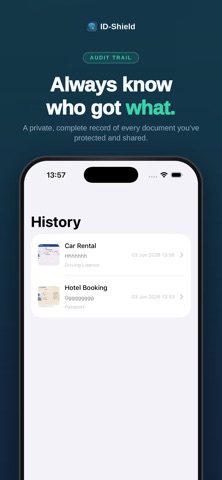
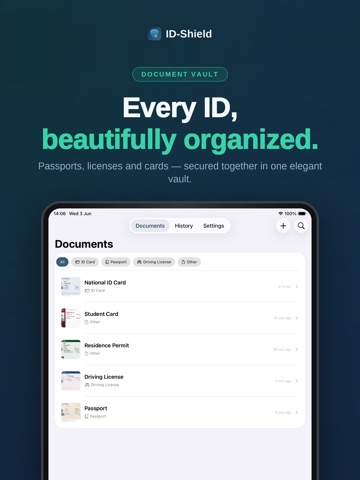
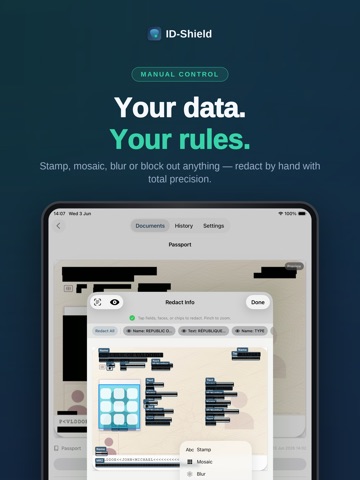
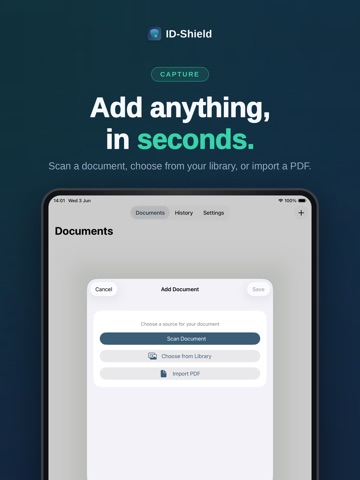
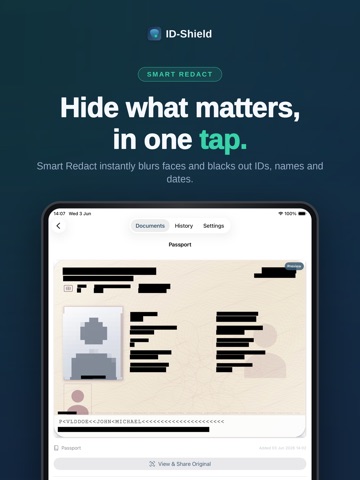
IDShield keeps your identity documents secure and gives you full control over how they're shared. Snap a photo of your passport, ID card, or driving license, then add a visible watermark before sending it to anyone - so your documents can never be misused. Hand over a copy of your passport or ID, and you lose control. Where does it end up? Who else sees it? Can you prove a leak came from a specific recipient? ID-Shield gives that control back. Watermark, redact, and trace every copy of your identity documents — all on-device, with no cloud, no account, no tracking. WATERMARK EVERY COPY Stamp each shared file with a purpose ("Apartment Application — Berlin"), the recipient's name, and the date. Choose a subtle single-line stamp or a full-splash overlay, in any color. If a copy ever surfaces somewhere it shouldn't, the watermark tells you exactly which copy leaked. REDACT IN SECONDS Black out social security numbers, birth dates, addresses, signatures — anything you don't want shared. Drag your own redaction boxes, or let Smart Redact suggest sensitive fields automatically. Tap once to blur faces. Pinch to zoom for pixel-perfect work. SCAN OR IMPORT Capture documents straight from your camera, or import from Photos and Files. Multi-page scans supported. Everything is locked behind Face ID, Touch ID, or your device passcode. SHARE THE NATIVE WAY Export as PDF or image, then send through the standard iOS / iPadOS / macOS share sheet — Mail, Messages, AirDrop, WhatsApp, any app you already use. No proprietary cloud, no lock-in. AUDIT TRAIL Every share is logged: what was sent, to whom, for what purpose, when. Look back any time. If something goes wrong, you have a record. PRIVACY BY DESIGN 100% on-device processing — nothing leaves your phone unless you send it Zero analytics, zero tracking, zero third-party SDKs No account required Optional iCloud sync uses Apple's end-to-end encrypted CloudKit NATIVE ON EVERY APPLE DEVICE Built fresh in SwiftUI for iPhone, iPad, and Mac. Each platform gets a layout that feels native — not a port. Vision-powered text detection, Face ID unlock, system share sheet. WHO USES ID-SHIELD Renters and apartment hunters submitting ID copies Job applicants sharing documents with HR or recruiters Anyone verifying identity online or by mail Privacy-conscious professionals Parents managing family documents Your most sensitive documents deserve more than an unprotected PDF. Every copy watermarked. Every share recorded. Every byte stays where you put it — on your device. Download ID-Shield and take back control of your identity documents. PRIVACY FIRST All data stored on your device by default No accounts, no servers, no tracking iCloud sync is optional and controlled by you
Latest release
What’s New
Sharing got faster, and faces got easier to hide. One-Tap Face Blur New face-blur tool detects faces in your scans and obscures them with a single tap. Perfect for photos in passports, driver's licenses, or family documents.
Audience growth
Ratings growth
Baseline captured. Growth appears after the crawler observes a changed rating count.
Momentum comes from crawler snapshots for the tracked storefront. “Viral growth signal” means unusually fast recent rating gains; it is an indicator, not download data.
Price tracking
Price intelligence
First snapshot captured. The trend line starts after the next crawler price observation.
- First observed Aug 7, 2026 · 3:51 PM Free
Screenshots