About this app
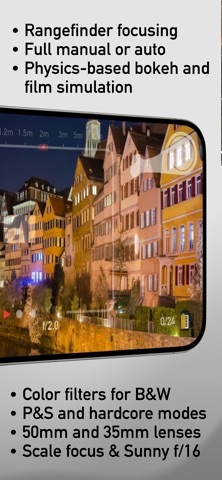
M-Kamera turns your iPhone into a 35mm analog film camera with full manual controls simulating the timeless rangefinder experience. Advance the film. Set exposure. Align the focusing patch. Wait for the decisive moment and capture it. Advance and repeat until the roll is done. Develop it to relive the captured moments later at the light table. Anticipation is part of the experience! Not a filter. Not a preset. M-Kamera simulates the complete image-making process - from physically accurate 35mm and 50mm full-frame lens rendering to film physics: individual grain growth, halation, color, and how film responds to light. The process matters as much as the result - that full-frame analogue look we miss in a world of perfect digital photos. It's not a camera, it's a simulator. THE RANGEFINDER EXPERIENCE You may use M-Kamera as a point-and-shoot, but its soul is your full control including that feel when you snap coincidence rangefinder patch to alignment. Or scale focus and use sunny f/16 in hardcore mode like on a real camera. Haptic and acoustic feedback included. Choice is yours, convenience or full control and deliberation: - Full Manual for aperture, shutter speed, and rangefinder focus. Aided with center-weighted light meter for full creative control - Automatic exposure with aperture or shutter priority when speed matters. - Point & Shoot Mode for spontaneous moments - Hardcore Mode: no meter, no assistance - just Sunny 16 - 35mm or 50mm lens perspective. With physically realistic bokeh for chosen aperture and subject distance PHYSICS, NOT PRESETS - Physics-based depth of field and bokeh determined by aperture and subject distance - Cat's-eye highlights, aperture-blade shapes, and lens vignetting are all simulated for aperture you choose at the time of capture - Physics-based grain growth simulation - not a texture overlay. Tuned to match the character of real film stocks, so it responds realistically to changes in lighting within and between the frames - Subtle glow and halation effects to make this film rendering ever more realistic - Scene-aware AI color science trained on thousands of real film scans. Deliberately under or over expose to get that "pulled" or "pushed" look - Use color filters for black and white photography - red for dramatic skies or yellow for smooth portraits - Slow shutter is really slow - realistic camera shake when available light is scarce, so hold your camera steady! - Final image defined by settings you choose when you pull the trigger. SHOOT LIKE IT COSTS SOMETHING Load black-and-white, color negative, or slide film. ISO is fixed. Aperture and shutter speed have real limits. And yes, you can ruin the frame if the settings YOU choose are wrong. And you only learn it when you develop the roll. Just like the real thing! No instant preview, no instant gratification, just you and decisive moment to focus on whether in full manual or in auto mode. Make every frame count! PRIVATE BY DESIGN All processing runs on your iPhone using Metal and CoreML. M-Kamera does not collect your data or upload photographs anywhere unless you choose to keep them safe in your iCloud backup which only you can access anyway. BROAD COMPATIBILITY M-Kamera needs live depth from a dual-camera setup or LiDAR (recommended) and a fast processor for its physical simulations. Runs on most recent iPhones - dual-camera models from iPhone 12 onward are supported, though iPhone 14 Pro or later is recommended for the best experience and quality. CHOOSE HOW TO CONTINUE Download M-Kamera free and shoot unlimited film for a full month. Then you decide: buy M-Kamera outright, pay per roll, or subscribe. A subscription is optional - one payment unlocks it for good. Made in Germany, with love for film. EULA: https://www.apple.com/legal/internet-services/itunes/dev/stdeula/ Privacy policy: https://mkamera.app/privacy.html
Latest release
What’s New
- Brand new film engine, now context aware and tuned to match actual film colors and grain - Improved processing speed and exposure consistency - Simplified and streamlined onboarding - UI tweaks and bug fixes
Audience growth
Ratings growth
Baseline captured. Growth appears after the crawler observes a changed rating count.
Momentum comes from crawler snapshots for the tracked storefront. “Viral growth signal” means unusually fast recent rating gains; it is an indicator, not download data.
Price tracking
Price intelligence
First snapshot captured. The trend line starts after the next crawler price observation.
- First observed Aug 12, 2026 · 5:39 PM Free
Screenshots