About this app
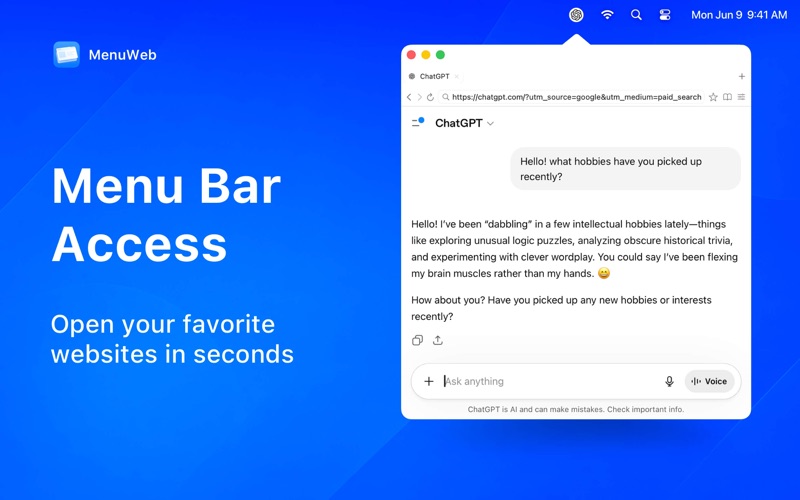
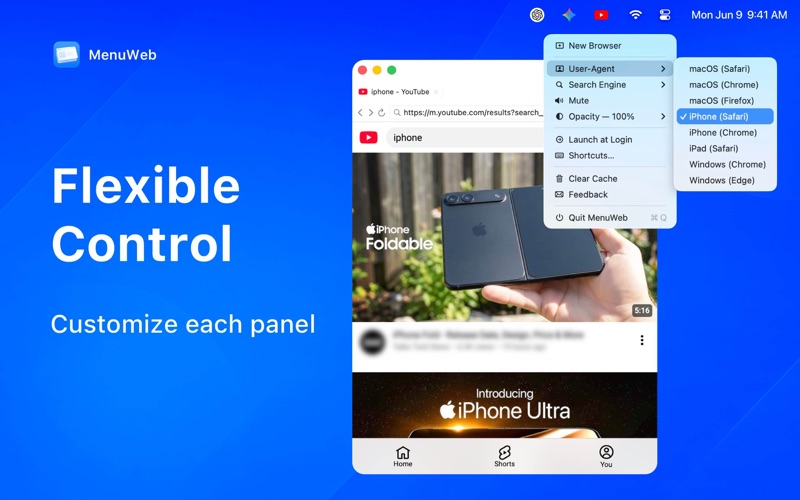
Switching to your browser and back breaks your focus. MenuWeb puts a full browser in your Mac's menu bar — one click away, without leaving what you're doing. Floating Browser The panel floats above all your other windows across every Space and full-screen app, so you can read, search, or reference a page while continuing to work. Adjust the window opacity to see through it — keeping your workflow fully visible underneath. Key Features - Multi-Instance support — open multiple independent browser windows, each with its own tabs, settings, and session. - Instant access — open and dismiss your panels instantly with a global keyboard shortcut. - Multi-tab browsing — keep multiple pages open and switch seamlessly between them. - Session restore — every instance remembers your exact tabs and state after a restart. - Adaptable workspace — set unique User-Agents (Desktop/Mobile) and custom opacities for each individual window. - Built-in search — type a keyword or URL; choose Google, Bing, DuckDuckGo, and more. - Bookmarks — save your favorite pages and organize them neatly into folders. Privacy-Respecting MenuWeb does not collect, transmit, or share any browsing data. All data — bookmarks, settings, and session — remains on your device. Support: tinfineapp@outlook.com Privacy Policy: https://www.notion.so/Privacy-Policy-32be1846c58e800d9b6ec7f189efa167 Terms of Use: https://decisive-store-bd5.notion.site/Terms-Conditions-32be1846c58e8032a9bff7f16f7ecc20
Latest release
What’s New
- Bug fixes and improvements
Audience growth
Ratings growth
Baseline captured. Growth appears after the crawler observes a changed rating count.
Momentum comes from crawler snapshots for the tracked storefront. “Viral growth signal” means unusually fast recent rating gains; it is an indicator, not download data.
Price tracking
Price intelligence
First snapshot captured. The trend line starts after the next crawler price observation.
- First observed Aug 8, 2026 · 2:10 PM Free
Screenshots