About this app
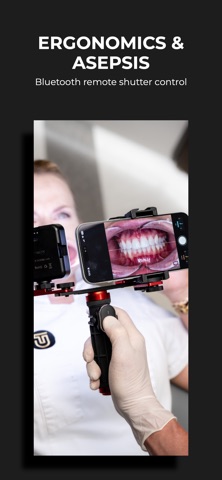
DentalCamApp is a specialized camera tool designed for clinical dental photography with iPhone. The app helps dentists and dental teams take more repeatable clinical photos by giving quick access to the parameters that matter most in everyday documentation: framing, zoom and white balance. Key features: • Optimal dental photo preset Use the dedicated preset button to quickly apply optimized camera settings for dental photography, including practical zoom and white balance values for faster, more consistent clinical captures. • Smooth zoom control Adjust magnification from 1x to 5x in precise 0.1x steps to keep the framing consistent during clinical photo sessions. • Fixed lens logic DentalCamApp helps prevent automatic lens switching during close-up photography, supporting a more stable perspective and more predictable image geometry. • Manual white balance Set color temperature from 3000K to 9000K to achieve more consistent color reproduction under different lighting conditions, including dental LED lights. • Framing grids and symmetry guides Use grid overlays and crosshair guides to improve repeatability of intraoral, extraoral and smile photography. • Bluetooth shutter support Take photos with an external Bluetooth shutter without touching the screen, improving ergonomics and reducing camera movement. • Instant clinical preview Review the photo immediately after capture without leaving the camera workflow. • Standard Photos library saving Images are saved directly to the iPhone Photos library, making transfer, sharing and archiving fast and convenient. DentalCamApp was created to simplify dental photography and support consistent clinical documentation in everyday dental practice. Terms of Use: https://www.apple.com/legal/internet-services/itunes/dev/stdeula/
Latest release
What’s New
A new, clearer subscription screen. We added Polish and English language versions, automatically matched to the device settings.
Audience growth
Ratings growth
Baseline captured. Growth appears after the crawler observes a changed rating count.
Momentum comes from crawler snapshots for the tracked storefront. “Viral growth signal” means unusually fast recent rating gains; it is an indicator, not download data.
Price tracking
Price intelligence
First snapshot captured. The trend line starts after the next crawler price observation.
- First observed Aug 20, 2026 · 1:28 AM Free
Screenshots