About this app
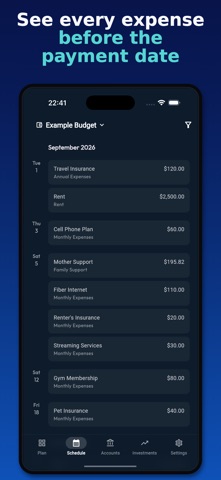
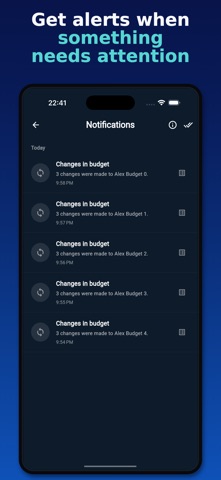
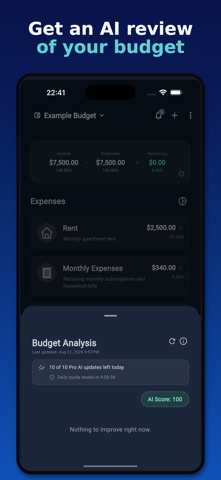
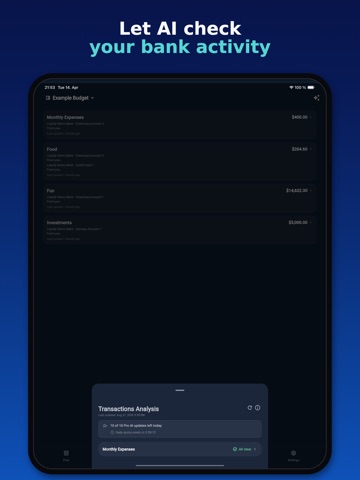
Forget the guilt of traditional tracking. Liquify isn't about punishing you for yesterday's coffee; it's about giving you the green light for today's joy. We believe a budget shouldn't be a cage—it should be a blueprint for a life well-lived. Liquify's box method takes the anxiety out of your finances by shifting the focus from where your money went to where it's going. When your future is planned, you can finally enjoy the present—guilt-free. FEATURES Available to Spend: See what's left after your boxes and goals are funded. When the number is green, you know you can spend—no spreadsheet math required. Wallet-like Boxes: Create boxes for rent, subscriptions, savings, and more, then fund them before the month begins. Split annual and recurring bills into monthly amounts so costs stay predictable. Plan vs Accounts: Connect up to three banks, link accounts to boxes, and compare plan targets with real balances, recent transactions, and investments. Bank Alerts: Set alert rules on linked boxes and get push and inbox notifications when balances drift or a goal needs attention. AI Analysis: Run AI reviews on your budget and on bank transactions to spot gaps, risks, and drift—so you can adjust the plan with less manual checking. Shared Budgets: Invite collaborators to the same budget and stay in sync. Each person can connect their own banks to different boxes on the household plan. WHY CHOOSE LIQUIFY? Most finance apps feel like a lecture. Liquify feels like a strategy. We've stripped away complex spreadsheets and the "past-tense" mindset to build a tool around the box method—wallet-like boxes for rent, savings, and the life you want. By mastering your monthly plan, you aren't just saving money—you're buying back your peace of mind. Download Liquify today. Stop looking back and start moving forward. Terms of Usage: https://getliquify.com/terms
Latest release
What’s New
• Clearer Accounts list with better labels, last synced, and Today/Yesterday groups. • Clearer messaging when bank sync pauses after Liquify Ultra ends. • Plan summary explains multi-currency conversion. • Mark all as read in Notifications works more reliably. • Fixed Ultra prompts for subscribers, scrolling on account screens, and bank sync.
Audience growth
Ratings growth
Baseline captured. Growth appears after the crawler observes a changed rating count.
Momentum comes from crawler snapshots for the tracked storefront. “Viral growth signal” means unusually fast recent rating gains; it is an indicator, not download data.
Price tracking
Price intelligence
First snapshot captured. The trend line starts after the next crawler price observation.
- First observed Aug 24, 2026 · 12:21 PM Free
Screenshots