About this app
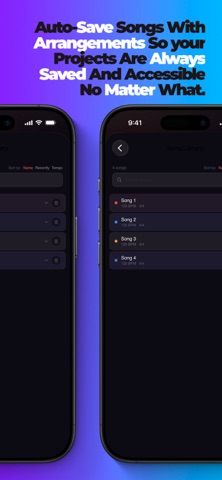
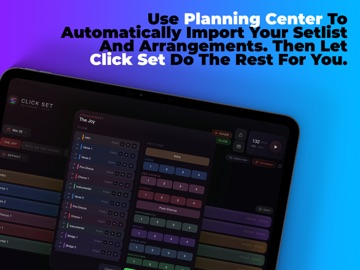
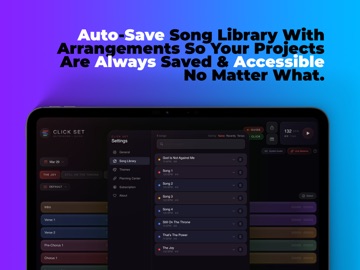
The click track your worship team actually wants to use. Click Set builds professional click tracks with spoken vocal cues. No DAW, no premade track library, no audio degree. Chart the song visually, hit play, and a clear voice calls "Verse 2... 3, 4" right in your ears. Your drummer locks in, your keys player hears the bridge coming, everyone lands together. NEW IN 3.0: DYNAMIC START AND DYNAMIC HOLD Speaking moments are part of worship, and now they're part of your click. Dynamic Start opens a song with a click vamp that runs while your pastor prays or your leader talks, then cues the band in on the next bar when you're ready. Dynamic Hold does the same thing mid song: finish the current section, vamp while the moment breathes, continue when it's time. Trigger either from the screen or a MIDI pedal, or drop a Hold container right into the arrangement so it happens every week without anyone remembering to press anything. The Guide's voice confirms each one in your ears. NEW: THE WEB PLAYER Publish a setlist and your whole team rehearses from a link. Any phone, any computer, nothing to install. Lock the phone and it keeps playing, with full controls and 15 second skips from the lock screen. WHY WORSHIP TEAMS USE CLICK SET • Planning Center sync (Pro): import your service plan and the songs and arrangements flow in. • 18 section types: Verse, Chorus, Bridge, Instrumental, Vamp, Build, Drop, Tag, Dynamic Hold, and more. Color coded, drag to reorder. • Spoken guide cues for every transition, with numbered variants for every section. "Instrumental 3... 3, 4." • Reference Track: load the real recording and rehearse your click and cues against it. Playback is free. • Vocal Remover (Pro): strip the vocals on device for a clean instrumental. No internet, no extra subscription. • Lock Arrangement (Pro): trim, add, or repeat a section and the recording re-cuts to match, even while you listen. • Recording Versions: when a song has two different Chorus 1 moments, colored dots tell them apart and each arrangement picks which one plays. • Multiple keys per song (Pro): keep the Sunday key and the acoustic key on the same chart and switch between them. • Half time and double time: convert a song's tempo feel from the tempo screen and the bars, arrangements, and library all follow. • Play with Click (Pro): run the click and guide locked in time over the real track. Rehearsal sounds exactly like Sunday. • Click EQ: three band tone control to shape the click for your in ears. Too boomy? Pull the lows. • MIDI control (free): Looptimus, Envive Chocolate, or any foot controller. Play, stop, mute, song select, live insert, repeat section, and dedicated pedals for Dynamic Start and Hold, including one press per song that opens it straight into a vamp. • Infinite Click: the metronome keeps going after the last section. No awkward silence. • Multi song sets: your full setlist with per song tempo, time signature, and color coded tabs. • Export to your DAW: WAV free, plus MP3, AAC, or separate click and guide tracks for Ableton, Logic, or Pro Tools. • 5 themes (Pro), including Void, a true OLED black for dark stages. • Built for iPad and Mac. The music stand and the sound booth. FREE 3 songs, 1 set, guide voice, click playback, Dynamic Start and Hold, click EQ, WAV export, full MIDI control, and reference track playback. PRO Unlimited songs and sets, all themes, Planning Center sync, custom MIDI profiles, MP3, AAC, and separate track export, the web player, and the full reference toolkit: vocal remover, lock arrangement, play with click, beat detection, and multiple keys. Built by a worship musician who got tired of running a DAW just for a click track. Terms of Use: https://www.apple.com/legal/internet-services/itunes/dev/stdeula/ Privacy Policy: https://brandonclement04-pixel.github.io/click-set-privacy/
Latest release
What’s New
The biggest Click Set update yet, built from real Sunday morning feedback. DYNAMIC START A speaking moment before the song? Press play once and the click vamps while they talk. Sarah confirms "Dynamic start" and counts the band onto the pulse. Press again, or use your MIDI pedal, and the song cues in on the next bar from any container you highlight. DYNAMIC HOLD Pause the song without stopping the music. Hit the Hold button mid song and the current section finishes, then the click vamps until you continue. Or plan it ahead: drop a Dynamic Hold container right into your arrangement and Sarah announces it before it lands, every run, until you remove it. THE WEB PLAYER Publish a setlist and your whole team can rehearse from any phone or computer, no install needed. This update brings background listening with full lock screen controls: lock your phone or switch apps and the music keeps going, with play, pause, next, previous, and 15 second skips right from the Now Playing screen, plus a live progress bar. RECORDING VERSIONS When a song has two different Chorus 1 moments, colored dots now tell them apart, and each arrangement can choose exactly which passage of your recording plays. No more fake section names to trick the map. FASTER SONG PREP • Half time and double time conversion from the tempo screen. Tempo, bars, arrangements, and your library all move together. • Editing your Default arrangement updates your library automatically. No more pop up on every change. • Drag and drop that feels right: reorder songs by their tabs, drag sections with live insertion carets, and use touch and hold menus inside Quick Edit. EASIER NAVIGATION • A redesigned home screen: the tempo box front and center with the Dynamic controls racked beneath it. • Beat alignment editors: pinch and two finger swipe with the Magic Keyboard trackpad, zoom controls on iPad, and a new mini map strip. Drag it to fly anywhere in the song. • MIDI settings reorganized into collapsible sections, with new mappable actions for Dynamic Start and Dynamic Hold, including one pedal per song that opens it straight into a vamp. AND THE DETAILS Guide voice timing is tighter at fast tempos, Sum to Mono now applies in the alignment preview, right click works on iPad with a trackpad, and dozens of fixes keep everything steadier under the lights. Thanks for leading worship with Click Set. Keep the feedback coming.
Audience growth
Ratings growth
Baseline captured. Growth appears after the crawler observes a changed rating count.
Momentum comes from crawler snapshots for the tracked storefront. “Viral growth signal” means unusually fast recent rating gains; it is an indicator, not download data.
Price tracking
Price intelligence
First snapshot captured. The trend line starts after the next crawler price observation.
- First observed Aug 18, 2026 · 1:11 PM Free
Screenshots