About this app
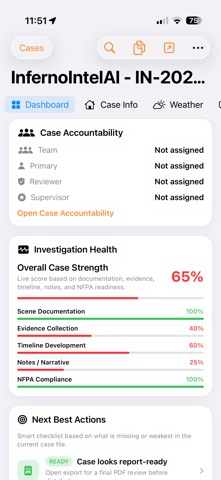
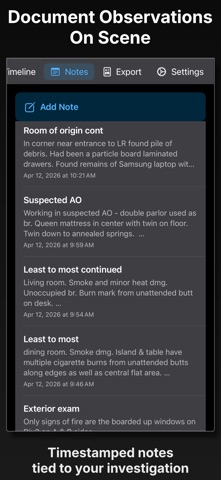
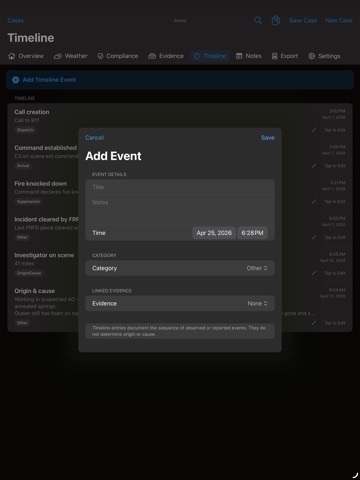
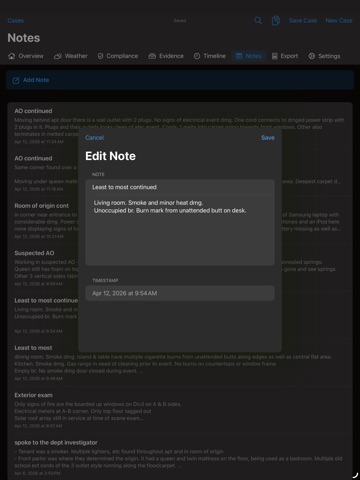
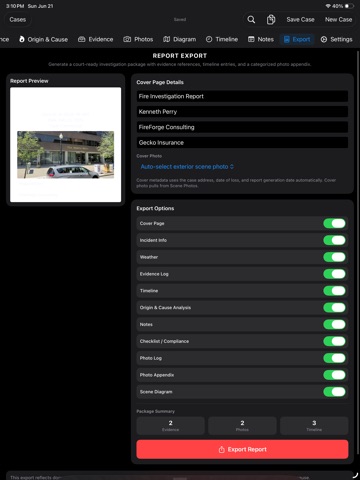
Fire investigations don’t stop when you leave the scene. InfernoIntelAI keeps the entire case moving—from initial observations and evidence capture to a polished, review-ready report. Designed for fire investigators, fire marshals, inspectors, and origin-and-cause professionals, InfernoIntelAI brings scene documentation, case organization, reporting, and secure continuity together in one purpose-built workspace. DOCUMENT THE ENTIRE INVESTIGATION • Record incident details, occupants, insurance information, property data, timelines, notes, weather, and origin-and-cause observations. • Capture and organize photographs, evidence items, and supporting media. • Preserve verification and integrity information for documented media. • Build scene diagrams and organize important investigative events. • Monitor case and report readiness from the investigation dashboard. RETRIEVE HISTORICAL WEATHER Document environmental conditions for the incident date and location without managing a separate weather-provider account. Historical observations are retrieved securely through FireForge OS and remain part of the case record. CONTINUE ON ANY DEVICE Start at the scene on iPhone or iPad, then continue the same investigation in your private FireForge Personal web workspace. Secure synchronization keeps case information, evidence records, media, notes, and reporting data available wherever you need to work. No department invitation is required to create a FireForge Personal account. BUILD BETTER REPORTS • Organize recorded facts into a clear investigative chronology. • Create grounded working drafts using information already documented in the case. • Review completeness before generating the final report. • Select the sections and photo documentation included in the report. • Edit and approve every statement before it becomes part of your work product. InfernoIntelAI assists with documentation and organization. It does not determine fire origin or cause, replace professional judgment, or produce findings without investigator review. PRIVATE AND INVESTIGATOR-CONTROLLED Personal investigations remain separate from organizational cases. Secure authentication, private media storage, verified synchronization, portable case files, and account-management controls help you retain control of your investigative records. START WITH A 7-DAY FREE TRIAL Eligible new subscribers can try InfernoIntelAI Personal for seven days. Continue with a monthly or annual auto-renewable subscription to retain FireForge Personal synchronization, historical weather retrieval, private web access, and subscriber features. Subscriptions automatically renew unless canceled at least 24 hours before the end of the current subscription period. Payment is charged to your Apple ID. You can manage or cancel your subscription from your App Store account settings. Privacy Policy: https://fireforgeconsulting.com/privacy-policy Terms of Use: https://www.apple.com/legal/internet-services/itunes/dev/stdeula/
Latest release
What’s New
InfernoIntelAI 1.14 introduces the complete FireForge Personal companion experience. • Create and verify a private FireForge Personal account directly from the app. • Connect your App Store subscription to your Personal workspace. • Continue investigations securely between iPhone, iPad, and the web. • Retrieve historical weather through the production FireForge service. • Synchronize case data, photographs, evidence records, notes, and reporting details. • Open and save portable case files using the Files picker. • Use an adaptive investigation dashboard with polished light and dark appearances. • Access clearer subscription, privacy, support, and account-management controls. • Request Personal account deletion directly from the app. • Benefit from improved synchronization, media handling, readiness calculations, and production reliability. This release turns InfernoIntelAI into a connected investigation workspace—built to carry your case from the scene through final documentation.
Audience growth
Ratings growth
Baseline captured. Growth appears after the crawler observes a changed rating count.
Momentum comes from crawler snapshots for the tracked storefront. “Viral growth signal” means unusually fast recent rating gains; it is an indicator, not download data.
Price tracking
Price intelligence
First snapshot captured. The trend line starts after the next crawler price observation.
- First observed Aug 26, 2026 · 5:44 PM Free
Screenshots