About this app
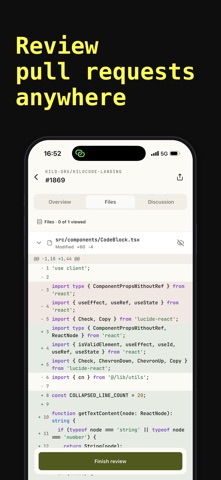
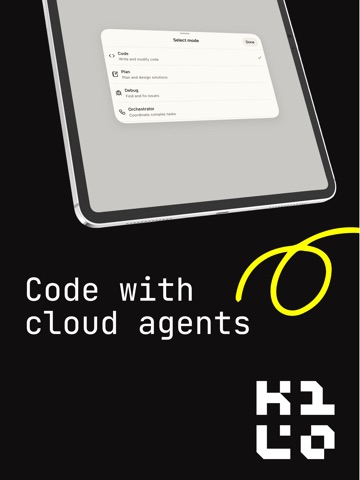
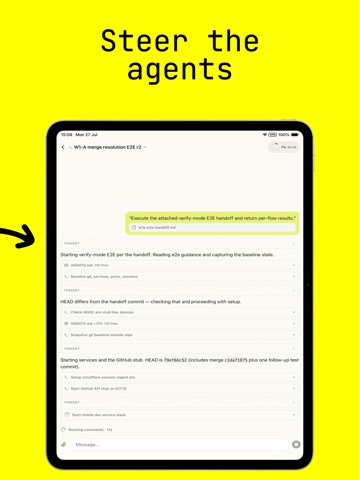
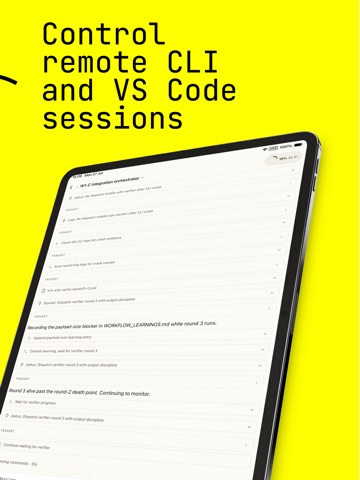
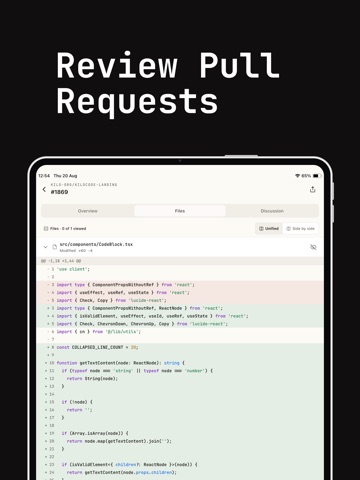
Kilo Code App is the mobile companion for Kilo Code, the open source agentic engineering platform. Code, monitor, and steer your agents from your phone, wherever you are. WHAT YOU CAN DO → Code from your phone with Cloud Agents Spin up a Kilo Cloud Agent, give it a task, and review its work from the chat. Full agentic coding, backed by Kilo's managed infrastructure, without opening a laptop. → Connect to your desktop sessions Pair with a Kilo session running in Kilo CLI or VS Code on your computer. Send instructions, review diffs, and keep an eye on long-running tasks while you're away from the desk. → Watch your agents in real time See sessions running outside the app — CLI, IDE, Slack, or cloud — in a live read-only view. Know what your agents are doing, even when you can't intervene. → Review pull requests Paste a GitHub PR link to see checks and full file diffs with syntax highlighting. Leave line-level comments, batch them into a review, approve, reply in threads, and merge. → Work by voice, or from anywhere Dictate prompts instead of typing. Queue follow-ups while an agent is working. Attach any file type. Share links, text, and files into Kilo from any app's share sheet. → Get pinged when an agent needs you Push notifications when a session needs input, hits a milestone, or your balance runs low. An "Active now" tray keeps live sessions at the top with NEEDS INPUT badges. ALSO IN THE APP → Code Reviewer for GitHub, GitLab, and Bitbucket, with a model per repository → Security Agent: posture dashboard, findings to triage, and policy settings → Organizations: members, roles, usage limits, credits, and invoices → Context pressure and session cost in the chat header, with a per-model token breakdown → Sign in with Apple, Google, or a one-time email code → Light, Dark, or System theme WHY KILO → 500+ AI models supported Premium, free, open-source, and open-weight models. Pick the best one for the task, or let Kilo route automatically. → Open source end to end Read the code, audit the behavior, fork it, extend it, run it yourself. No black boxes, no lock-in. → Built by engineers, for engineers We use Kilo to build Kilo. Every feature ships because we needed it ourselves. Subscription Details Kilo App offers three monthly auto-renewable subscription tiers under "Kilo Pass": - Kilo Pass $19 credits — $24.99/month (entry tier) - Kilo Pass $49 credits — $63.99/month (mid tier) - Kilo Pass $199 credits — $259.99/month (high tier) Each tier grants the corresponding dollar amount of AI usage credits each month, used to run coding agents and chat with AI models inside the app. Payment will be charged to your Apple ID account at confirmation of purchase. Subscriptions automatically renew unless auto-renew is turned off at least 24 hours before the end of the current period. Your account will be charged for renewal within 24 hours prior to the end of the current period at the same price as the previous period. You can manage your subscription and turn off auto-renewal at any time by going to your Apple ID Account Settings after purchase. Terms of Use: https://www.apple.com/legal/internet-services/itunes/dev/stdeula/ Privacy Policy: https://kilo.ai/privacy/ Mobile App Privacy Policy (supplementary): https://kilo.ai/privacy/apps
Latest release
What’s New
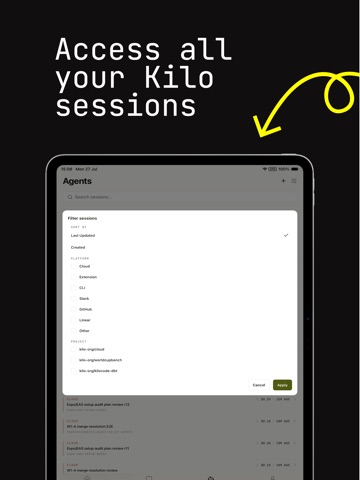
• Protect Kilo with native app unlock. • Navigate agents more easily with separate Live and History views, live session counts, unified filters, and clearer remote and terminal instance labels. • Select folders for remote sessions and continue sessions on a different run target. • Compose messages more smoothly with instant sending, queue cancellation, attachment reordering, live dictation, and CLI suggestions. • View read-only code review transcripts and gateway chats. • Manage persistent context controls directly from your sessions. • Use Kilo in more languages, including improved right-to-left layout support. • Enjoy faster loading, improved accessibility, more reliable reconnection, and numerous interface fixes.
Audience growth
Ratings growth
Baseline captured. Growth appears after the crawler observes a changed rating count.
Momentum comes from crawler snapshots for the tracked storefront. “Viral growth signal” means unusually fast recent rating gains; it is an indicator, not download data.
Price tracking
Price intelligence
First snapshot captured. The trend line starts after the next crawler price observation.
- First observed Sep 4, 2026 · 2:39 AM Free
Screenshots