About this app
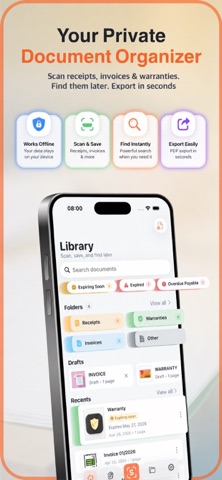
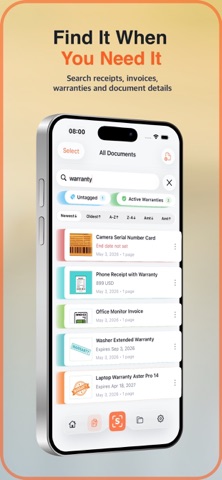
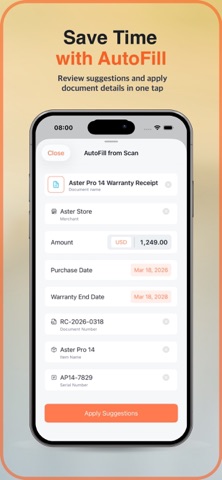
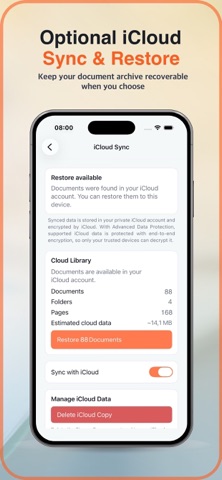
SignumScan is a private document organizer and scanner for receipts, invoices, warranties, bills, forms and other important paperwork. Scan or import a document, save it locally on your iPhone, organize it with folders, tags and notes, find it later with on-device OCR, and export a clean PDF or JPG when you need it. Use SignumScan to: • Scan single-page or multi-page documents • Import from Photos, Files or other apps • Organize receipts, invoices, bills, tax papers, warranties, contracts and forms • Add folders, tags and notes • Search saved scans with on-device OCR • Export documents as PDF or JPG • Keep important paperwork available without a required account Private by default SignumScan is built for personal documents you may not want scattered across apps or cloud folders. Your core document library is local on your iPhone, OCR runs on device, and you do not need to create an account to scan, organize, search or export your documents. Built for everyday paperwork Keep a proof of purchase, save an invoice, store a warranty, organize tax receipts, or keep a signed form ready for export. SignumScan helps turn loose papers and screenshots into a searchable document library. Free and Pro Start free with the core document organizer: scanning, import, local saving, folders, tags, notes, OCR search and PDF/JPG export for up to 10 saved documents. SignumScan Pro unlocks more power for larger libraries and sensitive documents: • Unlimited saved documents • Protected folders • App Lock • Reminders for warranties and important dates • AutoFill from Scan • Smart Scenarios • Protected PDF export • iCloud Sync and Restore on supported iOS versions Why SignumScan • Private document organizer, not just a scanner • Works offline for core tasks • No mandatory account • On-device OCR • PDF and JPG export • Built for receipts, warranties, invoices and paperwork you need later SignumScan helps you keep important documents organized, searchable, private and ready when you need them.
Latest release
What’s New
In this version, we improved how documents work with iCloud so your files are saved, synced, and restored more reliably across all your devices. The app now automatically checks syncing and helps recover missing documents after reinstalling the app or installing it on a new device. If syncing was previously enabled, it stays enabled and continues working without extra steps from the user. We also added clear recovery progress, improved folder restoration on the Home screen based on the “Show on Home” setting, and made small improvements to the interface and stability.
Audience growth
Ratings growth
Baseline captured. Growth appears after the crawler observes a changed rating count.
Momentum comes from crawler snapshots for the tracked storefront. “Viral growth signal” means unusually fast recent rating gains; it is an indicator, not download data.
Price tracking
Price intelligence
First snapshot captured. The trend line starts after the next crawler price observation.
- First observed Aug 24, 2026 · 12:21 PM Free
Screenshots