About this app
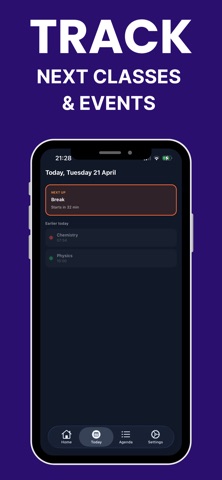
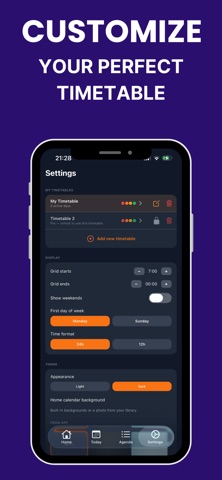
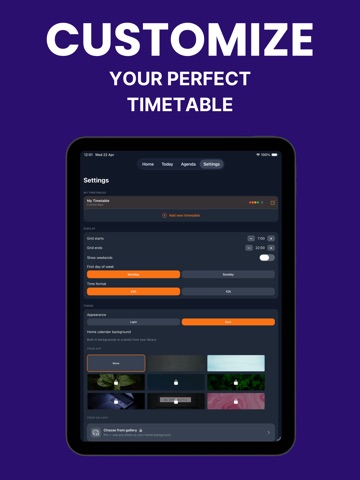
Your semester, organized in minutes. Add your classes once and stay on track all semester. Timetable Plus shows what’s happening now, what’s next, and keeps your full week clear at a glance. WEEK GRID Quickly add classes with a tap. Overlapping events stack neatly, and a live time indicator shows where you are in the day. TODAY See what’s happening now, what’s coming up next, and what you’ve already completed. AGENDA View your week in a clean, easy-to-read list grouped by day. WIDGETS See your next class from your Home Screen or Lock Screen. NOTIFICATIONS Set reminders for each class. Notifications repeat automatically only on the days that class takes place. Upgrade to Pro for multiple timetables, bi-weekly events, and custom themes. Pro is an optional subscription that renews automatically unless cancelled at least 24 hours before the end of the current billing period. Your Apple ID account will be charged at confirmation of purchase. Terms of Service: https://sites.google.com/view/timetable-plus-class-schedule Privacy Policy: https://www.privacypolicies.com/live/37fcd839-d4d3-4efa-8cbb-618d69cc39cd
Audience growth
Ratings growth
Baseline captured. Growth appears after the crawler observes a changed rating count.
Momentum comes from crawler snapshots for the tracked storefront. “Viral growth signal” means unusually fast recent rating gains; it is an indicator, not download data.
Price tracking
Price intelligence
First snapshot captured. The trend line starts after the next crawler price observation.
- First observed Sep 5, 2026 · 1:09 PM Free
Screenshots