About this app
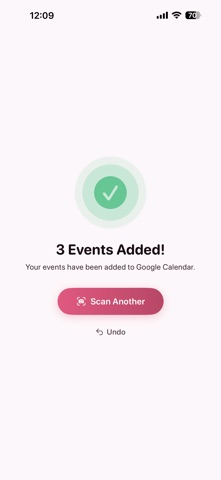
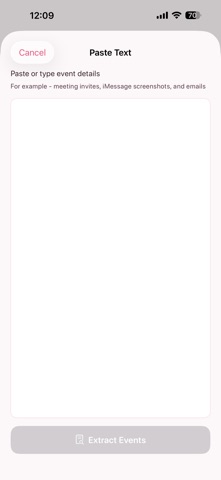
ScanDat AI turns any flyer, poster, schedule, or screenshot into calendar events in seconds. HOW IT WORKS 1. Scan - Take a photo, pick from your library, import a PDF, or paste text 2. Review - Edit the AI-extracted event details if needed (title, time, location) 3. Add - Save to Apple Calendar or Google Calendar with one tap FEATURES - Multi event detection: Extracts multiple events from a single image - Batch scanning: Scan up to 10 images at once - PDF support: Import multi-page documents - Text input: Paste meeting invites, emails, or messages - Smart calendar suggestions: Automatically picks the right calendar - Recurring event detection: Warns before creating overlapping events - Scan history: Browse and edit previously added events - .ics export: Share events as calendar files - Undo: Remove added events with one tap - Dark mode: Full light and dark theme support - Siri Shortcuts: "Hey Siri, scan with ScanDat" - Home screen widget: Quick access to scanning - Share extension: Scan images directly from Photos or Safari Terms of Use: https://scandat.app/terms
Latest release
What’s New
- Bulk delete: select multiple events in History and remove them from your calendar at once. - New Lock Screen widgets and a Control Center button for instant scanning. - Repeating events now show a "Repeats" badge you can review or remove before adding. - Clearer camera-permission screen with a shortcut to Settings. - More reliable Google Calendar editing and deleting. - Improved scan accuracy plus many smaller fixes.
Audience growth
Ratings growth
Baseline captured. Growth appears after the crawler observes a changed rating count.
Momentum comes from crawler snapshots for the tracked storefront. “Viral growth signal” means unusually fast recent rating gains; it is an indicator, not download data.
Price tracking
Price intelligence
First snapshot captured. The trend line starts after the next crawler price observation.
- First observed Sep 6, 2026 · 12:55 AM Free
Screenshots