About this app
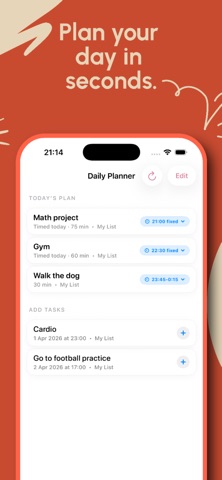
Eve turns quick messages into organized tasks, reminders, and a clear plan for your day. Instead of tapping through cluttered menus, just type naturally: “remind me tomorrow at 9” “add get groceries” “move this to work” “what’s due today?” Eve helps you capture tasks fast and keep them moving with: - natural chat-based task entry - reminders and scheduled tasks - multiple lists for work, personal, shopping, and more - notes and subtasks for extra detail - recurring tasks for routines and repeat reminders - a Daily Planner that helps you focus on what matters next Built to stay simple. No heavy setup. No messy workflows. Just a clean, fast to-do app that understands what you mean and helps you stay on top of everything. Use Eve to capture ideas quickly, organize tasks into the right list, and keep your day clear. Terms of Use (EULA): https://www.apple.com/legal/internet-services/itunes/dev/stdeula/
Latest release
What’s New
I improved Eve logic
Audience growth
Ratings growth
Baseline captured. Growth appears after the crawler observes a changed rating count.
Momentum comes from crawler snapshots for the tracked storefront. “Viral growth signal” means unusually fast recent rating gains; it is an indicator, not download data.
Price tracking
Price intelligence
First snapshot captured. The trend line starts after the next crawler price observation.
- First observed Oct 6, 2026 · 1:56 AM Free
Screenshots