About this app
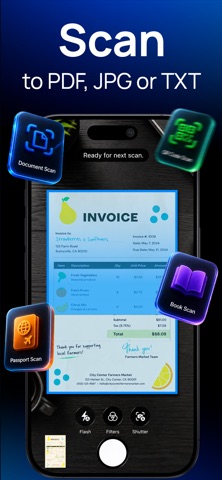
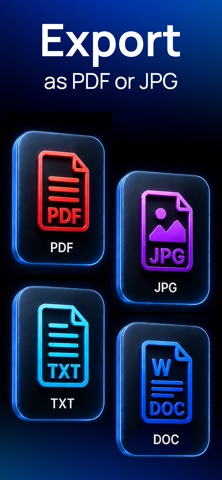
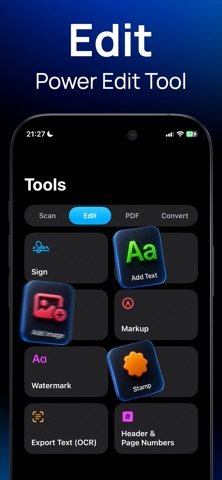
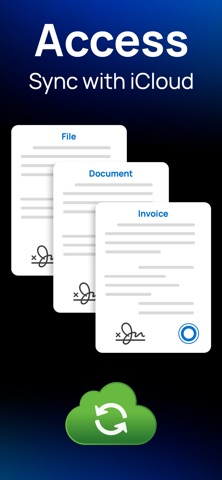
Next Scan - Receipt & Invoice Scanner Turn your iPhone into a powerful receipt, invoice, and document scanner. Next Scan helps you capture, organize, edit, convert, sign, and share paperwork. Scan receipts, business invoices, expense documents, contracts, IDs, notes, forms, and office files with clean results in seconds. Whether you are preparing tax records, organizing expenses, saving warranty receipts, archiving invoices, or digitizing personal documents, Next Scan gives you a fast workflow. RECEIPTS, INVOICES & EXPENSE DOCUMENTS Keep financial paperwork organized before it gets lost. Capture receipts after a purchase, store invoices from clients or suppliers, save bills and expense records, and create digital copies for accounting, reimbursement, travel, or tax preparation. Create folders for clients, projects, trips, months, or financial periods. Rename documents, combine related pages, and keep records ready to review, export, or share. Next Scan is useful for freelancers, small business owners, employees, travelers, and anyone who needs a simple way to manage receipts and invoices. SCAN & PERFECT EVERY PAGE Point, capture, done. Next Scan automatically detects document edges, corrects perspective, and improves readability so each page looks clean and aligned. Choose from Original, Enhanced, Vivid, Grayscale, or Black & White filters for receipts, invoices, contracts, forms, notes, books, certificates, and IDs. Scan one page or build a multi-page document. Crop, rotate, reorder, duplicate, or remove pages before exporting. PRIVATE, ON-DEVICE WORKFLOW Core scanning and editing tasks work on your device, helping you keep receipts, invoices, IDs, contracts, and personal records under your control. Protect PDFs with passwords, add watermarks before sharing, and enable iCloud Sync when you want your library available across Apple devices. POWERFUL PDF TOOLS Export scans as high-quality PDFs. Merge files into one document, split a PDF by page, compress large files, and protect sensitive content with password encryption. Rearrange pages, remove unnecessary sections, apply watermarks, and prepare files for work, school, or official use. OCR: TURN SCANS INTO TEXT Next Scan’s built-in OCR extracts text from scans and images. Make receipts, invoices, contracts, notes, reports, business cards, and printed pages searchable and ready to copy. Find details without retyping full pages, then reuse recognized text in messages, notes, spreadsheets, or other apps. DOCUMENT CONVERSIONS Convert scans and files to Word, PowerPoint, or Excel, turn images and Markdown content into PDFs, and convert PDFs back into editable Office formats. Everything stays in one workflow, so you can scan, process, and export documents without switching tools. ANNOTATE, STAMP & SIGN Complete paperwork on your iPhone. Draw annotations, add typed text, insert images, apply custom stamps, and place digital signatures on any page. Resize and reposition each element, review the document, then export or share it. Ideal for contracts, agreements, forms, approvals, reports, and invoice-related paperwork. QR CODE & BARCODE SCANNER Read QR codes and barcodes without leaving the app. Open links and access encoded information. ICLOUD SYNC & ORGANIZATION Create folders for receipts, invoices, work files, school documents, travel records, contracts, and personal archives. Enable iCloud Drive sync to keep your library updated across Apple devices. NEXT SCAN PRO Unlock more with Next Scan Pro: • Unlimited PDF exports and OCR pages • Digital document signing • Password-protected PDFs • Watermarks and custom stamps • PDF merge, split, and compression • Office document conversions • Image to PDF and Markdown to PDF • Unlimited folders • iCloud Sync From a quick receipt scan to a complete invoice archive, Next Scan brings scanning, PDF tools, OCR, conversion, signing, and organization together in one practical app. Terms: https://nextscan.dreamlabs.me/terms
Latest release
What’s New
Performance enhancements and general improvements to make your experience even better. Thanks for using our app!
Audience growth
Ratings growth
Baseline captured. Growth appears after the crawler observes a changed rating count.
Momentum comes from crawler snapshots for the tracked storefront. “Viral growth signal” means unusually fast recent rating gains; it is an indicator, not download data.
Price tracking
Price intelligence
First snapshot captured. The trend line starts after the next crawler price observation.
- First observed Aug 20, 2026 · 12:20 AM Free
Screenshots