About this app
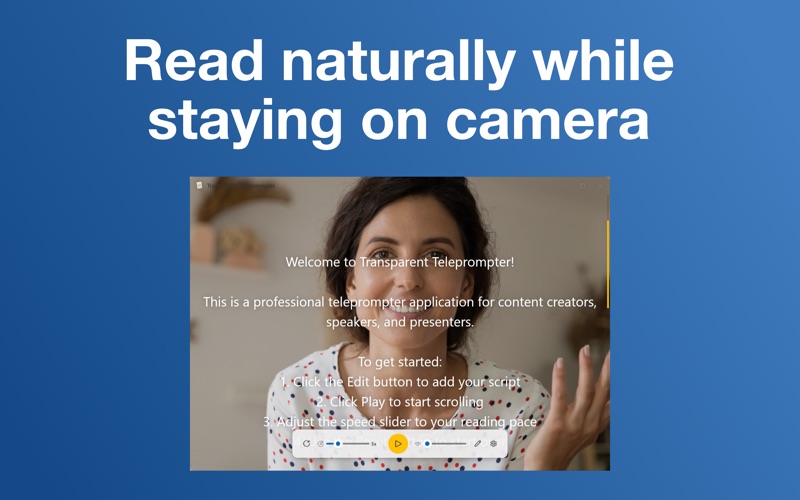
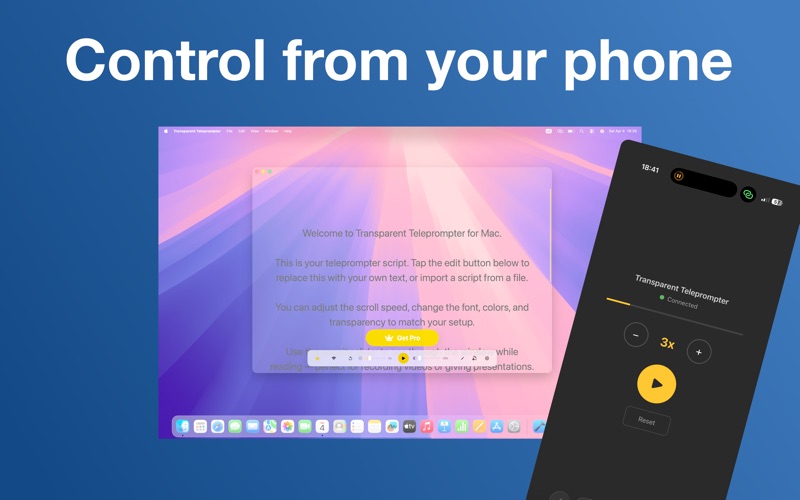
Read your scripts naturally on camera — for video calls, recordings, and live streams. Script for Video Calls floats a transparent script over any app, so you can stay on camera and read your lines without ever glancing away. NEW: GENERATE SCRIPTS WITH APPLE INTELLIGENCE Stop staring at a blank page. Describe your topic in one sentence, choose a length and tone, and watch a complete script appear — generated entirely on your Mac with on-device AI. No accounts. No API keys. No data sent to the cloud. Your prompts stay private. KEY FEATURES - On-device AI script generation, powered by Apple Intelligence - Transparent overlay floats over Zoom, Teams, Google Meet, OBS, FaceTime, or any app - Smooth 60 fps scrolling with adjustable speed from 1x to 10x - Adjustable window opacity from 10 to 100 percent - Always-on-top toggle for picture-in-picture use - Phone-based remote control via QR code, no companion app needed - Import scripts from .txt, .rtf, and .docx files - 7 background colors, 8 text colors, 7 font families - Font size 12 to 48 pt with optimized line spacing - Keyboard shortcuts: Space to play and pause, R to reset, Up and Down arrows to change speed - Native macOS app, designed for Apple Silicon MADE FOR - Creators recording for YouTube, TikTok, and Instagram - Podcasters with video shoots - Sales and marketing teams running product demos - Coaches and educators teaching online - Executives delivering keynotes and all-hands - Anyone on Zoom, Teams, or Google Meet who wants to look prepared, confident, and natural AI SCRIPT GENERATION Describe what you want to say, choose your target length (1, 2, 3, 5, or 10 minutes) and tone (Conversational, Professional, Energetic, Educational, or Storytelling), and the on-device model writes a teleprompter-ready draft optimized for spoken delivery: short sentences, natural rhythm, strong openings, and clear endings. Apple Intelligence runs entirely on your Mac. Your prompts and scripts never leave your device. Requires macOS 26 (Tahoe) or later and an Apple Intelligence-compatible Mac. REMOTE CONTROL FROM YOUR PHONE Step away from your keyboard. Show a QR code on screen, scan it with any phone on the same Wi-Fi network, and a clean web interface lets you play, pause, reset, and change speed — perfect for solo recording when you don't want to reach back to the keyboard mid-shot. PRIVACY Your scripts stay on your Mac. AI generation runs on-device with Apple Intelligence. No telemetry. No tracking. No cloud uploads. SUBSCRIPTION Script for Video Calls Pro unlocks unlimited AI script generation and removes all limits. Available as a weekly or annual subscription. Payment will be charged to your Apple ID account. Subscriptions auto-renew at the same price for the same period unless cancelled at least 24 hours before the end of the current period. Manage or cancel anytime in System Settings under Apple ID and Subscriptions. Terms of Use: https://transparentprompter.com/terms; Privacy policy: https://transparentprompter.com/privacy
Audience growth
Ratings growth
Baseline captured. Growth appears after the crawler observes a changed rating count.
Momentum comes from crawler snapshots for the tracked storefront. “Viral growth signal” means unusually fast recent rating gains; it is an indicator, not download data.
Price tracking
Price intelligence
First snapshot captured. The trend line starts after the next crawler price observation.
- First observed Aug 7, 2026 · 11:48 PM Free
Screenshots