About this app
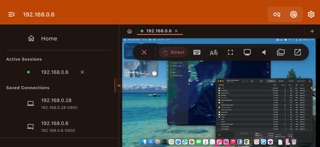
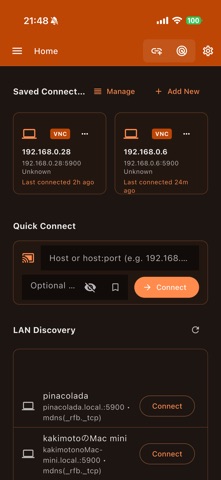
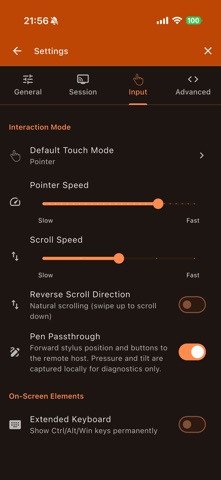
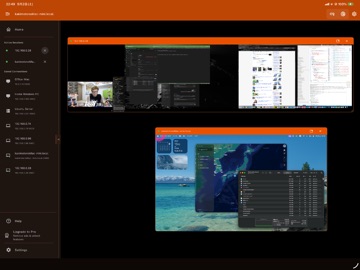
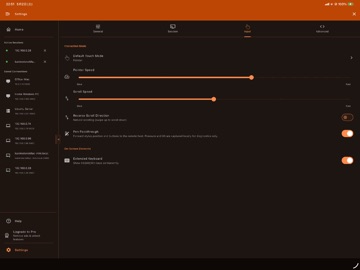
QuickRemote is a cross-platform remote desktop client designed for iOS and macOS. It supports VNC and RDP protocols with LAN auto-discovery, biometric security, and real-time performance monitoring. REMOTE DESKTOP: - VNC protocol with real-time screen mirroring - RDP support via native client integration (mstsc, Microsoft Remote Desktop) - Adaptive bandwidth: Auto, High-speed LAN, Standard WiFi, Low-bandwidth mobile - Resolution scaling: Fit-to-screen, native, 50%–150% custom - Fullscreen and floating session panels NETWORK DISCOVERY: - mDNS/Bonjour service discovery on local network - TCP port scanning (VNC 5900–5902, RDP 3389) - One-click connection from discovered devices - Save and manage connection profiles with custom names and groups INPUT CONTROLS: - Trackpad mode with adjustable speed (0.5x–3.0x) - Direct touch mode for absolute screen tapping - Pinch-to-zoom and pan gestures - Stylus/pen support with pressure and tilt - Extended keyboard: sticky Ctrl, Alt, Shift, Cmd, F1–F12 - Bidirectional clipboard sync SECURITY: - Biometric lock: Face ID, Touch ID, fingerprint - Encrypted credential vault with per-connection passwords - Session audit journal with timestamps - Auto-lock on app backgrounding MULTI-SESSION: - Multiple concurrent remote sessions - Tabbed session interface with floating panels - Per-session performance stats - Session switching and management PERFORMANCE: - Live FPS counter and RTT latency - Bandwidth usage monitoring (Mbps) - Frame and byte statistics - Hardware-accelerated rendering CUSTOMIZATION: - 20+ theme colors with dark/light mode - Customizable keyboard shortcuts - Connection grouping and reordering - Responsive layout for mobile, tablet, and desktop QuickRemote Pro unlocks: - Unlimited remote connections - High FPS streaming - Advanced security features - Ad-free experience - Priority support Terms of Use: https://kakitiro.com/quickapps/quickremote/terms/
Latest release
What’s New
• Bug fixes and performance improvements. • UI and design improvements. • Security updates.
Audience growth
Ratings growth
Baseline captured. Growth appears after the crawler observes a changed rating count.
Momentum comes from crawler snapshots for the tracked storefront. “Viral growth signal” means unusually fast recent rating gains; it is an indicator, not download data.
Price tracking
Price intelligence
First snapshot captured. The trend line starts after the next crawler price observation.
- First observed Aug 8, 2026 · 11:28 AM Free
Screenshots