About this app
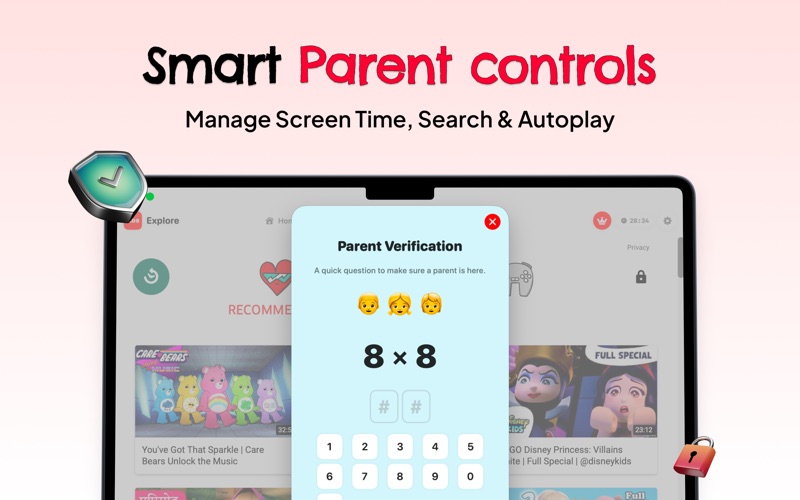
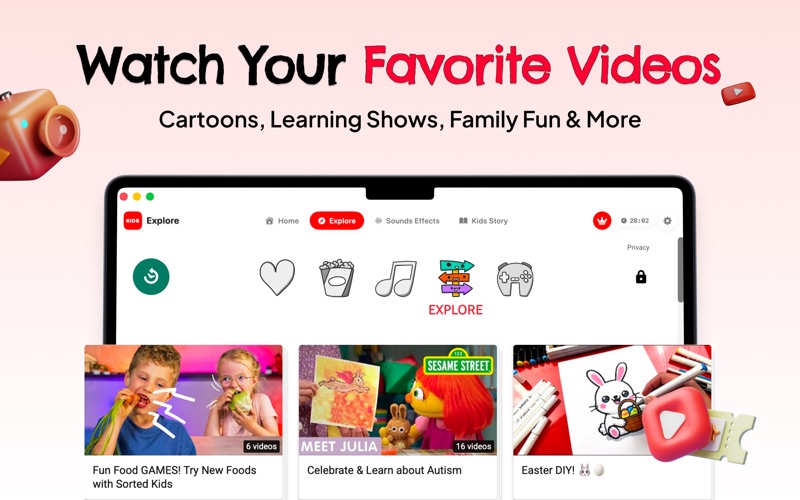
KidsPlay is the best app for YouTube Kids on Mac. A beautifully designed, parent-controlled browser for YouTube Kids with built-in stories, relaxation sounds, and smart screen time management — designed for children ages 2-8. There is no official app for YouTube Kids on Mac — KidsPlay fills that gap with a native macOS experience built from the ground up. — SAFE BROWSER FOR YOUTUBE KIDS — Watch YouTube Kids in a secure, sandboxed environment. • Clean, ad-free viewing experience for children • No comments, no live chat, no external links • Only approved domains are accessible • Safe search enforced at all times — PARENTAL CONTROLS — Everything behind a secure PIN that kids can't bypass. • Set daily screen time limits (15 min to 2 hours) • Visual countdown timer kids can see • Fun "Time's Up" lock screen with extend options • Set allowed viewing hours (schedule control) • Volume limit cap to protect hearing • Toggle search and browsing permissions • View complete watch history per child — MULTIPLE CHILD PROFILES — Up to 5 kids, each with their own settings. • Fun animal avatars (lion, fox, bunny, and more) • Per-profile screen time limits and history • Quick Start templates for ages 2-3, 4-5, 6-7, and 8 • Easy profile switching from the sidebar — KIDS STORIES — 27 curated stories across 4 categories. • Early Childhood, Adventure, Classic Tales, and Poems • Built-in voice narration with page-by-page reading • Beautiful emoji illustrations • Stories like Three Little Pigs, Goldilocks, Jack and the Beanstalk, and more — RELAXATION SOUNDS — Perfect for nap time, bedtime, or focus. • 15+ sounds: rain, ocean, birds, thunder, white noise, fan, lullaby, piano • Mix multiple sounds together • Adjustable volume per sound • Built-in sleep timer (15, 30, 60, or 120 minutes) — PARENT DASHBOARD — Full control from one place. • Watch history with video titles, channels, and timestamps • Screen time usage tracking • Content and search settings • Profile management • All behind PIN protection — BUILT NATIVELY FOR MAC — • Pure SwiftUI — fast, smooth, and lightweight • Clean, colorful interface designed for small children • Large tap targets (60pt+), rounded corners, playful animations • Runs on macOS 13 Ventura and later • Apple Silicon and Intel supported — PRICING — Free to start. Upgrade when you're ready. Payment will be charged to your Apple ID account at confirmation of purchase. Subscriptions automatically renew unless cancelled at least 24 hours before the end of the current period. You can manage and cancel subscriptions in your Apple ID account settings. Terms of Use: https://kidsplay-legal.vercel.app/terms.html Privacy Policy: https://kidsplay-legal.vercel.app/privacy.html
Latest release
What’s New
Now rated 4+! KidsPlay is now available for the youngest viewers under Family Sharing and Apple Screen Time content restrictions. Same safe YouTube Kids browsing, parental controls, stories, and sound effects — now accessible to every kid in the household.
Audience growth
Ratings growth
Baseline captured. Growth appears after the crawler observes a changed rating count.
Momentum comes from crawler snapshots for the tracked storefront. “Viral growth signal” means unusually fast recent rating gains; it is an indicator, not download data.
Price tracking
Price intelligence
First snapshot captured. The trend line starts after the next crawler price observation.
- First observed Aug 8, 2026 · 10:38 PM Free
Screenshots