About this app
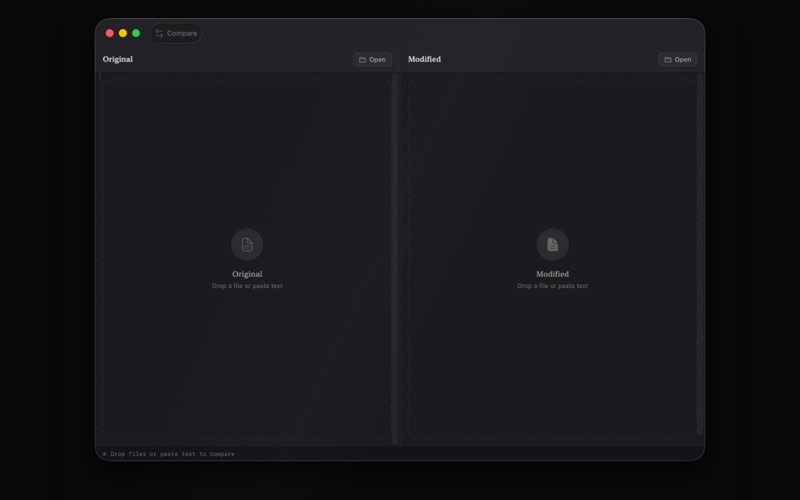
Compare anything on your Mac. Text, source code, PDFs, JSON, Plist, XML, images, entire folders, even binary files — DiffSnap reads what you drop and tells you, in plain English, what changed. DROP ANYTHING Drop two files and DiffSnap auto-detects what they are and picks the right comparison engine. Drop two folders and it scans them recursively. Drop two photos and it slides between them pixel by pixel. You don't pick a mode — the app figures it out. THE ANSWER, FIRST Every comparison opens with a one-sentence diff summary at the top of the screen. "5 changes: 2 added, 1 removed, 2 modified across 3 sections." "Same page count, 23 lines changed." "Pixels are identical, file size dropped 2.4 MB." "12 files differ across the folder tree." The app answers the question you came with — what is the difference? WHAT IT COMPARES • TEXT & SOURCE CODE — Side-by-side line diff with character-level highlights inside modified lines. Syntax colouring for Swift, JavaScript, TypeScript, Python, Go, Rust, Ruby, Java, Kotlin, C, C++, Objective-C, JSON, YAML, XML, HTML, CSS, SQL, shell, and Markdown. • PDFs — Per-page text extraction, page-count and metadata diff, plus full-text comparison. • JSON, PLIST, XML — Parsed, sorted, canonicalised, then compared structurally so the app shows what values actually changed — not what indentation moved. • IMAGES — Side-by-side, swipe slider, onion-skin overlay, and pixel-difference modes. Resolution and file-size deltas surface instantly. • FOLDERS — Recursive tree scan with SHA-256 content equality. Added, removed, modified files are tagged. Click any modified file to drill into its line-by-line diff. • BINARY FILES — Anything else falls back to a clean hex dump with offsets and ASCII gutters. MERGE & EXPORT Directional arrows on every changed line — pick left or right, line by line, or accept all from one side. Export the result as plain text, HTML, PDF, or as a unified .patch file ready for git apply. KEYBOARD-FIRST ⌘1/⌘2/⌘3 switch modes. ⌘↑/⌘↓ jump between changes. ⌘N starts over. Drag-and-drop everywhere. OFFLINE & PRIVATE Every byte stays on your Mac. No accounts, no cloud, no telemetry. Full macOS sandbox. DiffSnap is the diff tool that should have shipped with your Mac.
Latest release
What’s New
Faster ways to stage a comparison, plus polish throughout: • Drop two files at once and DiffSnap fills both sides in a single gesture — works for files, folders, and images. • Swap the two sides instantly with ⌥⌘S, or open either side straight from the File menu (⌘O and ⇧⌘O). • The image Difference view now tells you when two pictures can't be compared instead of spinning forever, and refreshes the moment you swap an image. • Better accessibility: full VoiceOver labels on every control and support for Reduce Motion. • Fixed a rare crash when exporting a diff to PDF.
Audience growth
Ratings growth
Baseline captured. Growth appears after the crawler observes a changed rating count.
Momentum comes from crawler snapshots for the tracked storefront. “Viral growth signal” means unusually fast recent rating gains; it is an indicator, not download data.
Price tracking
Price intelligence
First snapshot captured. The trend line starts after the next crawler price observation.
- First observed Aug 11, 2026 · 8:25 AM $6.99
Screenshots