About this app
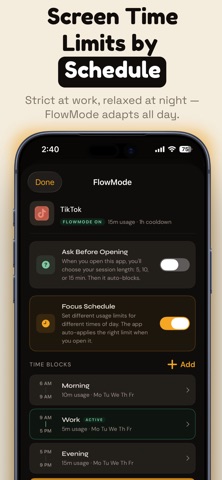
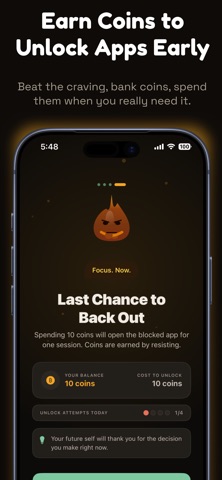
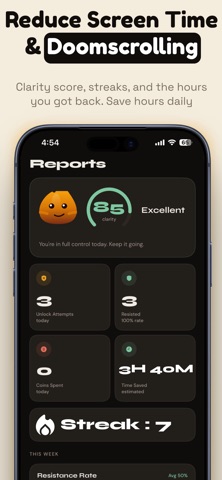
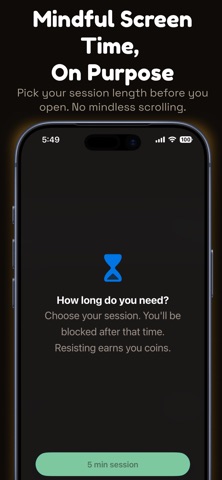
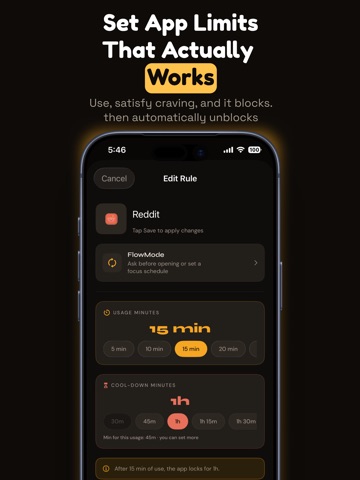
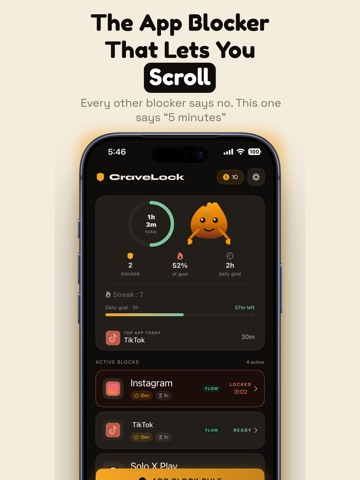
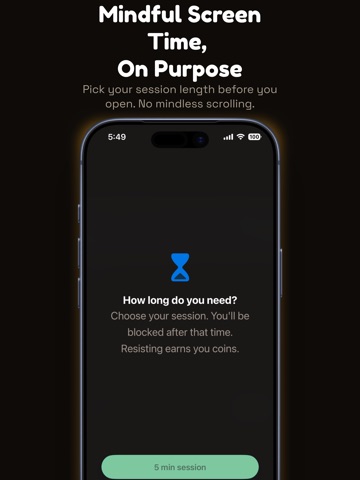
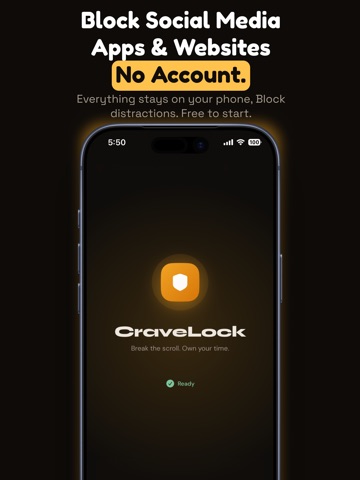
Your "quick scroll" just ate 47 minutes. Again. CraveLock is the app blocker that lets you actually use the apps you want to use — for a little while. Then it blocks them. And the block sticks. HOW IT WORKS - Pick an app: Instagram, TikTok, Reddit, YouTube, anything. - Set a usage limit: 5, 10, or 15 minutes per session. - Set a cooldown: 30 min, 1 hour, a whole afternoon — you decide. - Hit your limit → CraveLock blocks the app until your cooldown ends. - The block uses Apple Screen Time. It holds. You can't just tap it away. WHY THIS WORKS WHEN OTHER BLOCKERS DON'T Most blockers fail because they ask you to quit cold turkey. CraveLock doesn't. It gives you a time budget, enforces it, and gives you back the app when you've earned a break. You stay in control. Your phone stays useful. The scroll just stops having an ending. EARN YOUR UNLOCKS CraveLock's friction system rewards discipline. Resist the urge to break a block and you earn coins. Save coins to unlock apps early on days that need flexibility. It's not a gimmick — it's a promise you make with your future self. FLOWMODE For power users: different limits for different times of day. 5 minutes of Instagram during work hours, 15 minutes in the evening, fully blocked after 11 PM. Set it once, CraveLock adapts all day. TRACK YOUR PROGRESS Daily clarity score, streaks, heatmaps showing when you actually reach for your phone. Watch yourself get better, week by week. BUILT FOR REAL LIFE - Works with Apple Screen Time (no VPN, no fake blocks) - Private — all your data stays on your device - No account required - Works offline WHO IT'S FOR If you've said "I'll just check for a minute" and lost an hour — this is for you. If you've deleted Instagram and re-installed it 4 times — this is for you. If you don't want to quit the internet, you just want a leash on it — this is for you. Break the scroll habit without deleting the apps you love. Download CraveLock. Set one limit. See how the rest of your day feels. Terms of Use (EULA): https://www.apple.com/legal/internet-services/itunes/dev/stdeula/
Latest release
What’s New
A smoother, faster CraveLock with a cleaner design. - Earn coins by resisting — spend them to unlock apps early - FlowMode: different screen time limits for different times of day - Better daily goals, Reports, and a breathing refocus screen Got feedback? Reach out any time — we read everything.
Audience growth
Ratings growth
Baseline captured. Growth appears after the crawler observes a changed rating count.
Momentum comes from crawler snapshots for the tracked storefront. “Viral growth signal” means unusually fast recent rating gains; it is an indicator, not download data.
Price tracking
Price intelligence
First snapshot captured. The trend line starts after the next crawler price observation.
- First observed Sep 8, 2026 · 4:30 AM Free
Screenshots