About this app
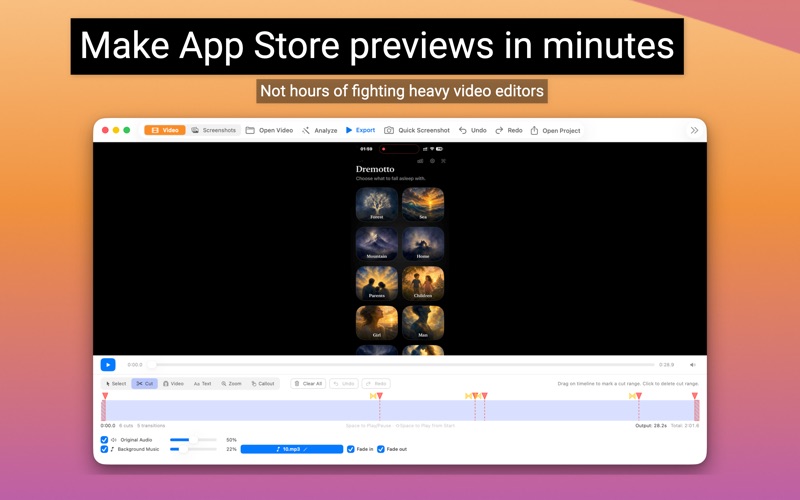
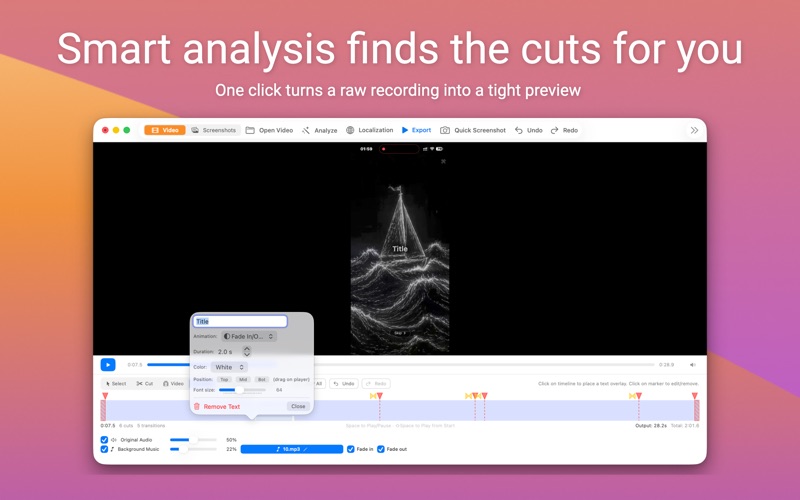
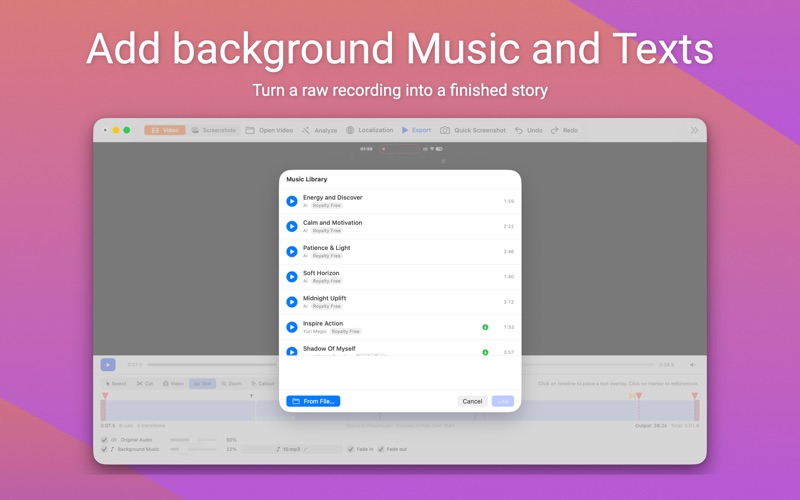
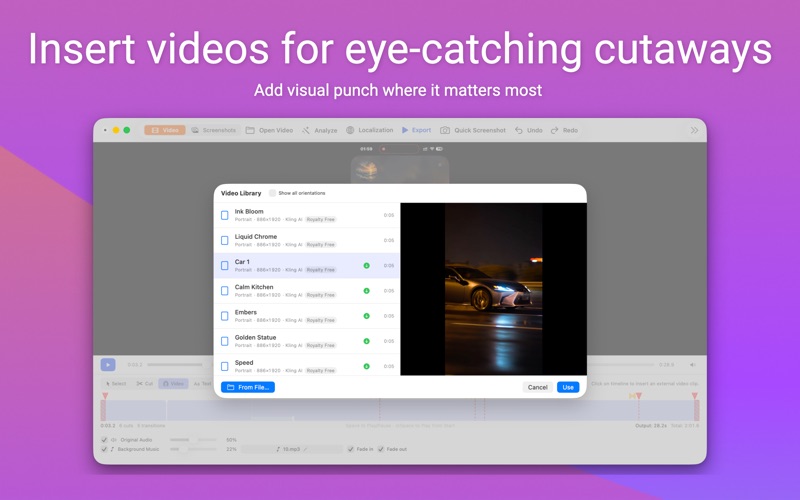
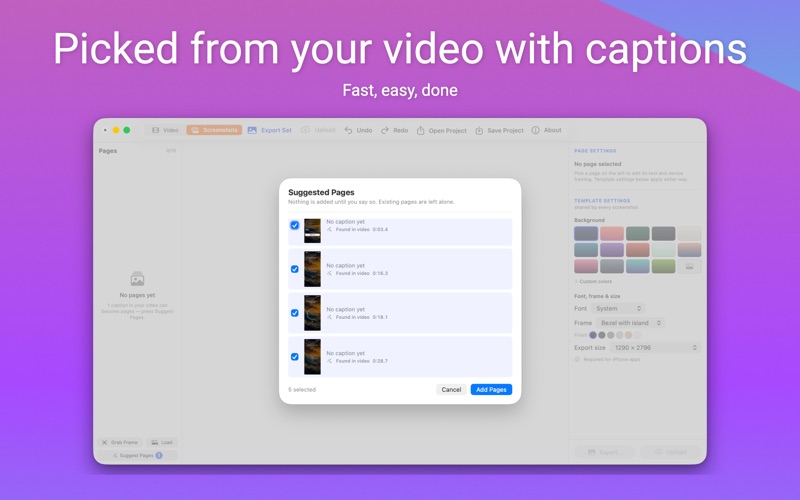
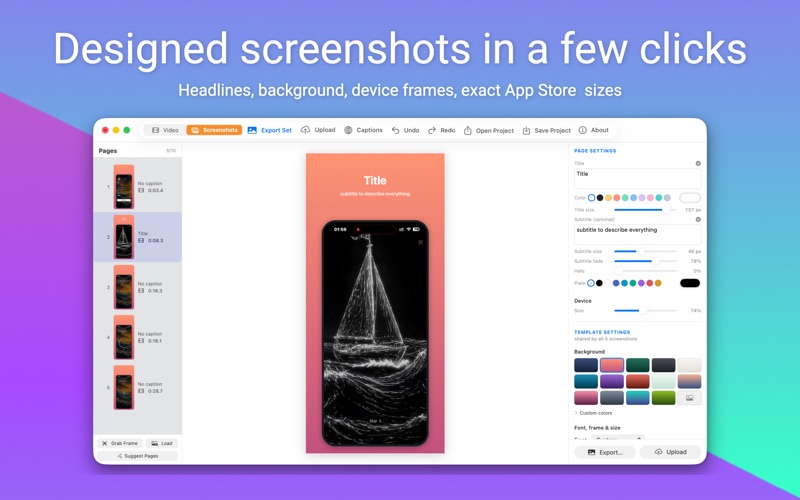
Turn a screen recording into everything your App Store listing needs — the preview video, the screenshots, and the new search and header videos — in minutes, not hours fighting with heavy video editors. Import your screen recording. Let smart analysis auto-detect the best cuts and transitions, or trim manually on a frame-accurate timeline. Add text overlays in every App Store language, pick a background track from the built-in royalty-free music library, and hit Export. You get a video in the exact format your app listing requires — correct resolution, frame rate, duration, and codec. No spec sheets. No rejected uploads. No wasted hours. Then switch to Screenshots and build the other half of the listing from the same recording. The app finds the frames worth showing, your captions and their translations carry across, and every image lands at the exact size the App Store expects — iPhone Duo included. Finish with a search results video and a 21:9 product page header. Before export, the built-in compliance checker reviews duration, resolution, localization completeness, and scans your text overlays for 12 rejection-causing patterns — pricing, URLs, competitor names, promo codes, and more. Fix issues before they reach App Review. Built by an indie developer, for indie developers who ship often and refuse to waste a single hour on video plumbing. PREVIEW VIDEOS • Automatic smart analysis — detects scenes, splash screens, solid frames, and suggests cuts and transitions • Pre-export App Store compliance review — catches rejection-causing issues before you upload • Built-in royalty-free music library with scrubber and fade controls • Built-in royalty-free video clip library for cutaways and intros • Text overlays with fade, slide, and pop animations, plus auto halo shadows • Zoom effects and callouts to highlight key elements • Automatically resizes and crops source video when needed • Exports in the exact format required — correct resolution, duration, frame rate, and codec SCREENSHOTS • Suggested screenshots, picked out of your video for you • Start from frames of your recording, or from images you already have • A headline and subtitle on every screenshot, with a plate behind them for busy backgrounds • Your preview captions carry over, translations included • iPhone Duo — sizes for both screens • Exports at the exact App Store size, grouped by the slot it uploads into SEARCH & HEADER VIDEOS • Search video — three phones playing moments you choose, with a headline, and effects • Product page header from your preview video, a library clip, or any file — trim, slow, or reverse it • Header looks — halftone, duotone, a glowing logo, and more EVERYWHERE • Per-language text — translate once, export every locale from a single project • On-device translation — your strings never leave your Mac • Copy/paste translations in .strings format for fast bulk translation • Upload straight to App Store Connect — videos and screenshots alike • Record from a connected iPhone or iPad • Drag-and-drop video files onto the app to start a new project • Send exports to iPhone via AirDrop for on-device review • Built-in help guide and per-device recording instructions WORKFLOW 1. Record your app with QuickTime, the built-in recorder, or a connected device 2. Open or drag the recording into App Preview Studio 3. Let smart analysis suggest cuts, or mark them yourself 4. Add text overlays, translate them, pick background music 5. Export the video — one language or all of them at once 6. Switch to Screenshots, Search, or Header and export — or upload all to App Store Connect Spend less time on your App Store page, and more on your app.
Latest release
What’s New
• Search video: Create a new video for App Store search results in seconds. • Product page header: Create a video from your App Preview, a library clip, or your own file. Trim it, slow it down, reverse it, add effects, a glowing logo, and more. • Upload Search and Header videos directly to App Store Connect. • iPhone Duo screenshots for both screens.
Audience growth
Ratings growth
Baseline captured. Growth appears after the crawler observes a changed rating count.
Momentum comes from crawler snapshots for the tracked storefront. “Viral growth signal” means unusually fast recent rating gains; it is an indicator, not download data.
Price tracking
Price intelligence
First snapshot captured. The trend line starts after the next crawler price observation.
- First observed Oct 9, 2026 · 5:48 PM Free
Screenshots