About this app
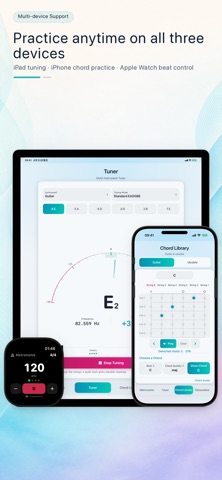
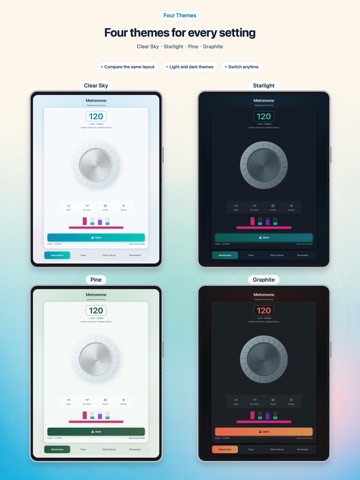
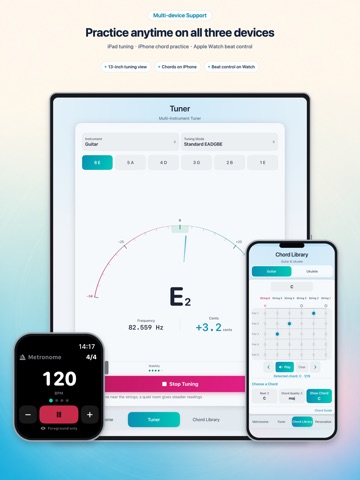
GuitarTool is an all-in-one practice companion for guitar and ukulele players, combining a real-time tuner, a flexible metronome, and chord libraries for both instruments in one focused interface. Real-Time Tuner • Standard, Half Step Down, Drop D, DADGAD, Open G, GCEA, and chromatic modes • Adjustable A4 reference pitch from 430 to 446 Hz • Reference tones plus cents, input-strength, and pitch-stability feedback • Microphone audio is processed live on your device and is never uploaded or saved Flexible Metronome • 20–500 BPM with tap tempo • 1–12 beats per bar with configurable beat units and accents • Quarter-note, eighth-note, triplet, and sixteenth-note subdivisions • Eighth-note swing, useful practice presets, and progressive tempo training Guitar and Ukulele Chords • 855 chord names for each instrument, with 19,244 guitar and ukulele voicings in total • Multiple voicings for the same chord, with quick previous/next controls • Flexible matching for letter case, sharps, flats, common English names, and chord symbols • A fixed five-fret-high viewport that scrolls vertically through all 20 frets, with interactive editing and audio previews • Turn the current fingering into a clear chord card, then preview, save to Photos, or share it with the system share sheet • Standard GCEA ukulele tuning More to Explore • 13 UI languages that follow the system or can be selected in the app • Day, Night, Pine, and Graphite themes • Adaptive iPhone and iPad layouts, an Apple Watch metronome, and three interactive widget sizes • Fully offline, with no ads, accounts, or third-party tracking SDKs Whether you are learning to tune, building steadier rhythm, or looking up a chord, GuitarTool helps you stay focused on playing.
Latest release
What’s New
Version 1.0.7 adds chord cards for easier saving and sharing: • Preview the current guitar or ukulele fingering as a polished card • Save the card to Photos or send it with the system share sheet • Refined high-fret labels so fret numbers stay clearly separated from finger markers • More polish across iPhone, iPad, Apple Watch, widgets, localization, and accessibility Thanks for practicing with GuitarTool.
Audience growth
Ratings growth
Baseline captured. Growth appears after the crawler observes a changed rating count.
Momentum comes from crawler snapshots for the tracked storefront. “Viral growth signal” means unusually fast recent rating gains; it is an indicator, not download data.
Price tracking
Price intelligence
First snapshot captured. The trend line starts after the next crawler price observation.
- First observed Sep 1, 2026 · 1:54 PM Free
Screenshots