About this app
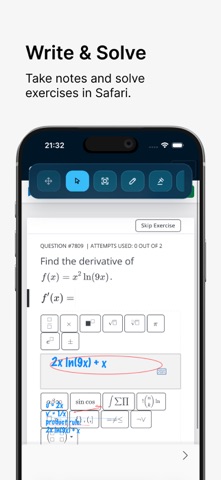
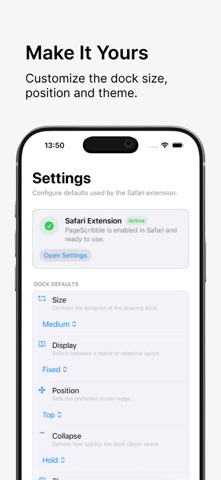
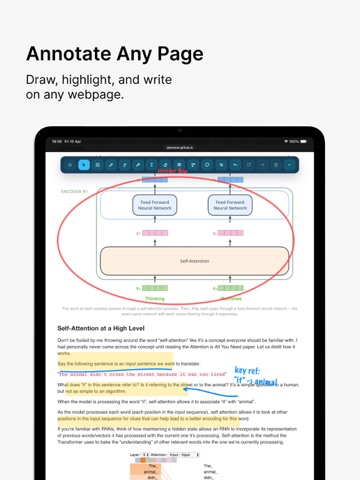
PageScribble turns every webpage into a digital whiteboard. Whether you're reviewing a design, teaching a concept, highlighting research, or just organizing your thoughts — grab a pen and start drawing. DRAW & MARKUP FREELY Pen, marker, eraser, text blocks, lines, arrows, rectangles, and ellipses. Adjust stroke width and pick any color with the built-in picker, or sample directly from the page with the eyedropper tool. WORKS WITH ANY INPUT Mouse, trackpad, finger, or stylus — including Apple Pencil on compatible iPads, with native palm rejection for smooth, uninterrupted drawing. FULL CONTROL OVER EVERY ELEMENT Select, move, and resize drawings after placing them. Undo and redo freely. Clear the whole whiteboard or delete elements one by one. SCREENSHOT & EXPORT Screenshot the full visible page or drag to select a specific region — instant PNG export. A TOOLBAR THAT STAYS OUT OF YOUR WAY Dock it to any edge, choose from three sizes, and pick fixed or freely draggable positioning. Three themes — dark, sand, sky. Set it to auto-collapse while drawing so nothing breaks your flow. REMEMBERS EVERYTHING Drawings are saved per page and restored automatically. Your tools, colors, and preferences carry across every session. No accounts. No cloud sync. No clutter. Just you and the page. Terms of Use: https://www.apple.com/legal/internet-services/itunes/dev/stdeula/
Latest release
What’s New
Version 1.1.1 includes the following enhancements: • Bug fixes and performance improvements.
Audience growth
Ratings growth
Baseline captured. Growth appears after the crawler observes a changed rating count.
Momentum comes from crawler snapshots for the tracked storefront. “Viral growth signal” means unusually fast recent rating gains; it is an indicator, not download data.
Price tracking
Price intelligence
First snapshot captured. The trend line starts after the next crawler price observation.
- First observed Aug 4, 2026 · 7:40 PM Free
Screenshots