About this app
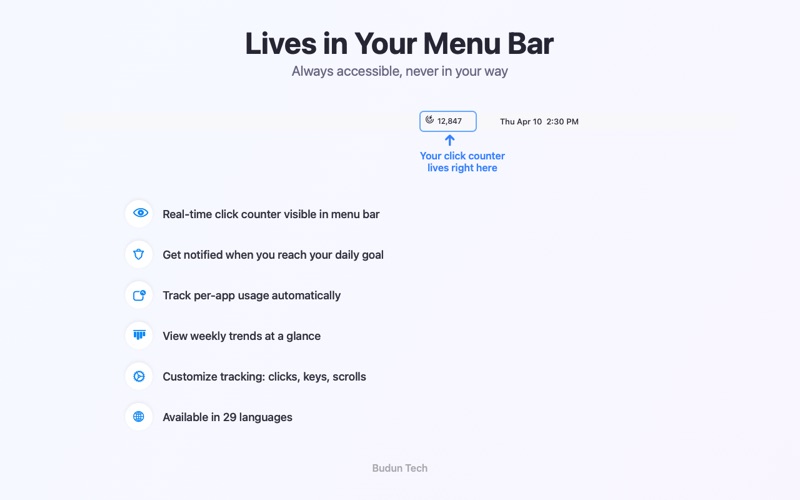
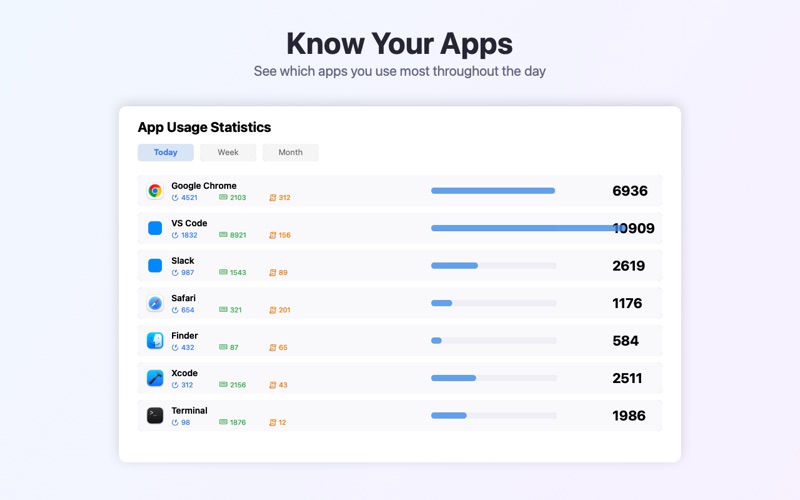
TabTrack lives in your menu bar and counts every mouse click, keystroke, and scroll — giving you real insight into your daily computer activity. FEATURES: • Real-time counter visible in your menu bar • Track mouse clicks, keyboard keystrokes, and scroll events • Per-app usage statistics — see which apps you use most • Daily, weekly, and monthly charts • Hourly activity heatmap to discover your peak hours • Set daily goals and build streaks to stay motivated • Smart scroll filtering to get accurate stats • Export your data as CSV or JSON • Supports 29 languages • Lightweight — uses minimal system resources FREE: • Real-time click counter in menu bar • Click, keystroke & scroll tracking • Daily goals & streaks • 7-day mini chart • Per-app tracking (today) TABTRACK PRO: • Detailed charts & analytics • Hourly heatmap • Per-app tracking (all time) • CSV & JSON export • Unlimited history • All future features TabTrack requires Input Monitoring permission to count your clicks and keystrokes. Your data never leaves your Mac — everything is stored locally. Made with care by Budun Tech. --- Terms of Use (EULA): https://www.apple.com/legal/internet-services/itunes/dev/stdeula/ Privacy Policy: https://tabtrack.budun.com.tr/privacy-policy.html
Latest release
What’s New
- Fixed in-app purchase issues - Improved subscription error messages - Minor bug fixes
Audience growth
Ratings growth
Baseline captured. Growth appears after the crawler observes a changed rating count.
Momentum comes from crawler snapshots for the tracked storefront. “Viral growth signal” means unusually fast recent rating gains; it is an indicator, not download data.
Price tracking
Price intelligence
First snapshot captured. The trend line starts after the next crawler price observation.
- First observed Aug 21, 2026 · 6:31 PM Free
Screenshots