About this app
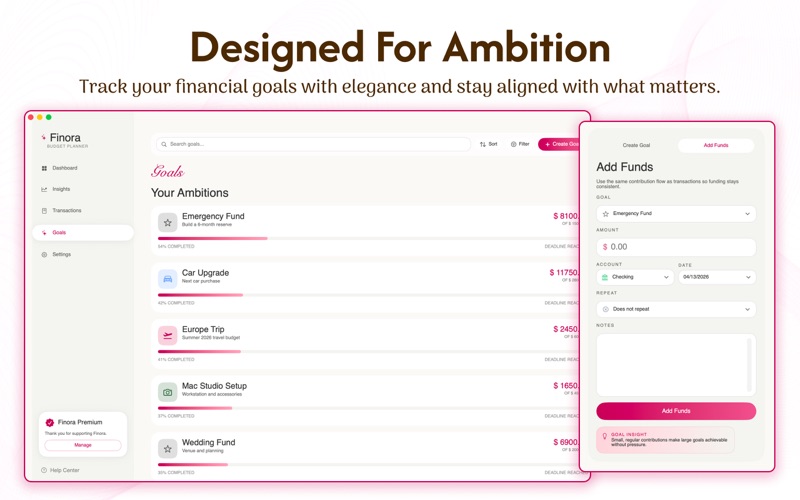
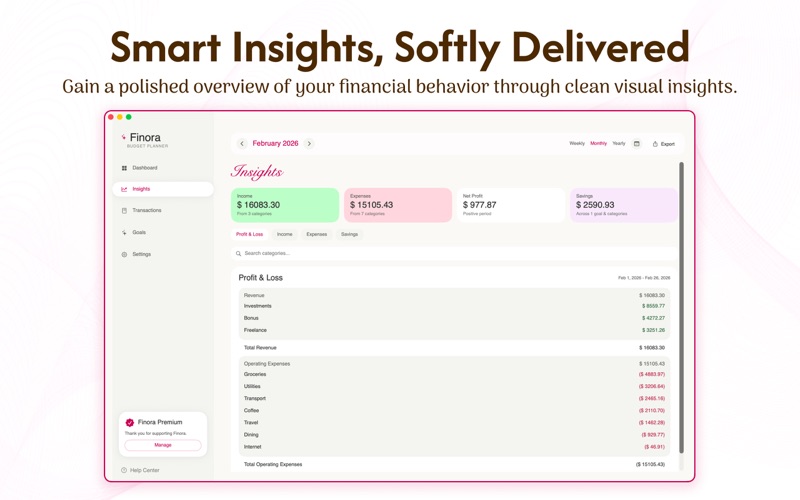
Finora: Budget Planner is a beautifully designed personal finance app that helps you track spending, manage income, and build meaningful savings—all in one place. Designed for clarity and simplicity, Finora gives you a complete view of your finances with powerful tools wrapped in an elegant macOS experience. Track Your Finances with Ease Log and manage all your financial activity in one place. Add income, expenses, and savings entries with categories, notes, accounts, and recurring schedules. Quickly filter, sort, and review your transactions anytime. Understand Your Money with Insights Get a clear breakdown of your financial health with intuitive reports: -Profit & Loss overview -Income and expense analysis -Savings tracking -Time-based filters and category insights -Export your data anytime as CSV for deeper analysis. Plan and Achieve Your Goals Set financial goals and track your progress over time. Allocate funds toward your goals and stay motivated as you move closer to your targets. Smart Dashboard Overview View your balance, income, expenses, and savings at a glance. Stay up to date with recent activity and navigate your finances effortlessly. Built for macOS -Clean sidebar navigation -Smooth native experience with SwiftUI -Customizable currency and number formats -Local-first storage with full control of your data Private & Secure Your data stays on your device. Finora uses a local-first approach with optional backup and restore, giving you full ownership and privacy. Unlock Premium Features Upgrade to access: -Unlimited transactions -Advanced insights and reports -Goal tracking features -Seamless data export and more Terms & Privacy Privacy Policy: https://sites.google.com/view/finora-budget/privacy-policy Additional Terms: https://sites.google.com/view/finora-budget/terms-and-condition This application is subject to Apple’s Standard End User License Agreement.
Latest release
What’s New
What's new in 1.3: Bug Fixes and updates.
Audience growth
Ratings growth
Baseline captured. Growth appears after the crawler observes a changed rating count.
Momentum comes from crawler snapshots for the tracked storefront. “Viral growth signal” means unusually fast recent rating gains; it is an indicator, not download data.
Price tracking
Price intelligence
First snapshot captured. The trend line starts after the next crawler price observation.
- First observed Aug 8, 2026 · 11:23 PM Free
Screenshots