About this app
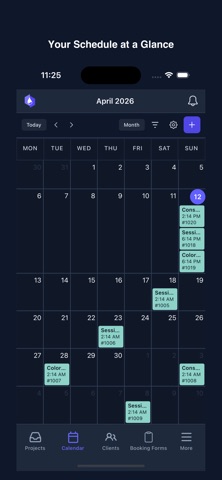
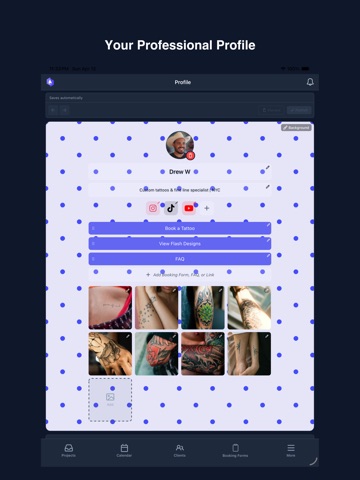
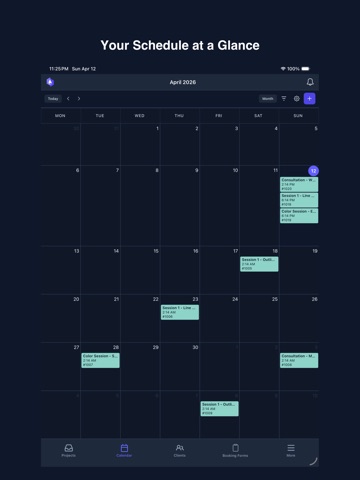
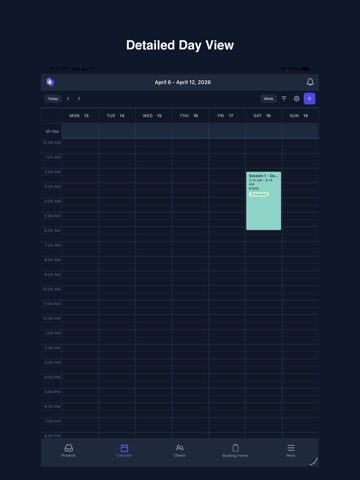
InkDesk is the all-in-one tattoo booking software built for busy artists and studios. Manage scheduling, client projects, messaging, waivers, and reminders from one app — so you can focus on tattooing, not admin. ORGANIZED CLIENT PROJECTS All client notes, references, and conversation history organized in one project view. No more digging through DMs or scattered files. SMART SCHEDULING Set your availability and share a booking link, or manage your calendar manually. Syncs with Google Calendar so you're never double-booked. CUSTOM BOOKING FORMS Collect client details, references, placement preferences, and budgets upfront with custom intake forms on your public profile. BUILT-IN CLIENT MESSAGING Move conversations out of Instagram DMs into a centralized inbox. Reply via the app or email — clients see one seamless thread. DIGITAL WAIVERS & CONSENT FORMS Send secure, legally compliant consent forms before appointments. Signed waivers are automatically stored in client profiles. AUTOMATED REMINDERS Reduce no-shows with automated appointment reminders sent to clients before their session. YOUR PROFESSIONAL PROFILE A branded public booking page where clients can view your portfolio, book appointments, fill out forms, and sign waivers. BUILT FOR TATTOO ARTISTS Whether you're a solo artist or running a multi-chair studio, InkDesk replaces the patchwork of DMs, spreadsheets, and paper forms with one streamlined platform. Questions? Reach out at support@inkdesk.app or visit https://inkdesk.app Terms of Use: https://inkdesk.app/legal/terms-of-service
Latest release
What’s New
• Saved views — save any combination of filters as a named view in Projects, Calendar and Clients. Set a default, rename, reorder, give them emojis. • Ignored — mute a project or an entire sender. They leave your inbox and stop sending you notifications. Restore them any time. • Richer client list — see upcoming sessions, last session, no-shows and notes at a glance, with new filters (activity, how they're reachable, upcoming, no-shows) and sorting.
Audience growth
Ratings growth
Baseline captured. Growth appears after the crawler observes a changed rating count.
Momentum comes from crawler snapshots for the tracked storefront. “Viral growth signal” means unusually fast recent rating gains; it is an indicator, not download data.
Price tracking
Price intelligence
First snapshot captured. The trend line starts after the next crawler price observation.
- First observed Aug 19, 2026 · 10:53 AM Free
Screenshots