About this app
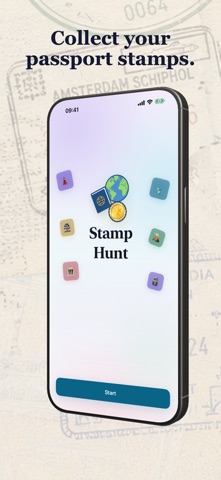
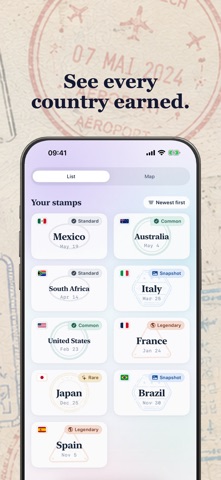
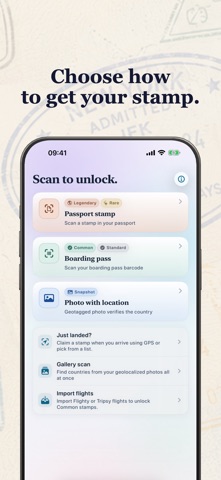
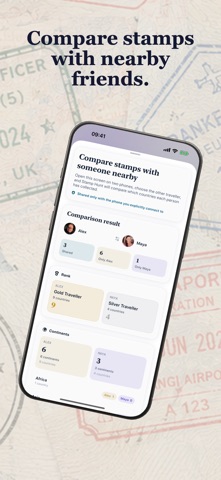
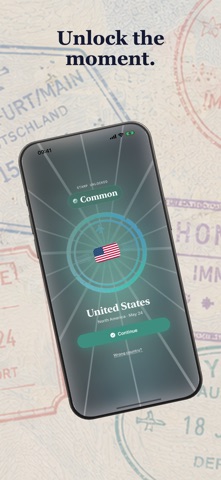
Stamp Hunt turns your travels into a private digital passport. Save your passport stamps, collect new ones, build your travel map, and remember where you have been, without creating an account and without handing your travel history to us. Your collection lives on your iPhone, and when you are signed in to iCloud it syncs privately through your own iCloud account so it reaches your other devices. We never receive it. Add stamps in the way that matches your trip: - Scan boarding pass barcodes - Import eligible travel files - Use geotagged photos for Snapshot stamps - Confirm your current country with location - Scan and save passport ink stamps - Optionally import profile details from an NFC passport chip Your collection is organized like a travel passport, with country stamps, dates, airport codes, evidence markers, rarity tiers, and a map view of your journey. You can sort, filter, inspect stamp details, and share journey cards when you want. Privacy is central to Stamp Hunt: - No account required - No ads - No analytics - No tracking - No developer backend: we never receive your travel history - Syncs across your devices through your own private iCloud account (Apple's CloudKit private database), stored under your Apple ID where we cannot read it. Turn it off anytime by signing out of iCloud or disabling iCloud for Stamp Hunt - Passport numbers, MRZ access keys, boarding pass details, and exact live coordinates are not kept after the relevant flow ends - Photos and camera previews are not uploaded to us - Nearby Compare sends only the comparison data needed directly to the nearby phone you choose Stamp Hunt is for personal travel memories and collectible fun. It is not an official travel record and does not replace your passport, tickets, boarding passes, or immigration documents. You can collect up to 10 stamps for free. A one-time in-app purchase unlocks unlimited stamps.
Latest release
What’s New
- Gallery Scan and Snapshot redeem now award stamps with the date when the photo was taken - Various improvements and bugfixes
Audience growth
Ratings growth
Baseline captured. Growth appears after the crawler observes a changed rating count.
Momentum comes from crawler snapshots for the tracked storefront. “Viral growth signal” means unusually fast recent rating gains; it is an indicator, not download data.
Price tracking
Price intelligence
First snapshot captured. The trend line starts after the next crawler price observation.
- First observed Sep 6, 2026 · 2:13 PM Free
Screenshots